Table Turnover Rate: How to Turn Tables Faster Without Rushing Guests
Learn how to calculate table turnover rate and RevPASH, find where your table time goes, and use 12 proven ways to turn tables faster without rushing guests.
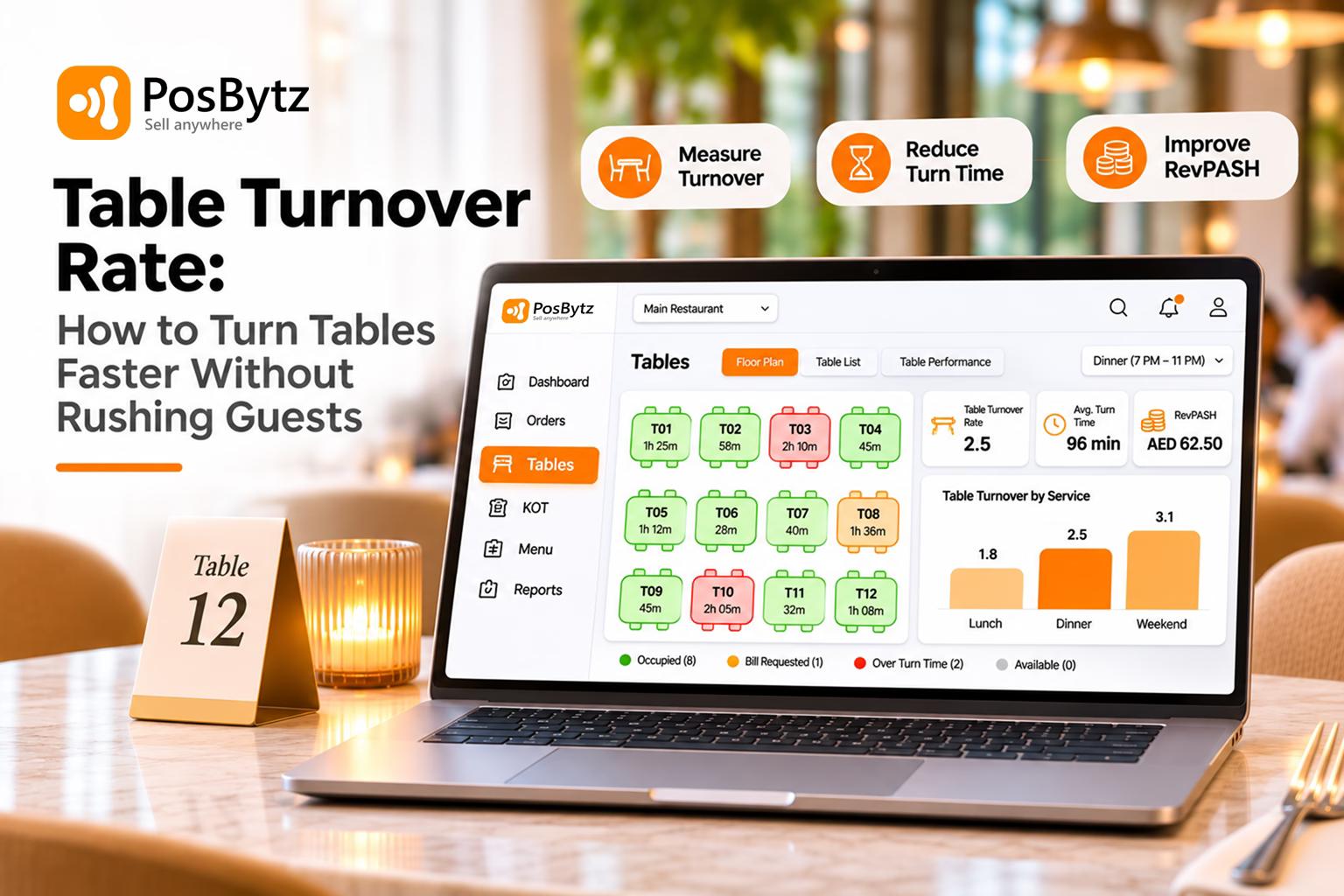


Quick answer: Table turnover rate is the number of parties a table serves in one service period: total parties seated divided by number of tables. To raise it without rushing guests, remove the waiting that guests do not choose: waiting to be seated, to order, for food, for the bill and for a reset table. Most of those minutes sit in ordering and payment, which is why table-side ordering and payment have the biggest measured effect.
It is Saturday night. There is a queue at the door, the kitchen is ready for more covers, and a table of four has been finished for twenty minutes, waiting for someone to bring the bill. That table is not a guest problem. It is a process problem, and it is the kind that table turnover helps you see.
This guide starts with the basics (what table turnover is and how to calculate it), then shows where the minutes in a table cycle usually go, and ends with the tools that remove those minutes without making anyone feel rushed.
What Is Table Turnover Rate in a Restaurant?
Table turnover rate tells you how many different parties used each table during a service period, such as lunch or dinner. A rate of 2.5 at dinner means each table, on average, seated two and a half groups.
It is one of the few numbers that links your floor, your kitchen and your revenue. More turns at the same average spend means more sales from the same rent, seats and staff.
Table Turnover Rate Formula
Table turnover rate = Number of parties seated ÷ Number of tables
Worked example: your restaurant has 20 tables. Between 7 pm and 11 pm you seat 50 parties. Your dinner table turnover rate is 50 ÷ 20 = 2.5.
Measure it per service period, not per day. A lunch rate and a dinner rate tell you very different things, and a daily average hides both.
Table Turn Time: The Number Behind the Rate
Table turn time is the average minutes a party occupies a table, from seating until the table is ready for the next party.
Average table turn time = Total minutes tables were occupied ÷ Number of parties seated
Turnover rate tells you what happened. Turn time tells you why. If your dinner service is 4 hours and your average turn time is 100 minutes, the most you can physically get is about 2.4 turns per table, however busy the door is.
RevPASH: The Metric That Stops You Chasing the Wrong Turns
RevPASH, revenue per available seat-hour, was introduced by Professor Sheryl Kimes and colleagues at Cornell's School of Hotel Administration as a core measure of restaurant revenue management. It combines time, seats and revenue in one number.
RevPASH = Revenue in the period ÷ (Seats × Hours in the period)
Example: a 60-seat restaurant takes ₹1,20,000 during a 4-hour dinner. RevPASH = 1,20,000 ÷ (60 × 4) = ₹500 per seat-hour.
Why it matters: turnover alone can mislead. Turning a table faster is only worth it if the next party spends enough to beat what the current party would have added. RevPASH shows whether faster turns are actually earning more.
Turnover Rate vs Turn Time vs RevPASH
- Metric: Table turnover rate
- How many parties did each table serve?
- Track demand and capacity use per service
- How many parties did each table serve?
- Metric: Table turn time
- How long does a party hold a table?
- Find delays inside the dining cycle
- How long does a party hold a table?
- Metric: RevPASH
- How much does each seat earn per hour?
- Decide whether faster turns are worth it
- How much does each seat earn per hour?
Is There a Good Table Turnover Rate?
There is no single right number. A café, a QSR with seating, a family restaurant and a tasting-menu restaurant are built for very different dining times. The useful benchmark is your own: measure each service for four weeks, find your average and your busiest nights, then improve against that. Compare restaurants only of the same type, size and price point.
When Faster Table Turnover Is the Wrong Goal
Pushing turnover is not always right:
- Fine dining and tasting menus, where the length of the meal is part of what guests pay for.
- Quiet hours, when there is no one waiting for the table. Rushing guests then costs goodwill and earns nothing.
- High-spend tables still ordering drinks or dessert, which may be worth more than a new party.
- Celebrations and family gatherings, common in India and the GCC, where guests expect to stay. Plan these into bookings rather than cutting them short.
The goal is to remove waiting guests do not choose, not to shorten the time they enjoy.
Where Table Time Goes: The 7 Stages of a Table Cycle
Every table goes through the same cycle, whatever your concept. Some of the time is time guests want (eating, talking). Some is time they spend waiting for you. Only the second kind is worth cutting.
Seating
- The host seats the party.
- Guests don't choose this time. It's waiting.
- Delays you can fix: the table hasn't been reset, the party is at the wrong size table, or you seated them before everyone arrived.
Ordering
- Guests read the menu and the server takes their order.
- Partly guest time, partly waiting.
- Delays you can fix: guests wait for menus or for a server, the menu is too long, or the order is written down and then typed in again.
Kitchen
- The kitchen cooks the order.
- Guests don't choose this time. It's waiting.
- Delays you can fix: the ticket reaches the kitchen late, one station is overloaded, or prep isn't done.
Eating
- Guests eat.
- This is time guests choose.
- Delays you can fix: dishes for one table come out at different times, or finished plates stay on the table.
Dessert and extras
- Guests have second drinks, dessert or coffee.
- This is time guests choose.
- Delays you can fix: no server is free to take the extra order.
Bill and payment
- Guests ask for the bill and pay it.
- Guests don't choose this time. It's waiting.
- Delays you can fix: guests wait for a server, wait for the bill, wait for the card machine, or wait while the bill is split.
Reset
- Staff clear and set the table.
- Guests don't choose this time. It's waiting.
- Delays you can fix: nobody is assigned to the job, supplies are far from the tables, or the host isn't told the table is free.
How to Time Your Own Table Cycle
Before changing anything, measure. On two busy services, pick 15 tables and note the clock time at each stage: seated, order taken, food out, plates cleared, bill requested, paid, table reset. It takes one person with a notepad, or your POS if it records these times.
When you add the minutes up, two things usually stand out:
- The waiting stages (1, 2, 3, 6, 7) are larger than owners expect. Guests often spend more time waiting to order, waiting for the bill and waiting for a table to be reset than they would guess.
- One stage dominates. Fix that one first. Shaving time off a stage that was never slow changes nothing.
Table Mix: The Hidden Turnover Problem
Table mix is how many 2-seat, 4-seat and larger tables you have compared with the party sizes that actually walk in. If most parties are couples but most tables are 4-tops, you lose seats every service: two empty chairs at every table for two. Restaurant revenue management research from Cornell treats choosing the right table mix as a capacity lever, alongside managing dining duration.
Check your POS or booking data for party sizes over a month, then compare it with your floor plan. Movable 2-tops that combine into 4-tops and 6-tops usually fit real demand better than a room of fixed 4-tops.
How to Increase Table Turnover Without Rushing Guests: 12 Proven Ways
The strategies below follow the table cycle, so you can jump to the stage your timing exposed.
Faster Seating and Smarter Table Assignment
1. Seat complete parties only at peak. A table of six with two guests still parking cannot order. At busy times, wait until the party is complete, and tell guests the policy when they book.
2. Match party size to table size. Seat couples at 2-tops and keep larger tables for groups. Combine tables only when the party needs it.
3. Give the host a live view of every table. The host should see, without walking the floor, which tables have ordered, are eating, have asked for the bill or are free. That is how you seat the next party the minute a table is ready.
Faster Ordering at the Table
4. Get menus into guests' hands immediately. A QR menu on the table lets guests start choosing the moment they sit down, instead of waiting for a server.
5. Take orders on a handheld or captain app. When servers enter orders at the table, the order reaches the kitchen straight away, with no walk to a terminal and no re-typing.
6. Let guests order, re-order and pay from the table. This is the step with the strongest evidence. In a peer-reviewed study of a US casual-dining chain, tabletop devices that let guests order and pay reduced meal duration by close to 10% and raised sales per minute by about 11%. The researchers found the technology helped less experienced servers the most, because guests no longer waited for them to notice a table. The study tested tablet devices fixed to the table; QR ordering on the guest's own phone works on the same principle, though it was not what the study measured.
7. Make the menu easy to decide from. Clear dish names, short descriptions, and highlighted signature or quick dishes help guests choose faster. A shorter peak-hour menu also speeds up the kitchen.
Faster Kitchen Flow
8. Send tickets straight to the right station. Use KOT printers or a kitchen display system per station so tickets are not carried, sorted or lost. Food that leaves the pass sooner turns the table sooner.
9. Prep and pace for peak. Prep sauces, garnishes and portioned proteins before service. Fire long-cook dishes first so a table's plates arrive together.
Faster Bill, Payment and Reset
10. Remove the wait for the bill. The end of the meal is one of the most common places guests wait without wanting to. Bill at the table on a handheld, let guests pay from a QR code on the bill, and split the bill by item or by person in a few taps.
11. Clear as you go. Clear finished plates promptly (without hovering), and offer dessert or coffee when mains are cleared, not ten minutes later. Guests who want to stay will stay; guests who want to leave are not held up.
12. Reset tables with a set routine. Assign who clears, wipes and sets each section. Keep cutlery, napkins and condiments at stations near the tables. Let the host know the moment the table is ready.
Table Turnover Strategies by Restaurant Type
Casual and family dining
- Biggest time drain: guests wait to order and to pay, and large groups slow things down.
- Where to start: QR ordering, a captain app, splitting the bill by item, and a table status view for the host.
Cafés
- Biggest time drain: guests stay a long time after a small order.
- Where to start: let guests order and pay at the table or counter, set clear rules for laptop seating at busy times, and make it easy to order a second drink.
QSR and fast casual with seating
- Biggest time drain: the queue at the counter, and then people sitting at tables just waiting.
- Where to start: take the order and payment before seating, and use a token or an order-ready display.
Fine dining
- Biggest time drain: the pace of the courses, and payment.
- Where to start: take payment at the table on a handheld device. Don't shorten the courses.
Buffets and set menus (including Ramadan iftar)
- Biggest time drain: everyone arrives and pays at the same time.
- Where to start: book seatings in waves, and use prepaid or set-price billing.
Bars and lounges
- Biggest time drain: lots of open tabs closing at once.
- Where to start: keep tabs on the POS, and let guests pay by card or QR at the table.
Common Table Turnover Mistakes That Hurt Guest Experience
- Dropping the bill before guests ask for it when nobody is waiting for the table.
- Clearing plates while others are still eating.
- Hovering near the table after dessert, which guests read as being moved on.
- Cutting portions or courses to save kitchen time. Guests notice and reviews suffer.
- Turning off Wi-Fi or air-conditioning to move guests on, which damages goodwill more than it saves.
- Chasing turns in quiet hours, when RevPASH would rise more from a dessert order than from an empty table.
Restaurant Table Management Software That Improves Table Turnover
Most of the 12 strategies above depend on information moving faster than people can walk: the order reaching the kitchen, the host knowing a table is free, the bill reaching the guest. That is what restaurant table management and POS software is for.
What to Look For in a POS for Faster Table Turns
- Table-side ordering on a captain app or handheld
- QR ordering and payment linked to the live table bill
- Orders sent straight to KOT printers or a kitchen display, by station
- Live floor plan showing table status for hosts and servers
- Bill splitting by item, by guest or equally, with mixed payment methods
- Reports on sales by hour and, ideally, table duration, so you can track turn time and RevPASH
- Keeps billing when the internet drops
How PosBytz Helps You Turn Tables Faster
Content team: the features below are taken from PosBytz's own published pages and app listings (see sources). Confirm items marked (*) with the product team before publishing, and add one customer result with real before and after numbers.
PosBytz is a cloud restaurant POS that runs on Windows, Android and iPad devices. Here is how its features map to each stage of the table cycle.
Seating
- PosBytz feature: table management across floors, with dine-in, takeaway and delivery marked separately.
- What changes: hosts can see which tables are free or taken, so they seat the next party sooner.
Ordering (QR code)
- PosBytz feature: QR code table ordering that syncs with the POS and the kitchen display.
- What changes: guests can look at the menu and order from their phone as soon as they sit down.
Ordering (waiter app)
- PosBytz feature: the waiter (captain) app.
- What changes: servers take orders right at the table. They don't walk to a terminal, and they don't type the order in again.
Kitchen
- PosBytz feature: KOT printing and the PosBytz Kitchen Display app.
- What changes: tickets reach the kitchen at once and are easy to read.
Payment (splitting and tips)
- PosBytz feature: split and separate bills, several payment methods, and tips.
- What changes: groups can pay without working out the sums by hand or making several trips to the counter.
Payment (handheld terminals)
- PosBytz feature: the PosBytz app on smart payment terminals, such as myPOS devices.
- What changes: the order, the bill and the card payment all happen on one handheld device at the table.
Planning
- PosBytz feature: sales and payment reports by outlet, and table duration reports (confirm this one with the product team before publishing).
- What changes: you can see your busy hours and check whether your table turn time is getting better.
Peak hours
- PosBytz feature: it works offline.
- What changes: if the internet drops, ordering and billing keep running.
Which PosBytz Setup Fits Your Restaurant?
- If you run a busy café
- Start with QR ordering and payment, and run the POS on a tablet.
- If you run Casual or family dining
- Start with the captain app, QR ordering, split bills, and table management.
- If you run Fine dining
- Start with the captain app and payment on a handheld device at the table.
- If you run QSR or food court with seating
- Start with QR order-and-pay, a kitchen display, and a digital queue display.
- If you run Several outlets
- Start with all of the above, and add reports for each outlet.
Switching to PosBytz for Table Management: Common Questions
- Will QR ordering make my service feel impersonal? It does not have to. Use it for menus, add-on orders and payment, and keep servers for welcome, recommendations and hospitality.
- Do I need new hardware? PosBytz runs on Windows, Android and iPad POS devices. Add handheld payment terminals only where you want card payment at the table.
- How do I know it is working? Measure table turn time and RevPASH for four weeks before and four weeks after, on comparable services.
See your floor plan, QR ordering and table-side billing working together. Book a free PosBytz demo.
Table Turnover Rate FAQ
How do you calculate table turnover rate?
Divide the number of parties seated in a service period by the number of tables. For example, 50 parties across 20 tables during dinner gives a table turnover rate of 2.5. Measure lunch and dinner separately so one does not hide the other.
What is the difference between table turnover rate and table turn time?
Table turnover rate counts how many parties each table served in a period. Table turn time is the average minutes one party holds a table, from seating to reset. Turn time explains why the turnover rate is high or low.
What is a good table turnover rate for a restaurant?
It depends on your concept, menu and price point, so there is no single right figure. Track your own rate for each service over four weeks, compare only with similar restaurants, and improve against your own baseline.
How can I increase table turnover without rushing customers?
Cut the waiting guests do not choose: waiting to be seated, to order, for food, for the bill and for a table reset. QR ordering, table-side ordering and payment, faster kitchen tickets and a set reset routine shorten these stages without shortening the meal.
What is RevPASH and why does it matter?
RevPASH is revenue per available seat-hour: revenue divided by seats multiplied by hours. It shows whether faster table turns actually earn more, because it accounts for both how long guests stay and how much they spend.
Does table-side ordering technology reduce table turn time?
Research supports it. A study in Management Science found that tabletop devices letting guests order and pay reduced meal duration by close to 10% and raised sales per minute by about 11% in a US casual-dining chain. QR ordering uses the same idea on the guest's phone.
How do you handle guests who stay too long at peak hours?
Stay polite. Offer a final drink or dessert, bring the bill when asked promptly, and offer a lounge or counter seat if you have one. For cafés, set clear peak-hour seating policies in advance rather than asking individual guests to leave.
About the author

Saravana Damodaram
Co-Founder & CEO, PosBytz
Saravana Damodaram is the Co-Founder & CEO of PosBytz, a cloud-based POS-ERP platform built for F&B and retail businesses since 2018. He focuses on unified commerce, inventory, and multi-location operations, and has helped over 5,000 merchants across 25+ countries move off fragmented, disconnected tools and run their entire operation, billing, inventory, kitchen, and accounting on one platform.