QSR POS Software to Run Billing, Kitchen and Delivery on One Platform
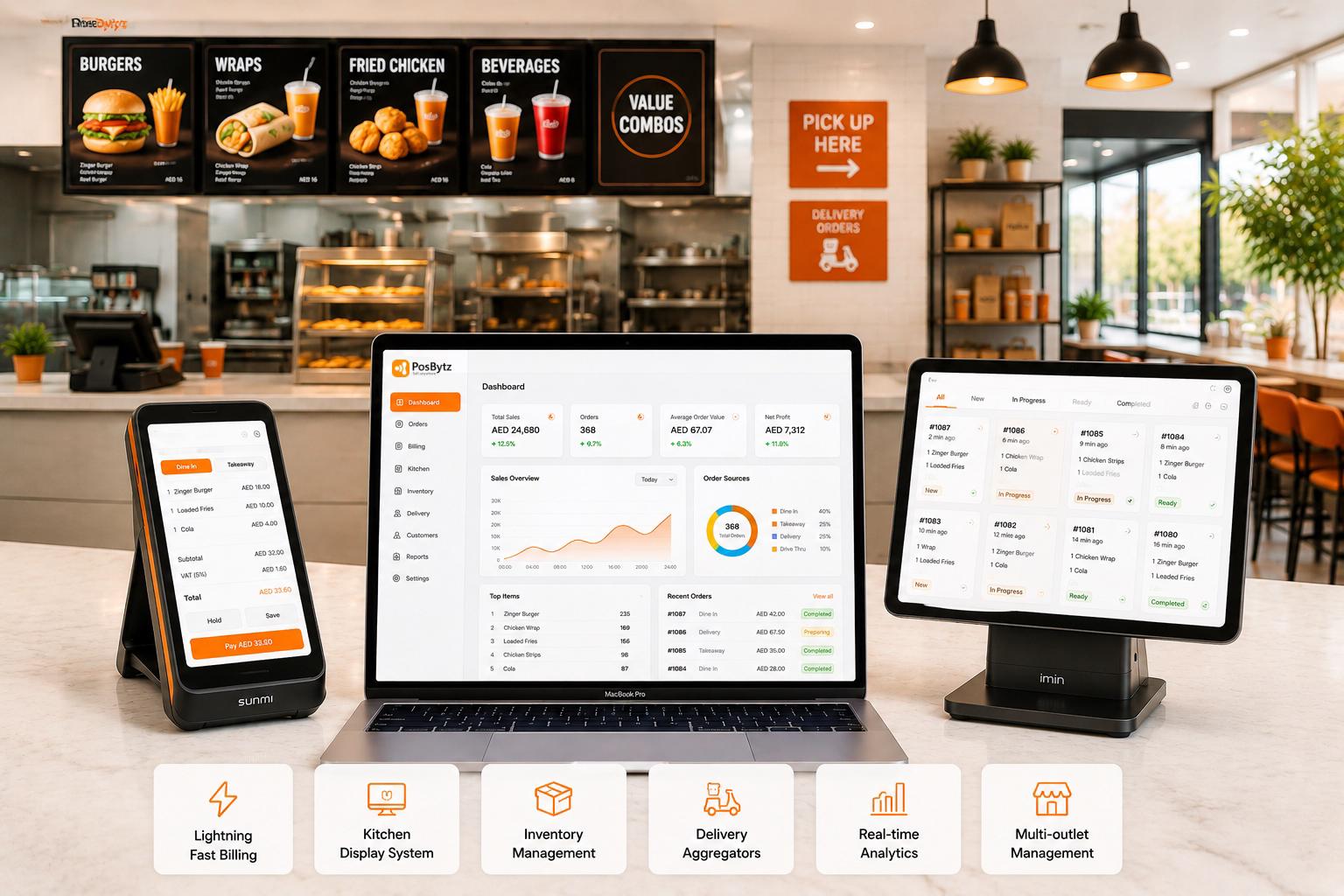
PosBytz QSR POS software runs billing, kitchen display, inventory, and delivery aggregators on one platform. Bill orders in seconds, route tickets to the kitchen, and manage one outlet or a whole QSR chain from a single dashboard.
QSR Workflow
Every Module Your QSR POS System Needs, Built Into One Platform
Billing, kitchen routing, recipe costing, inventory, and accounting run on the same data, so a quick-service restaurant isn't stitching together separate apps for the counter, the kitchen, and the back office.
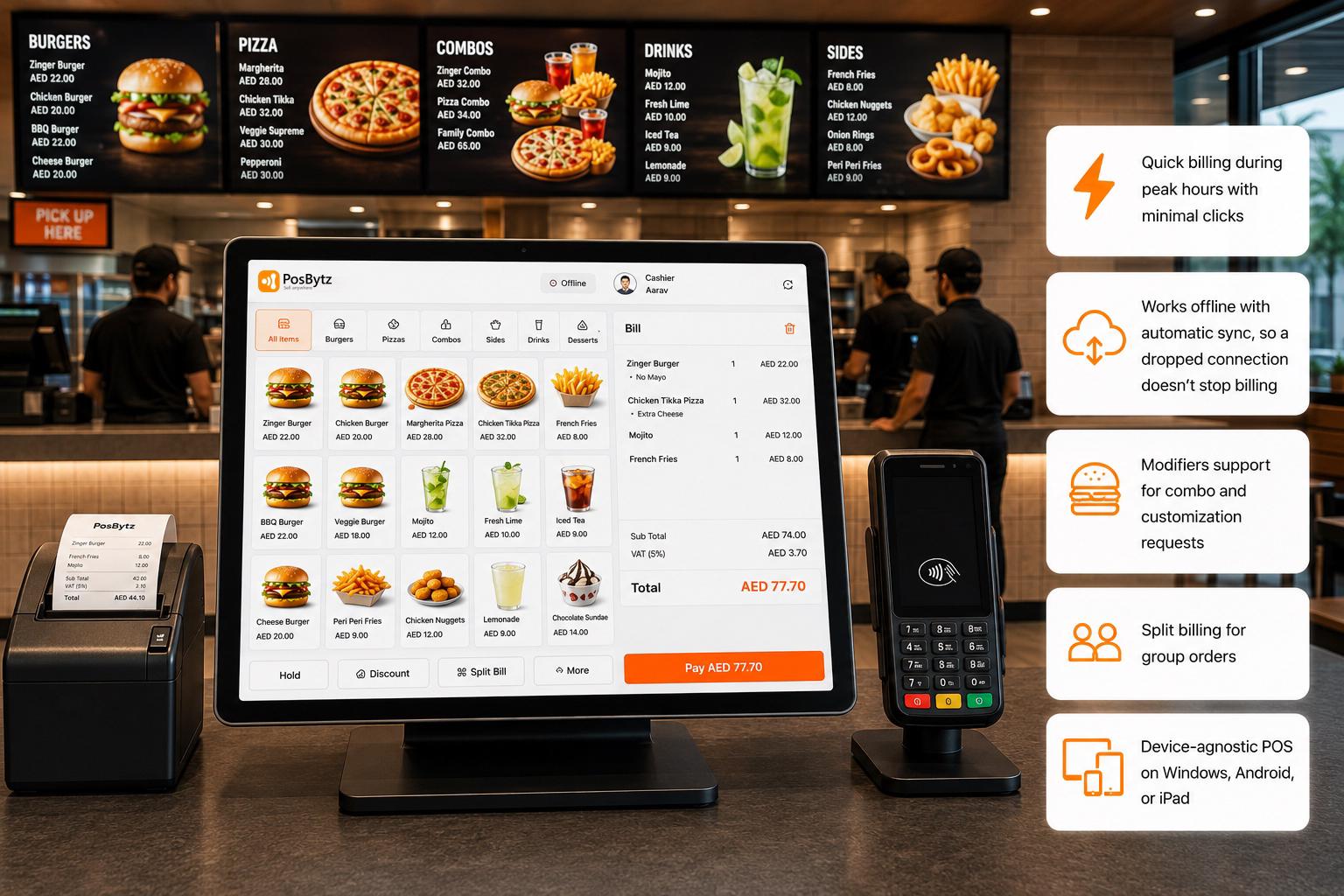
Bill Fast Enough to Keep a QSR Queue Moving
Minimal-click billing and offline sync keep the counter running through rush hours and connectivity drops, without the card-reader freezes that stall a lunch queue.
- Quick billing during peak hours with minimal clicks
- Works offline with automatic sync, so a dropped connection doesn't stop billing
- Modifiers support for combo and customization requests
- Split billing for group orders
- Device-agnostic POS on Windows, Android, or iPad
QR Code Ordering
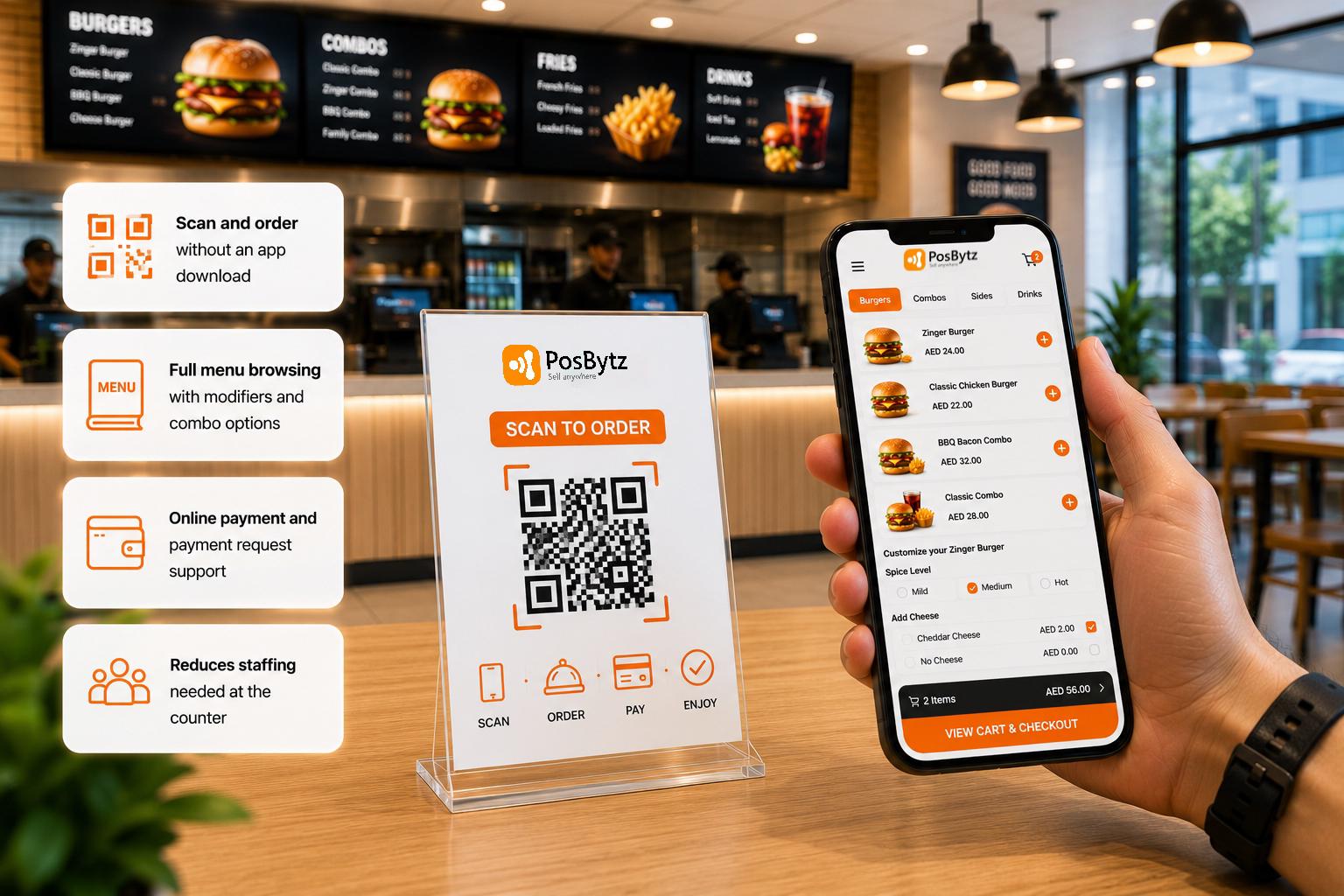
Cut Counter Queues With Contactless, Self-Service Ordering
Customers scan a code to browse the menu, customize, and pay directly, reducing how many staff you need at the counter during peak hours.
- Scan and order without an app download
- Full menu browsing with modifiers and combo options
- Online payment and payment request support
- Reduces staffing needed at the counter
Self-Ordering Kiosk
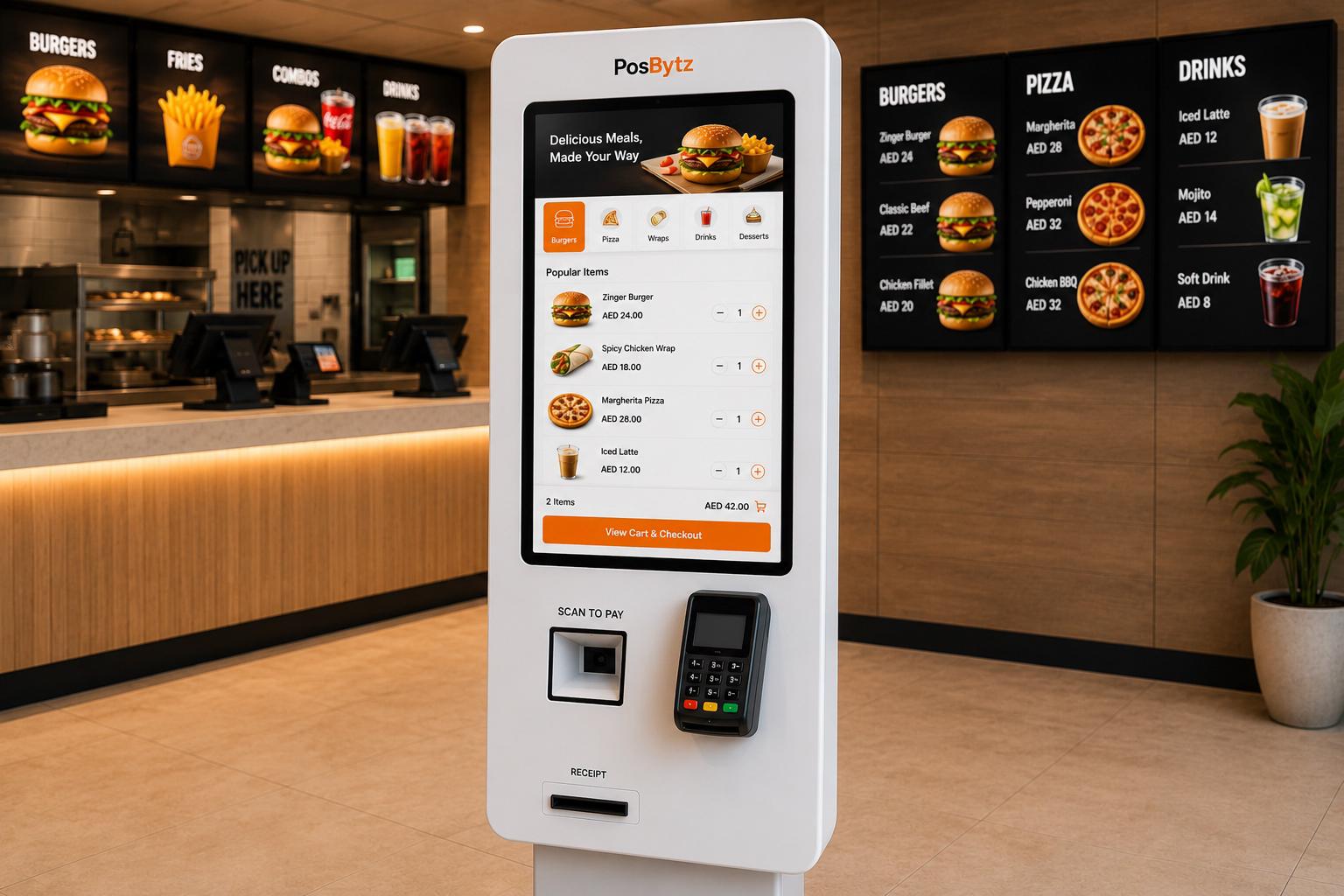
Let Customers Order at Their Own Pace Without Adding Cashiers
A standalone kiosk lets customers browse, customize, and pay on their own, so peak-hour queues don't grow every time headcount stays flat.
- Self-service ordering and payment at a standalone kiosk
- Works alongside QR and counter ordering on the same system
- Reduces order-taking costs during peak hours
- Orders sync directly to the KDS and billing system
CRM & Loyalty Programs
Turn First-Time Customers Into Regulars
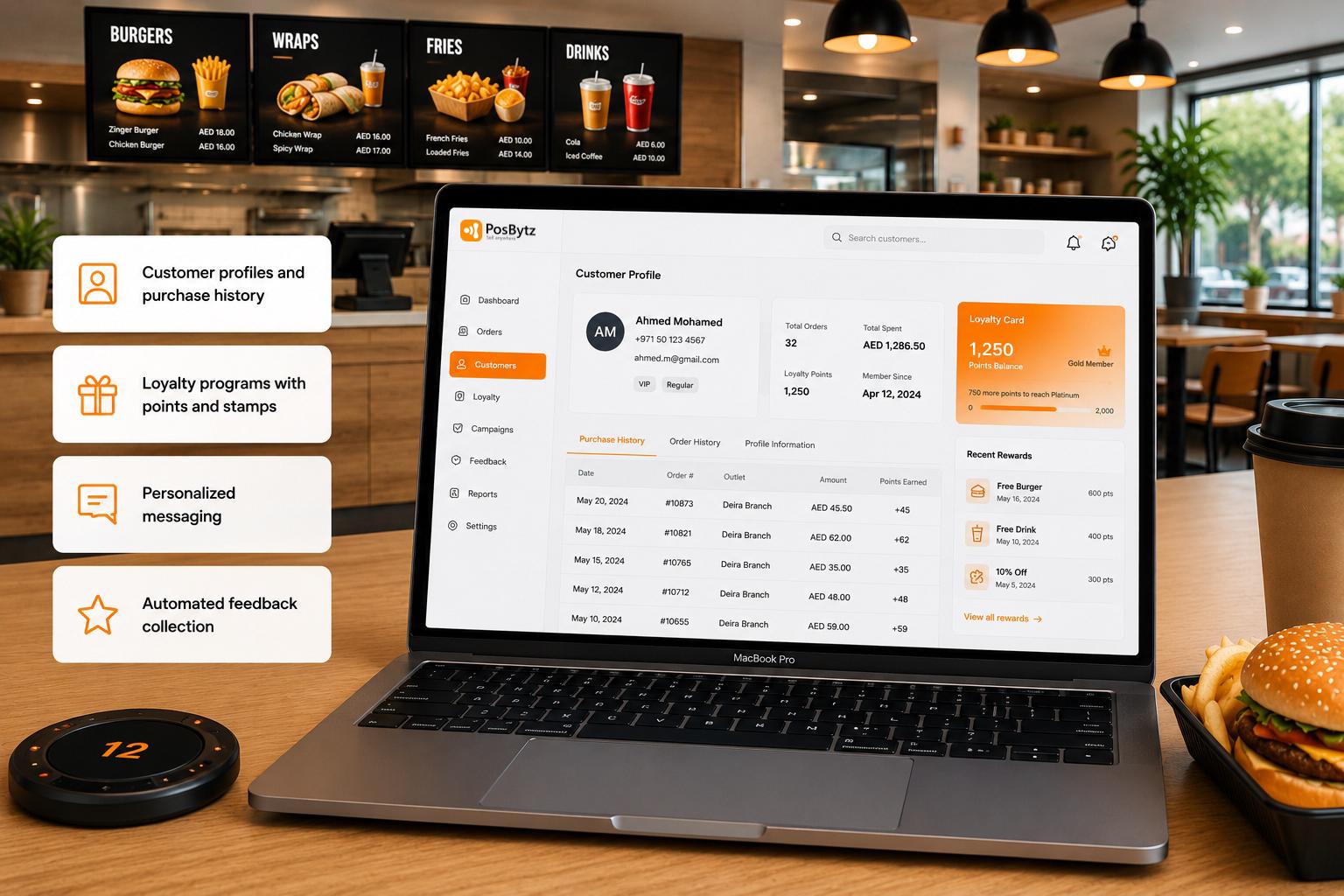
Customer profiles and purchase history make it possible to run loyalty rewards inside the same system, instead of a separate rewards tablet.
- Customer profiles and purchase history
- Loyalty programs with points and stamps
- Personalized messaging
- Automated feedback collection
Token Display System
Stop Customers From Crowding the Counter to Ask 'Is My Order Ready?'
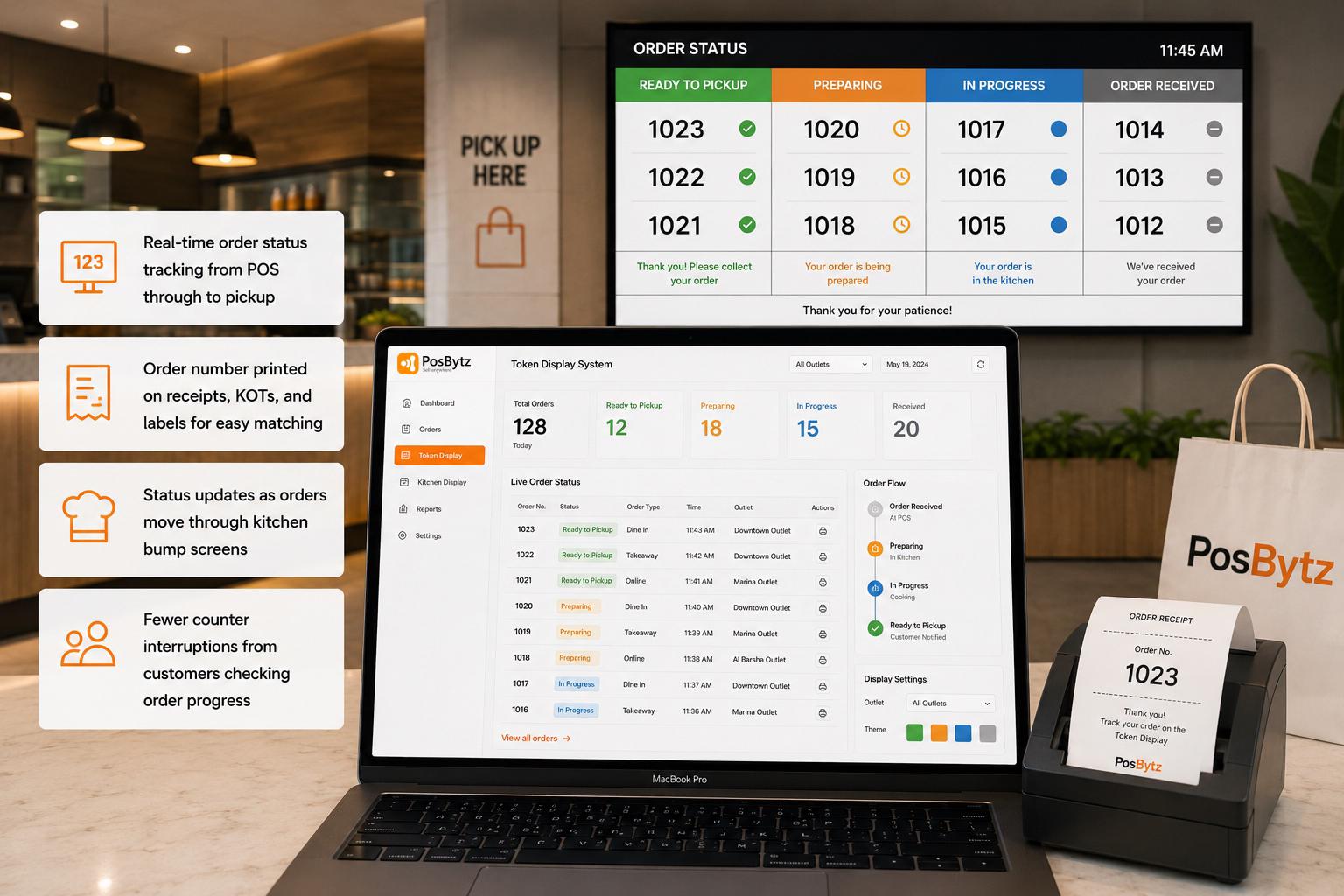
Order numbers stay tied to real-time status as tickets move through the kitchen, so customers can track progress without interrupting the counter.
- Real-time order status tracking from POS through to pickup
- Order number printed on receipts, KOTs, and labels for easy matching
- Status updates as orders move through kitchen bump screens
- Fewer counter interruptions from customers checking order progress
Reports & Analytics
See the Reports That Actually Drive Decisions, Not a Wall of Them
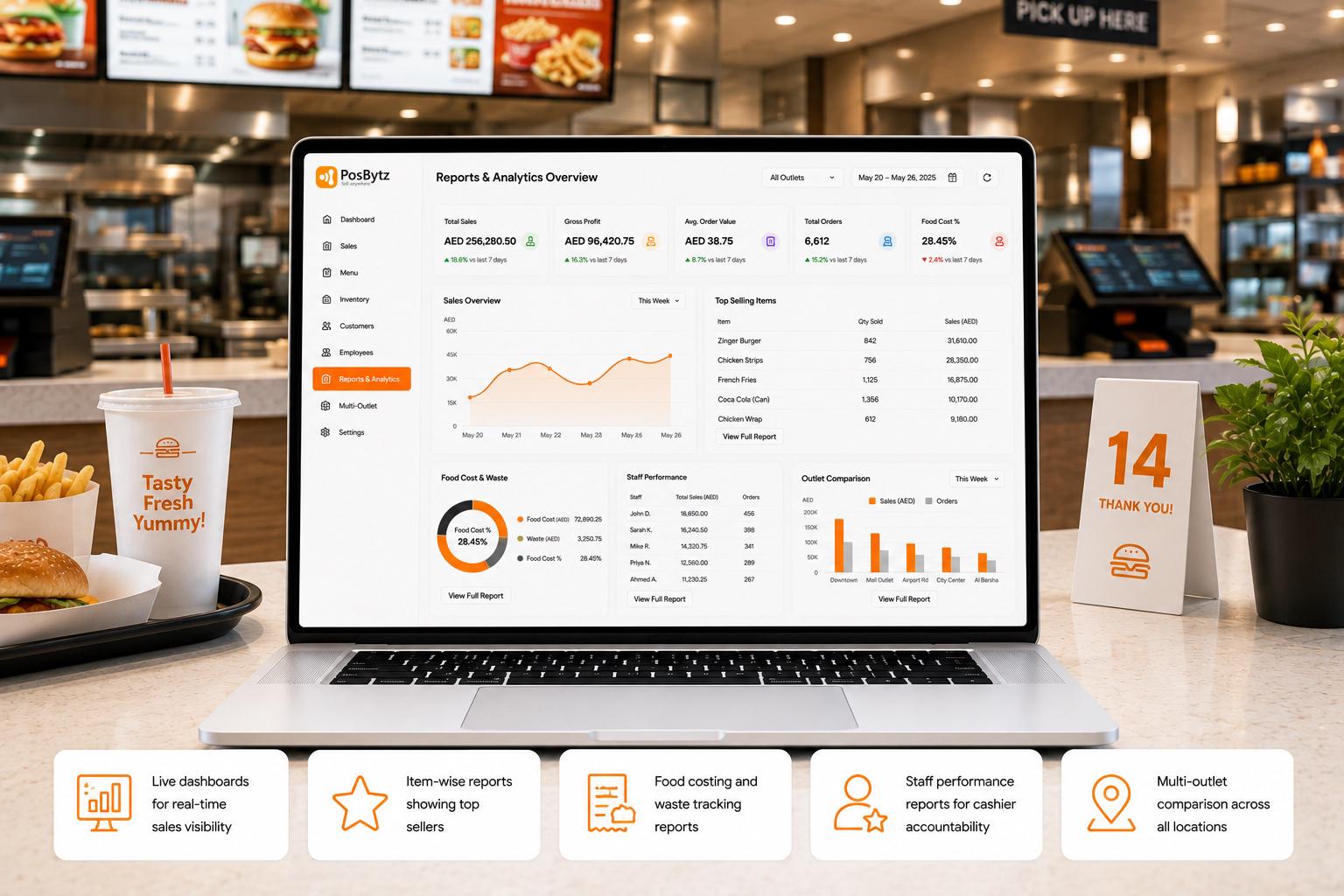
Live dashboards break sales, food cost, and staff activity down by item and outlet, so the numbers that matter aren't buried in reports no one opens.
- Live dashboards for real-time sales visibility
- Item-wise reports showing top sellers
- Food costing and waste tracking reports
- Staff performance reports for cashier accountability
- Multi-outlet comparison across all locations
Multi-Brands and Outlet Management
Run Every QSR brand and Branches with one Dashboard
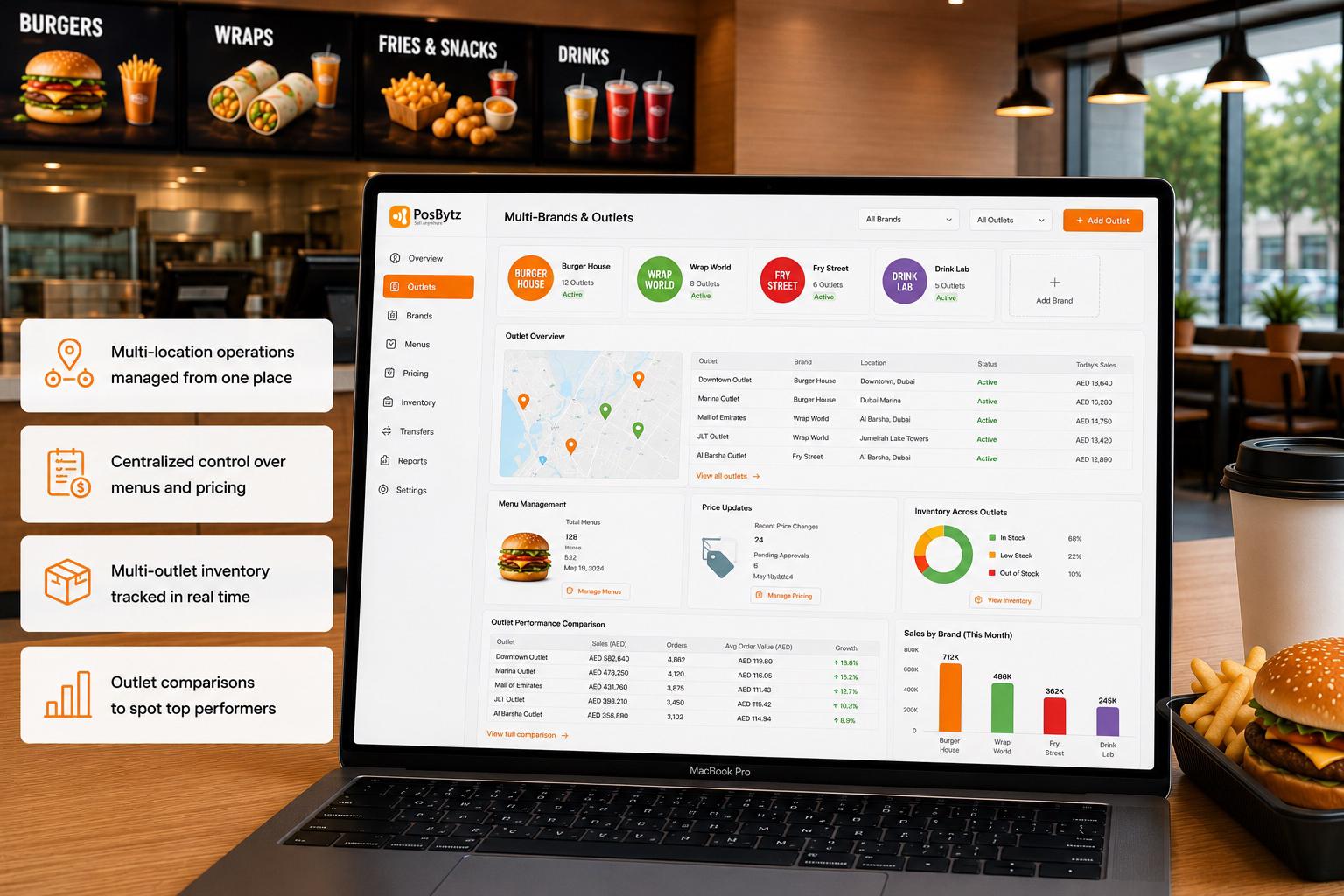
Menus, pricing, and inventory stay centralized across outlets, so a price change doesn't need to be repeated branch by branch or brands.
- Multi-location operations managed from one place
- Centralized control over menus and pricing
- Multi-outlet inventory tracked in real time
- Outlet comparisons to spot top performers
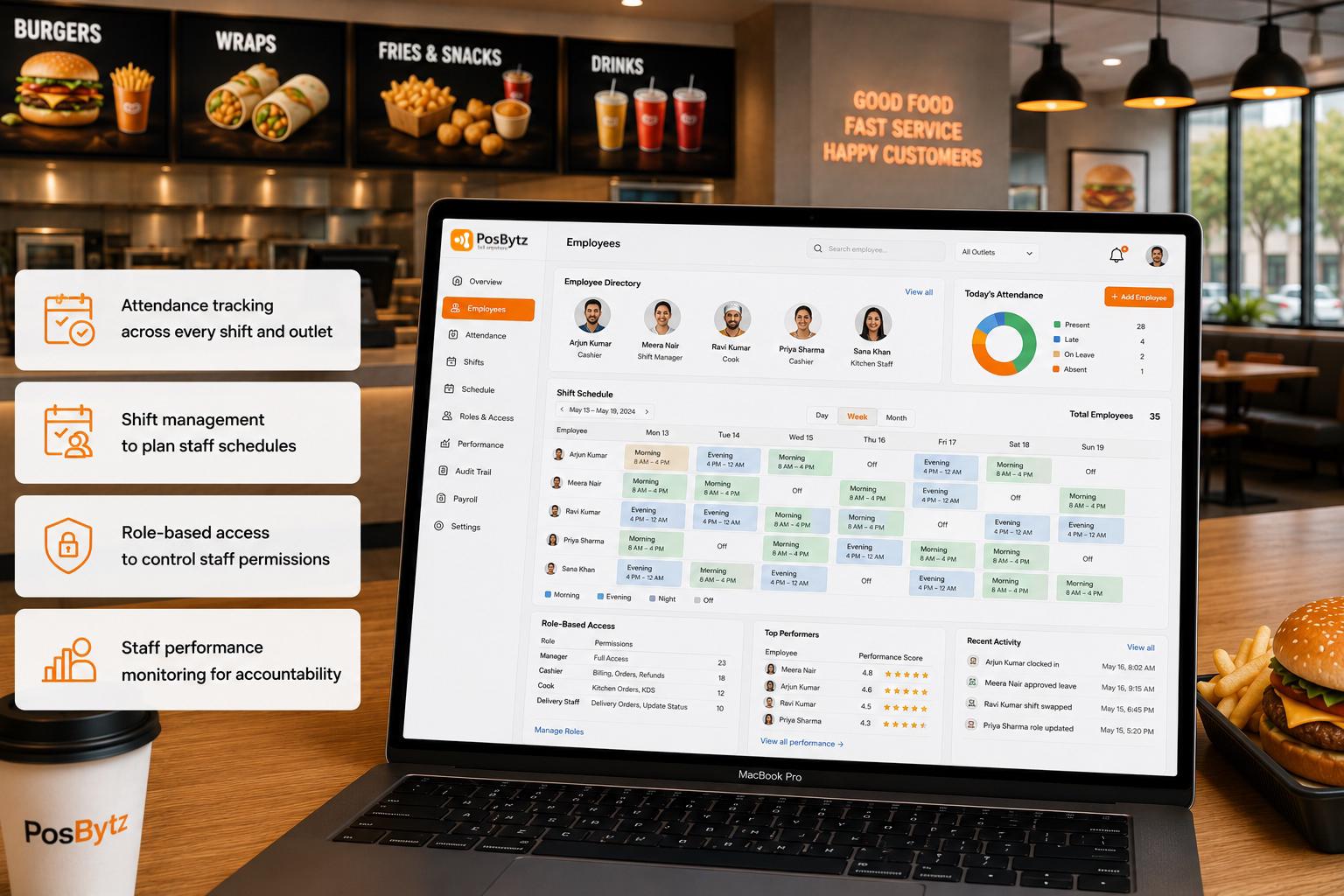
Employee Management
Reduce Dependency on Any One Cashier or Cook
Attendance, shifts, and role-based access are tracked in the same system as billing, so cashier permissions and audit trails don't live in a separate spreadsheet.
- Attendance tracking across every shift and outlet
- Shift management to plan staff schedules
- Role-based access to control staff permissions
- Staff performance monitoring for accountability
Key Capabilities
Built Specifically for Quick Service Restaurants
Not five separate tools stitched together with exports and spreadsheets — one QSR POS system where billing, kitchen, inventory, and accounting share the same data.
Billing That Doesn't Stop for Bad Internet
POS keeps taking orders offline and syncs automatically the moment connectivity returns, so a dead card reader mid-rush doesn't mean a dead register.
Kitchen Tickets, Not a Scrolling Order Wall
Station-wise KDS routing and bump screens replace the endless scroll of a basic tablet setup once order volume climbs.
Food Cost You Can See Per Item, Not Per Quarter
Recipe-level costing updates with every sale, so margin per item is visible daily, not discovered at month-end.
Aggregators Managed From One Screen, Not Five Tablets
Swiggy, Zomato, Careem, Noon Food, HungerStation, Keeta, Uber Eats, Talabat, and Deliveroo orders land in a single dashboard instead of separate devices.
Loyalty Built Into the POS, Not a Separate Tablet
Rewards and repeat-customer tracking run inside the same billing screen, instead of a bolt-on loyalty app.
Reports Built for Decisions, Not Just Data Dumps
Live dashboards surface item, staff, and outlet performance, so the report you actually need isn't buried under a hundred others.
Benefits of Using PosBytz QSR Management Software
Faster, error-free checkout
Minimal-click billing and offline sync keep queues moving even during connectivity drops, improving order accuracy and checkout speed.
Fewer kitchen delays
Station-based KDS routing with priority alerts cuts prep time and reduces missed special instructions during rush.
Accurate, data-backed menu pricing
Recipe-level costing shows the real cost and margin behind every item, so prices are set from actual numbers instead of guesswork.
Lower food wastage and fewer stockouts
Ingredients deduct automatically with every sale, and low-stock alerts flag shortages before they disrupt service.
Higher repeat customer visits
Purchase history feeds personalized offers and a built-in loyalty program, giving customers a reason to come back.
Simplified accounting and tax filing
Sales sync into accounting automatically and tax-ready reports are generated on their own, cutting manual reconciliation work.
FAQ
Frequently asked questions
What is QSR POS software?
QSR POS software is billing and management software built for quick service restaurants, handling counter billing, kitchen order routing, inventory, and delivery orders from one platform instead of separate tools for each function.
Ready to Simplify Your QSR Operations?
Run billing, kitchen routing, recipe costing, and delivery aggregators on one QSR POS software, and see checkout speed and food cost % improve with real data behind every decision.