Is Your POS System Fawtara-Ready? A Compliance Checklist for Restaurants and Retail Stores
A practical checklist to test whether your restaurant or retail POS system is ready for Oman's Fawtara e-invoicing mandate, before your rollout date.
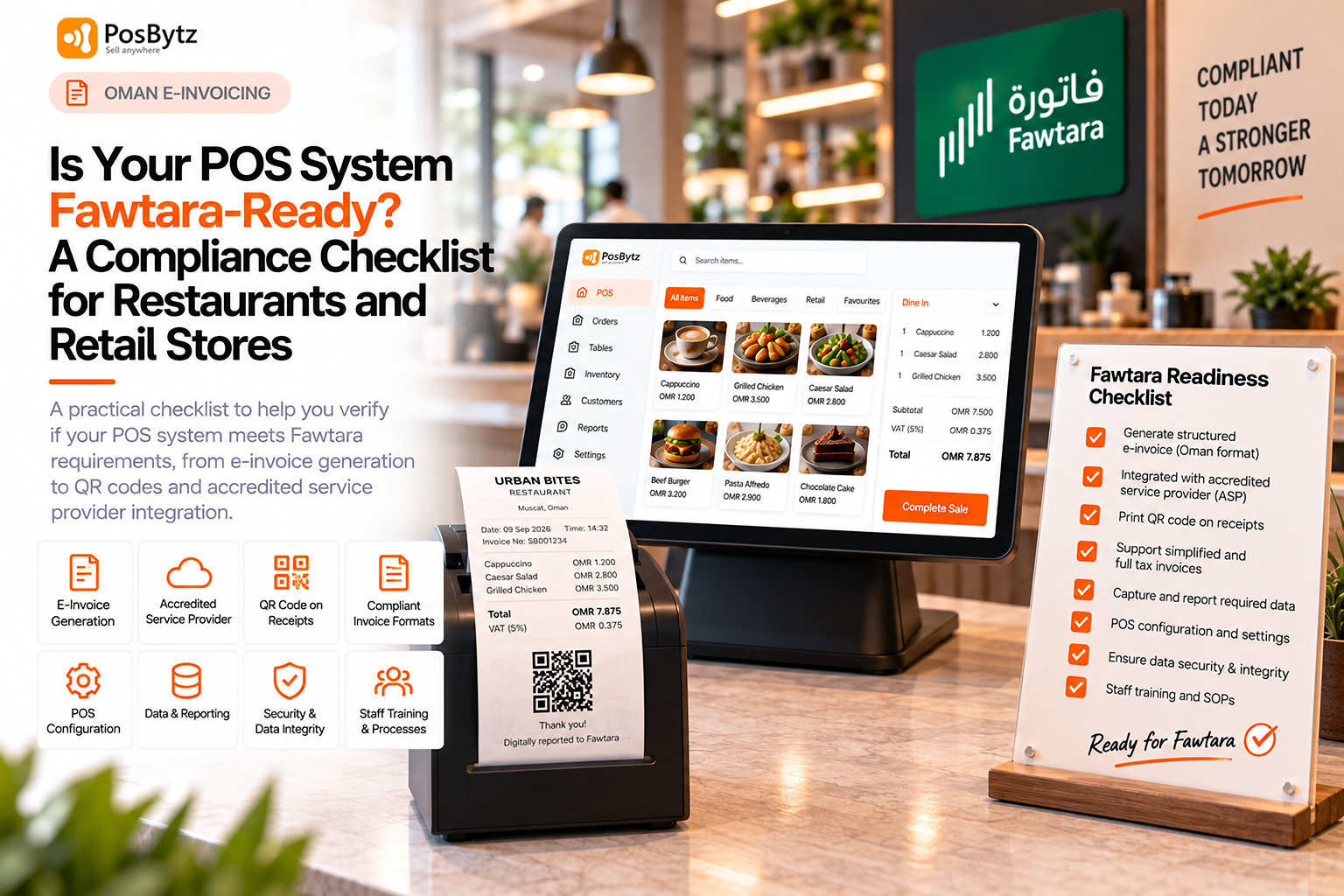


A POS that simply prints a receipt is not the same as a POS that is Fawtara-ready. Readiness means your system can generate structured e-invoice data in the required Oman format, work with an accredited service provider, support the required human-readable invoice and QR code requirements, and handle the invoicing rules that apply to your business. Use the checklist below to test where your current system actually stands, well before your rollout date forces the question.
Many restaurant and retail owners assume their existing till already does most of this, because it prints a clean receipt and handles VAT correctly today. Fawtara readiness is a different bar entirely, and the gap between "prints a good receipt" and "generates a compliant e-invoice" is exactly where most businesses discover problems late. This guide walks through what to check, in what order, and what to do if your current system falls short.
The Fawtara-Readiness Checklist
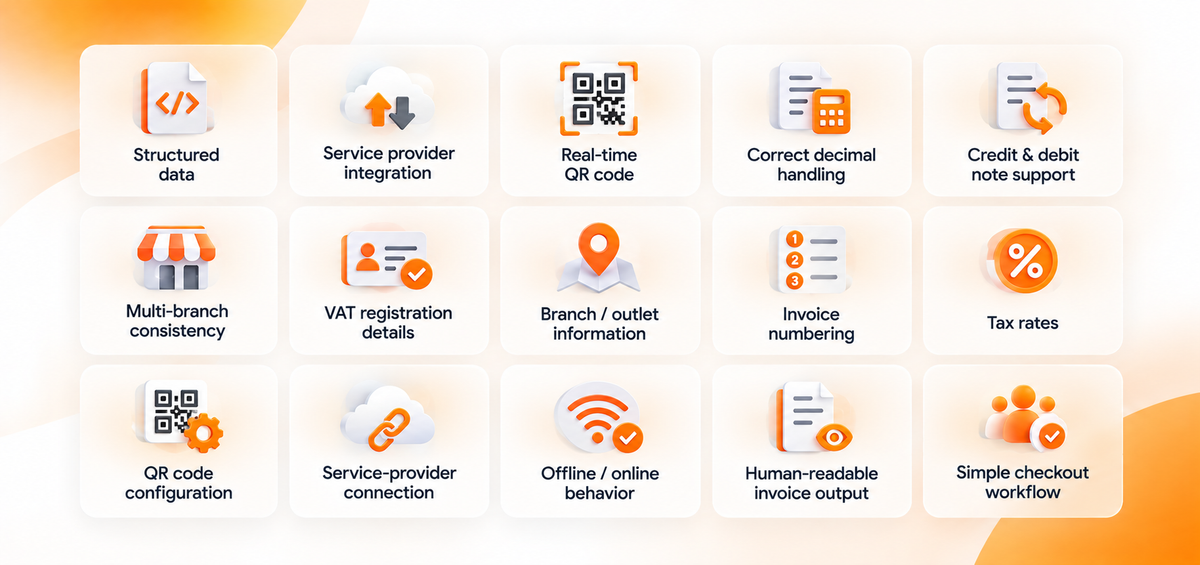
Structured data, not just a printed receipt
Your POS or ERP should be able to generate the structured invoice data required by Oman's e-invoicing specifications, including the Oman PINT (PINT-OM) requirements. A printed receipt or PDF alone is not equivalent to the structured electronic invoice data required for Fawtara. This is the foundation everything else depends on: if your system cannot produce this structured data at all, none of the downstream requirements, QR codes, service provider integration, or reporting, can work either.
Service provider integration, not a standalone system
Your POS or ERP needs a supported integration path to an OTA-accredited service provider, where required. The service provider validates and exchanges e-invoices within Oman's 5-Corner Model. Businesses may also apply to become their own service provider if they meet OTA's accreditation criteria.
Real-time QR code generation at every till
For B2C sales, your till needs to generate and print a QR code on the human-readable receipt at the moment of sale. We cover this requirement, including who is responsible for generating it, in detail in our guide to QR codes on restaurant and retail receipts.
For B2C transactions, OTA's current guidance requires a QR code on the human-readable invoice. The QR code is generated by the taxpayer, while the detailed implementation requirements should be checked against the latest OTA specifications and rollout guidance.
Correct decimal handling across two formats
Your system should support Oman's three-decimal VAT convention on the customer copy, while also handling the temporary two-decimal limitation on specific total-amount fields in the reported e-invoice. Getting this wrong does not usually break a single transaction, but it creates small reconciliation gaps that accumulate over weeks of sales, which is exactly the kind of issue that surfaces at VAT filing time rather than at the till.
Credit and debit note support
Refunds, returns, and corrections need to be issued as proper credit or debit notes referencing the original invoice, not just a manual adjustment. Restaurants dealing with order corrections and retail stores handling returns both need this working reliably, since it is one of the more common day-to-day invoicing events outside of the standard sale.
Multi-branch consistency
If you run more than one outlet, every till needs to generate compliant invoices the same way, not just your main branch. A chain that gets this right at its flagship location but overlooks a smaller outlet risks a compliance gap that only shows up when that specific branch is audited or reviewed.
- VAT registration details
- Branch/outlet information
- Invoice numbering
- Tax rates
- QR code configuration
- Service-provider connection
- Offline/online behavior
- Credit/debit notes
Human-readable invoice output that customers can actually read
Even after e-invoicing goes live, customers still need a clear, readable receipt at the counter. A system that is technically compliant on the XML side but produces a cluttered or confusing printed receipt has not really solved the problem for your front-of-house team or your customers.
A checkout workflow that does not burden staff
Your checkout process should not require staff to perform extra manual steps to stay compliant. If cashiers need to remember a separate action for every e-invoicing requirement, mistakes and delays are inevitable during busy periods, which is why the system, not the staff member, should carry most of this responsibility.
System Readiness Is Only One of Four Pillars
OTA's own four-pillar readiness framework
Oman Tax Authority has framed readiness around four areas, not just software. System and data readiness means your invoicing systems align with OTA requirements and the Peppol PINT data dictionary. Team readiness means relevant staff are trained and aware of new processes. Process readiness means your internal documentation and workflows are updated. Timeline alignment means you are tracking the rollout dates that apply to your business and pacing your preparation accordingly.
Why the other three pillars still need your attention
A compliant POS solves the system pillar, but the other three still need attention from your own team. Even the best POS cannot train your staff on when to issue a full tax invoice instead of a simplified one, a distinction we cover in our guide on simplified versus full tax invoices, or decide your internal process for handling a customer dispute over a receipt.
Building a realistic internal timeline
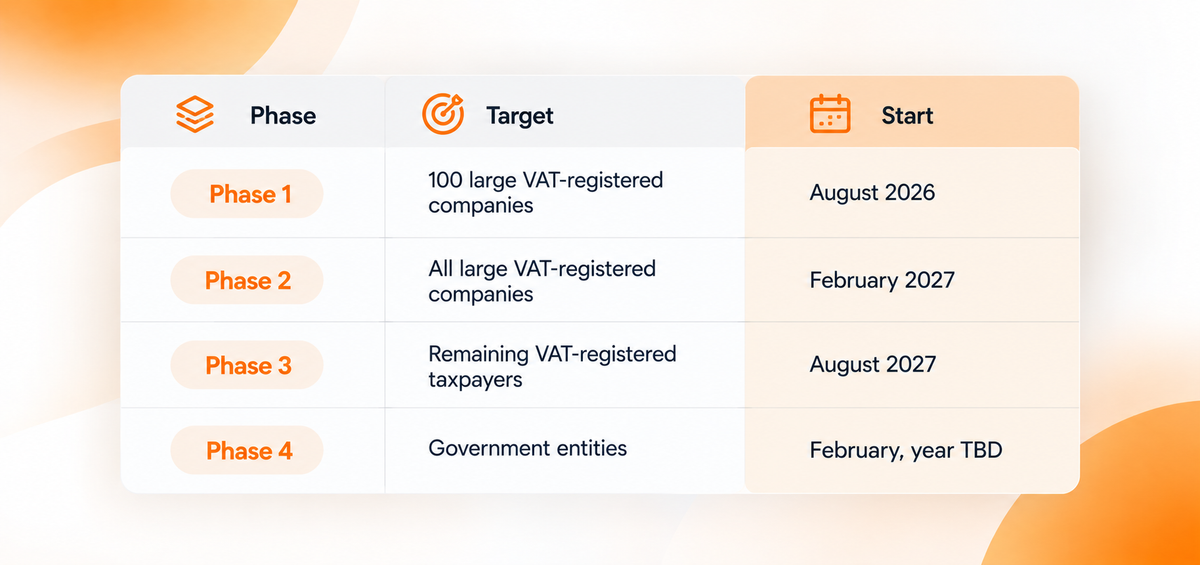
Confirm your rollout batch first, using the approach covered in our guide on whether Fawtara applies to your business, then work backward from that date to schedule POS testing, staff training, and service provider onboarding with enough buffer for each step.
Check your rollout period using your VATIN
Before planning your implementation, confirm the rollout period assigned to your business through the Oman Tax Authority's Fawtara rollout-checking service. OTA provides a VATIN-based lookup for this purpose. - E-Invoicing rollout Checking
How to Test Your Current POS Before Your Rollout Date
Start with two direct questions to your vendor
Start by asking your POS or ERP provider directly whether they can generate Oman PINT-compliant XML invoices and whether they already integrate, or plan to integrate, with an OTA-accredited service provider. A vague or delayed answer to either question is itself useful information about how ready your current setup actually is.
Use the voluntary adoption window to your advantage
If your current system cannot answer both questions clearly, it is worth testing during Oman's voluntary adoption window rather than waiting for your mandatory rollout date. Testing early gives you time to fix integration issues, retrain staff, and adjust receipt templates without pressure from an approaching deadline.
Running a pilot at one outlet before a full rollout
For multi-branch businesses, it is worth piloting your new or updated invoicing setup at a single outlet first, working through any issues there, before rolling the same configuration out across every branch. This mirrors how OTA itself approached Fawtara, starting with a small pilot group of large taxpayers before expanding to the full mandatory rollout.
When does Fawtara apply to my business?
What If My Current ERP or POS Cannot Connect to a Service Provider?
This is a common, solvable situation
This is a common situation, and OTA's own guidance acknowledges it: businesses whose existing system cannot exchange invoices directly should work with a service provider that offers a solution for this gap, rather than assuming a full system replacement is the only option.
Bridging older systems instead of rebuilding from scratch
In many cases, an accredited service provider or a region-ready POS can bridge an older back-office system into a compliant invoicing flow, so it is worth having that conversation before deciding to rebuild your entire stack. This is particularly relevant for established restaurant groups and retail chains running legacy ERP systems that still work well for inventory and accounting, but were never designed with structured e-invoicing in mind.
Weighing replacement against integration
The right answer depends on how much of your current stack is actually working for you. If your POS handles billing, inventory, and reporting well but simply lacks e-invoicing capability, a bridging solution or an upgrade path is usually more practical than a full replacement. If your system is already limiting your operations in other ways, Fawtara can be the trigger to modernise more broadly, a theme we explore further in our guide on the wider benefits of e-invoicing beyond compliance.
PosBytz is built as a cloud POS for restaurants and retail with region-ready compliance, including e-invoicing support, so businesses preparing for Fawtara can check most of this checklist off with a single platform rather than stitching together multiple tools.
Ready to see how your current setup compares? Book a walkthrough of PosBytz's Fawtara-ready POS and find out exactly where your gaps are, before your rollout date does.
Frequently Asked Questions
Do I need to replace my entire POS system for Fawtara?
Not necessarily. Many businesses can keep their existing POS or ERP and connect it to an accredited service provider that handles the e-invoicing exchange, rather than replacing the whole system. It depends on whether your current system can produce the required structured invoice data.
What is an accredited service provider (ASP) and do I need one?
An ASP is a company approved by Oman Tax Authority to handle the technical exchange of e-invoices between businesses and OTA. Most taxpayers need one, unless they choose to complete the accreditation process themselves and act as their own service provider.
Can my current POS convert paper or PDF invoices into the required XML format?
It depends on your provider. Some POS and ERP systems already support this, and service providers can offer conversion tools to bridge older systems, so check with your vendor directly.
When should I start testing my POS for Fawtara compliance?
As early as possible, ideally during Oman's voluntary adoption window, well before your mandatory rollout date, so any integration issues can be fixed without deadline pressure.
What happens if my POS is not ready by my rollout date?
Your business is expected to comply from your assigned rollout date. It is best to confirm your readiness with your POS provider and an accredited service provider well in advance rather than risk being unprepared when the mandate applies to you.
Should a multi-branch business test every outlet separately?
Yes, or at least confirm that every branch is running the same configuration. It is common for a flagship location to be tested thoroughly while a smaller or newer outlet is overlooked, which creates a compliance gap.
About the author

Thaniyeal
Technical Content Writer & SEO Specialist, PosBytz
Thaniyeal is a Technical Content Writer and SEO Specialist on the PosBytz Marketing team, focused on turning complex POS and ERP topics into clear, practical guides for restaurant and retail businesses.