QR Codes on Restaurant and Retail Receipts: What Fawtara Actually Requires
Learn exactly when a QR code is required on Fawtara invoices in Oman, who generates it, and what your restaurant or retail till needs to display.
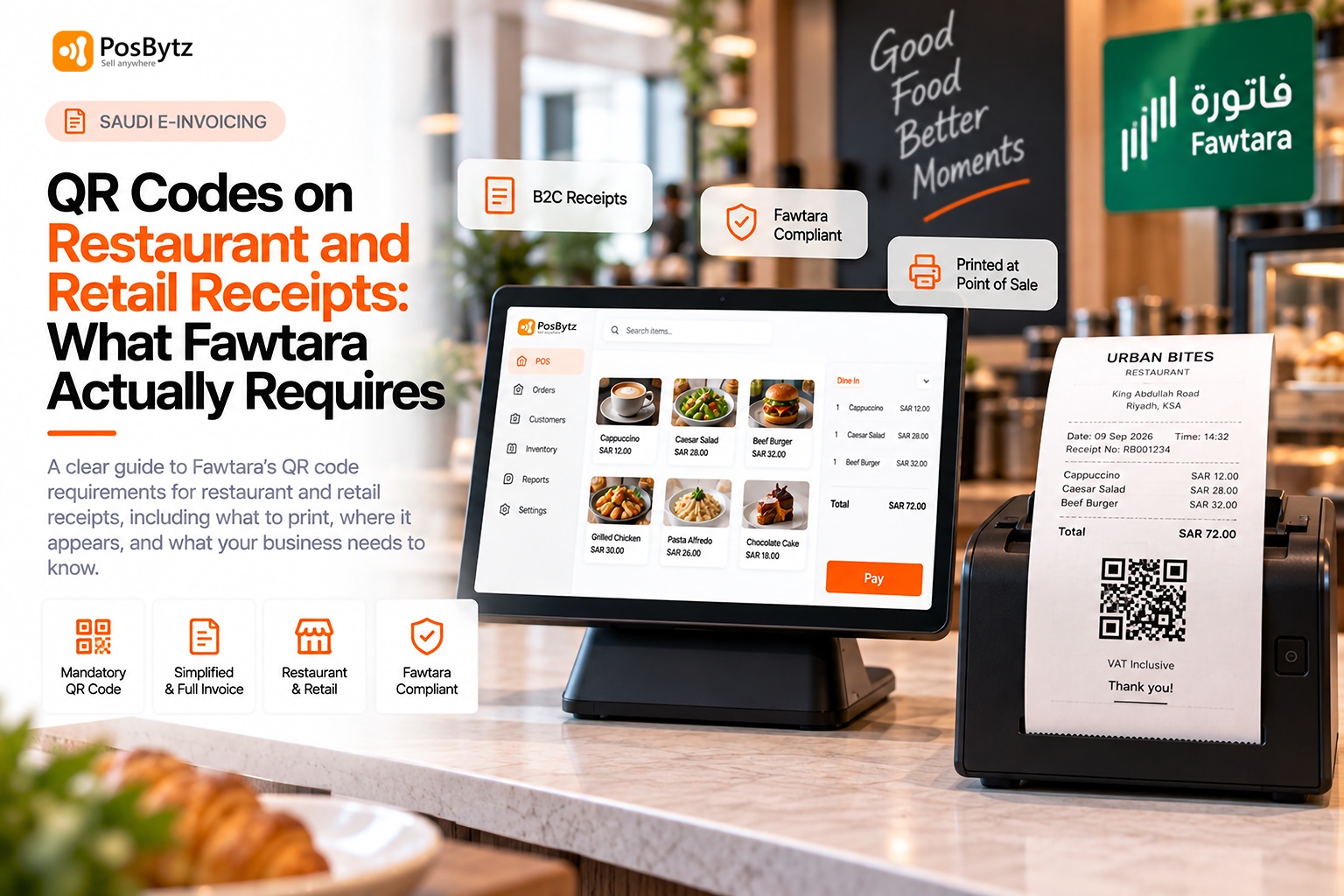


A QR code is mandatory on every business-to-consumer (B2C) invoice under Fawtara, whether it is a full tax invoice or a simplified invoice. The seller generates it at the point of sale, it appears on the human-readable receipt handed to the customer, and it is not embedded inside the invoice XML file. For restaurants and retail stores, where almost every sale is B2C, this single rule affects every receipt printed at every till, every day, from the moment your rollout date arrives.
Most Fawtara documentation online is written for finance and tax teams thinking about B2B invoice exchange. Restaurant and retail owners have a narrower, more practical question: what actually needs to print on the receipt when someone pays for a coffee, a haircut of groceries, or a plate of food? This guide answers that question in detail, including who generates the code, where it lives in the invoice structure, and what it means for your receipt printers.
Why This Rule Matters Most for Restaurants and Retail
B2C is the default transaction type in this industry
Most Fawtara guidance online is written for finance teams handling business-to-business (B2B) transactions. Restaurants, cafes, supermarkets, and boutiques operate differently: the overwhelming majority of transactions are B2C, paid at a till, with a receipt handed to a walk-in customer in seconds. That makes the QR code requirement, which is specific to B2C invoices, one of the most operationally relevant Fawtara rules for this industry, compared to the B2B-heavy rules that dominate general compliance guides.
A rule that touches every till, not just the back office
Unlike data dictionary formatting or service provider accreditation, which are largely back-office and IT concerns, the QR code requirement is visible to every customer, at every checkout, in every outlet. If you run a cafe, a supermarket, or a multi-branch retail chain, this is the piece of Fawtara your customers will actually notice, which makes getting it right operationally, not just technically, important.
Is the QR Code Mandatory on Every Invoice?
Mandatory for B2C, optional for B2B
It is mandatory on B2C invoices only, both full tax invoices and simplified invoices. Publicly available Fawtara materials confirm the B2C mandate specifically, so a restaurant handing a receipt to a walk-in diner needs the code on it. They do not establish a parallel QR requirement for B2B invoice exchange, where the buyer receives the structured invoice directly through the accredited service provider network.
Full invoice or simplified invoice, the QR code rule is the same
Whether your checkout issues a simplified invoice for a quick counter sale or a full tax invoice because a customer asked for one, the QR code requirement does not change for B2C transactions. Both formats need the code on the human-readable copy. We cover the distinction between these two invoice types, and when each one applies, in our guide on simplified versus full tax invoices under Fawtara.
What "B2C" actually means for a restaurant or shop
In practice, almost any walk-in customer, whether dining at a table, ordering takeaway, or buying groceries, counts as a B2C transaction unless they specifically identify themselves as a VAT-registered business requesting a business invoice. That means the QR code requirement applies by default to the vast majority of daily sales in this industry, not to an occasional edge case.
Who Generates the QR Code, the POS or the Service Provider?
The seller, not the accredited service provider
The seller generates the QR code, not the accredited service provider. This is corner one in the five-corner model, meaning your own POS or till system. The reason is practical: the human-readable copy needs to reach the customer in real time at checkout, while the formal validation of the underlying tax data by your service provider and OTA can happen afterward, within a set reporting window.
Why real-time generation matters for checkout speed
Waiting for a round trip to a service provider before printing a receipt would slow down every checkout, so the QR code generation sits with your own system. For a busy lunch service or a weekend retail rush, this design choice is what keeps queues moving. It also means the responsibility for correct QR generation sits with your POS vendor and your own setup, not with your accredited service provider, so choosing a POS that already handles this correctly matters.
What happens if the QR code fails to generate
If your POS cannot generate a QR code at the point of sale, whether due to a system fault, offline connectivity, or an unsupported receipt format, the receipt handed to the customer will not meet Fawtara's requirement. This is a strong argument for testing your POS thoroughly before your rollout date, covered in more depth in our POS readiness checklist, rather than discovering the gap on day one.
Is the QR Code Included in the Invoice XML File?
A change from earlier drafts of the Oman data dictionary
No, and this is a change from earlier drafts of the Oman data dictionary. The QR code field was originally planned inside the XML invoice, but OTA has since removed it. The QR code now appears only on the human-readable invoice. In its place, the XML includes a new field called the seller UUID, which is generated based on the content of the QR code.
Invoice hash and digital signature have also been dropped
Two related fields, invoice hash and digital signature, have also been removed from the XML, since the AS4 transmission protocol used between service providers already secures and authenticates the exchange. If your POS provider or ERP vendor is still referencing an older draft of the specification, this is worth flagging, since building against outdated fields wastes development time.
Why this distinction matters for your receipt design
Because the QR code lives only on the human-readable invoice, your receipt template design, not your XML export logic, is what determines whether the code prints correctly. This is a POS and printer configuration question as much as a compliance question, which is often overlooked when businesses focus purely on back-office integration.
What Information Does the Fawtara QR Code Contain?
The technical specification is still pending
At the time of writing, OTA has not published the final technical specification for what data the QR code must encode. Officials have confirmed repeatedly in public sessions that detailed QR code requirements will be released separately from the main PINT-OM invoice specification.
Do not assume Saudi or UAE rules carry over
Businesses and service providers should watch the official Fawtara FAQ page for this update rather than relying on assumptions carried over from other countries' e-invoicing systems, since the exact field structure can differ. A team that has previously implemented ZATCA e-invoicing in Saudi Arabia, for example, may assume Oman's QR code will mirror ZATCA's structure exactly. Our comparison of e-invoicing in Saudi Arabia is a useful reference point, but it should not be treated as a direct substitute for Oman's own, still-unpublished, QR specification.
What to do while waiting for the final spec
In the meantime, the most useful preparation step is choosing a POS or service provider that has committed to updating receipt templates promptly once OTA publishes the final requirements, rather than trying to guess the field structure yourself.
What This Means for Your POS and Receipt Printer
Every till, every outlet, no exceptions
Practically, your POS needs to be able to generate a QR code and print it on the customer receipt instantly, without waiting on a response from your service provider or OTA. This applies at every till and every outlet, so a multi-branch restaurant or retail chain needs consistent QR code generation across all locations, not just at head office.
Receipt printer and paper considerations
QR codes need enough resolution and contrast to scan reliably, which is not always guaranteed on older thermal printers or low-quality receipt paper. Businesses running Android POS or iPad POS setups should confirm their printer hardware, not just their software, can render a clean, scannable QR code before their rollout date.
Planning for the specification update
Once OTA finalises the technical QR specification, POS providers will need to update their receipt templates accordingly, so it is worth confirming with your POS vendor how quickly they plan to roll out that update. A vendor with an established track record on regional compliance updates, such as ZATCA changes in Saudi Arabia, is generally a safer bet than one implementing this kind of regulatory change for the first time.
A compliant, region-ready POS such as PosBytz is built to generate real-time QR codes on B2C receipts and update automatically as Oman finalises its technical requirements, so your checkout stays compliant without manual workarounds.
FAQs
Is a QR code required on B2B invoices in Oman?
QR codes are confirmed as mandatory for B2C invoices, full or simplified. Current Fawtara materials don't specifically address a QR requirement for B2B invoice exchange, where invoices move through the structured five-corner network rather than as a customer-facing receipt.
Does the QR code replace the tax invoice?
No. The QR code is printed on the human-readable invoice alongside the required invoice details. It does not replace the invoice itself, it supplements it.
Who is responsible if the QR code is missing or incorrect on a receipt?
The seller, since the seller's own system, corner one in the five-corner model, is responsible for generating the QR code at the point of sale.
Has OTA published the final QR code technical specification?
Not at the time of writing. Oman Tax Authority has said it will release the detailed QR code technical requirements separately, so businesses should check the official Fawtara FAQ page for updates before go-live.
Does the QR code appear in the e-invoice XML file sent to the tax authority?
No. The QR code appears only on the human-readable invoice given to the customer. The XML file instead carries a related field called the seller UUID.
Can I use the same QR code rules from Saudi Arabia's ZATCA system in Oman?
Not safely. Oman's final QR code technical specification has not yet been published, and it should not be assumed to be identical to ZATCA's structure. Check the official Fawtara portal before building anything against another country's rules.
About the author

Thaniyeal
Technical Content Writer & SEO Specialist, PosBytz
Thaniyeal is a Technical Content Writer and SEO Specialist on the PosBytz Marketing team, focused on turning complex POS and ERP topics into clear, practical guides for restaurant and retail businesses.