Guests Waiting Too Long for the Bill? How to Speed Up Restaurant Checkout
Guests waiting too long to pay? See where checkout time goes, the fix for each bottleneck, and the POS features that make tables turn faster.
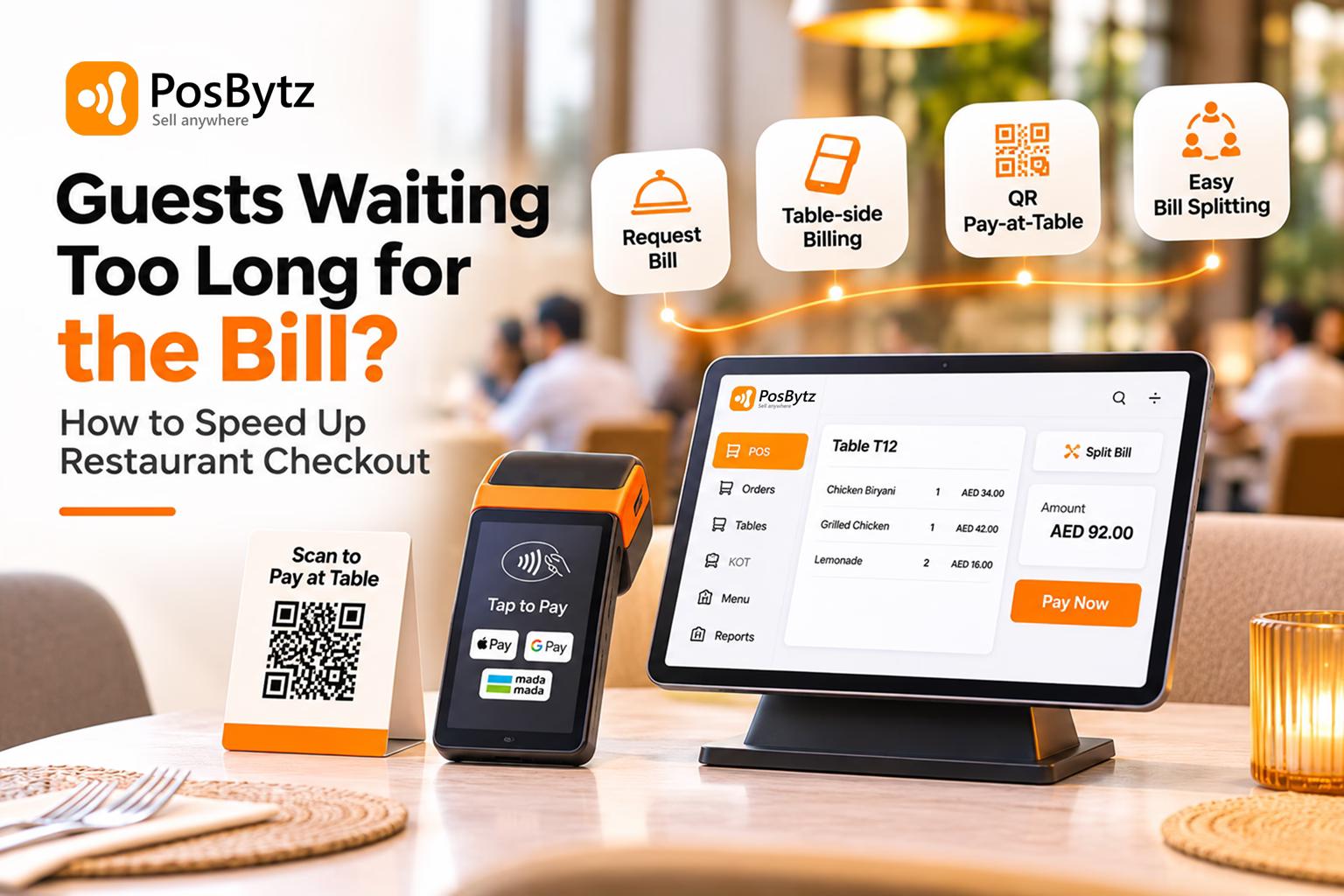


Quick answer: Guests wait for the bill because of five bottlenecks: they can't get a server's attention, the bill takes time to print and bring, payment needs extra trips, splitting is done by hand, and the card step is slow. Fix them with handheld billing at the table, QR pay-at-table, built-in item-wise splitting, and contactless card, Apple Pay and mada payments. Most restaurants can bring bill-to-exit time under 5 minutes.
The food was great. The service was warm. Then the guests spend 15 minutes trying to pay, and that is the part they remember.
The bill is the last impression of the meal, and in a busy restaurant it is often the slowest. Every extra minute a finished table sits is a minute the next party stands at the door, a minute your server isn't selling dessert to another table, and a small dent in your review score.
This guide breaks checkout into its timed steps, shows where the minutes go, and gives the fix, including the exact software feature, for each one.
Where checkout time actually goes: the bill-to-exit timeline
Bill-to-exit time is the minutes between a guest deciding to pay and the table being free to reseat. It has six steps, and each one can stall.
1. Ready to pay → server notices
- What happens: Guest looks around, waves
- Traditional service: 2 to 6 min
- With table-side tech: 0 to 1 min
- Main cause of delay: No way to signal; server busy
2. Bill requested → bill at table
- What happens: Server walks to POS, prints, brings folder
- Traditional service: 2 to 4 min
- With table-side tech: Under 1 min
- Main cause of delay: Billing only at a fixed counter
3. Bill reviewed, split decided
- What happens: Group checks items, works out shares
- Traditional service: 1 to 5 min
- With table-side tech: 1 min
- Main cause of delay: Manual splitting, unclear items
4. Payment collected
- What happens: Card or cash taken to counter and back
- Traditional service: 2 to 5 min
- With table-side tech: Under 1 min
- Main cause of delay: Fixed card machine, change for cash
5. Receipt and tip
- What happens: Second trip for receipt, tip added
- Traditional service: 1 to 2 min
- With table-side tech: Instant
- Main cause of delay: Paper receipts, tip entry
6. Table cleared and reset
- What happens: Bussing and setting
- Traditional service: 2 to 4 min
- With table-side tech: 2 to 3 min
- Main cause of delay: Server not told table has paid
Total
- Traditional service: 10 to 26 min
- With table-side tech: 4 to 7 min
What slow checkout really costs
A 60-seat casual restaurant in Dubai turns 2 times at dinner. Save 10 minutes per table and you can often fit a third partial turn on busy nights: 6 extra tables of 2 to 4 guests. At AED 60 average spend per guest, that's roughly AED 720 to AED 1,440 more per busy night, before counting better tips and reviews. In Riyadh, the same maths at SAR 60 per guest gives SAR 720 to SAR 1,440.
The cost also shows up quietly: guests skip dessert or coffee to avoid another wait, walk-ins leave when they see a queue at the door, and "slow service" appears in reviews even when the kitchen was fast.
9 ways to speed up restaurant checkout
1. Let guests ask for the bill without hunting for a server
The longest wait often happens before anyone knows the table wants to pay. Give guests a signal: a "request bill" button on the table QR page, a call button, or a simple card they flip. Train servers to offer the bill when dessert plates are cleared instead of waiting to be asked.
Software that fixes it: QR table page with a "request bill" or "call server" option that alerts the captain app.
2. Bill at the table, not at the counter
If the bill only prints at one counter, every table waits for a round trip. A captain or waiter app on a phone or handheld lets the server generate the bill at the table. A handheld POS with a printer and card reader removes the trip completely.
Software that fixes it: captain app with table-side billing; handheld POS terminals that print and take payment.
3. Let guests pay from their phone (QR pay-at-table)
Pay-at-table is a QR code on the table or bill that opens the live bill on the guest's phone, so they can review it, split it, tip and pay without waiting for a server. It removes steps 2, 4 and 5 of the timeline for most tables.
Keep a server option for guests who prefer it. Pay-at-table should be a choice, not a wall.
Software that fixes it: QR code linked to the live table bill with integrated payments (cards, Apple Pay, Google Pay, mada) that close the bill automatically in the POS.
4. Make splitting a one-tap job
Groups splitting by hand can add 5 minutes and cause mistakes. Offer split equally, split by item and split by seat, and allow several payment methods on one bill.
Software that fixes it: item-wise and seat-wise split billing, partial payments, and mixed tender (part card, part Apple Pay, part cash).
5. Use the fastest payment methods for your market
- Contactless cards and Apple Pay tap in seconds and are everyday payment methods for diners across the Gulf.
- mada (Saudi Arabia): make sure your card terminal accepts mada cards and mada on Apple Pay, since many Saudi guests pay this way.
- Limit cash handling at peak. Keep a float ready so waiting for change never holds a table.
Software that fixes it: POS-integrated payments, where the amount is sent to the terminal or QR automatically and the bill closes on payment with no re-entry.
6. Print or send the bill before they ask
For tables that usually pay together, have the bill ready when the last course goes out. Send digital receipts by SMS, WhatsApp or email instead of waiting for a second print.
7. Get the order right the first time
Many bill delays are disputes: a missing item, a wrong charge, a discount not applied. Orders taken on a captain app go straight to the bill, with modifiers and offers applied automatically, so the bill is right the first time.
Software that fixes it: captain app ordering, auto-applied offers and service charge, clear item names on the bill.
8. Tell the floor when a table has paid
A paid table that sits uncleared is a lost turn. A table map that changes colour on payment tells hosts and bussers instantly.
Software that fixes it: live table management with status (ordered, billed, paid, cleaning).
9. Measure checkout time every week
Track bill-request to payment time and table turn time by shift and server. Fix the slowest shift first. Without measurement, "slow checkout" stays a feeling.
Software that fixes it: reports on table duration, bill time and payment time by server and hour.
The right fix for your type of restaurant
Fine dining
- Biggest checkout bottleneck: Discreet, unhurried payment still takes several trips
- Best fixes: Handheld terminal at the table, bill offered proactively, digital receipt
Casual dining and family restaurants
- Biggest checkout bottleneck: Large groups splitting, server overloaded at peak
- Best fixes: QR pay-at-table, item-wise split, table status alerts
Cafés and QSR counters
- Biggest checkout bottleneck: Queue at a single till
- Best fixes: Order-and-pay at QR or kiosk, second mobile till at peak, tap-to-pay at the counter
Bars and lounges
- Biggest checkout bottleneck: Tabs closing at the same time
- Best fixes: Open tabs on the POS, pre-authorised cards, pay from phone
Food courts and malls
- Biggest checkout bottleneck: Shared queues, payment confusion
- Best fixes: Pay-at-order, token display, integrated card and Apple Pay
Hotels and banquets
- Biggest checkout bottleneck: Room charges and group bills
- Best fixes: Room posting, bill per host, split by group
Ramadan iftar and festive rush
- Biggest checkout bottleneck: Everyone pays in the same 15 minutes
- Best fixes: Pre-paid set menus, extra handhelds, QR pay-at-table
Checkout software buyer's checklist
Use this to judge your current POS or any system you're considering. A strong fast-checkout setup ticks at least 8 of the 10.
- Captain/waiter app that bills at the table
- Handheld POS terminals with printer and card reader
- QR pay-at-table linked to the live bill (not a static menu QR)
- "Request bill" or "call server" from the table QR
- Split equally, by item and by seat; mixed payment methods on one bill
- Integrated payments that close the bill automatically (cards, Apple Pay, Google Pay, mada)
- Digital receipts by SMS, WhatsApp or email
- Correct VAT and service charge on every bill, and ZATCA-compliant e-invoices in Saudi Arabia
- Live table status: ordered, billed, paid, cleaning
- Reports on bill time and table turn time by server and hour
Run a 3-day checkout audit
- Day 1: For 20 tables at peak, note the time the guest asks for the bill and the time they leave.
- Day 2: Note which step held each table: getting attention, bill delivery, splitting, payment or receipt.
- Day 3: Fix the step that caused the most delay, then measure again next week.
How PosBytz takes a table from "bill please" to paid
PosBytz is a cloud restaurant POS that puts ordering, billing and payment at the table, so the bill never waits on a counter, a printer run or a card machine trip. It runs on the Windows, Android and iPad devices you already use, and keeps billing when the internet drops.
The checkout flow, step by step
Guest wants to pay
- Without PosBytz: Waves for a server
- With PosBytz: Taps “request bill” on the table QR*, or the server sees the table status change
- Time saved: 2 to 5 min
Bill reaches the table
- Without PosBytz: Server walks to the counter and prints
- With PosBytz: Server opens the table in the waiter app and bills right there
- Time saved: 2 to 3 min
Group decides who pays what
- Without PosBytz: Manual maths on the printed bill
- With PosBytz: Split by item, by seat or equally in a few taps
- Time saved: 2 to 4 min
Payment
- Without PosBytz: Card taken to the till and back
- With PosBytz: Guest pays from the QR page, or on a handheld card terminal at the table
- Time saved: 2 to 4 min
Receipt
- Without PosBytz: Second trip for a printed copy
- With PosBytz: Printed at the table or sent digitally*
- Time saved: 1 min
Table reset
- Without PosBytz: Floor doesn’t know the table paid
- With PosBytz: Table status updates on the floor plan for hosts and bussers
- Time saved: 1 to 2 min
The features behind it
1. QR table ordering and payment, synced to the POS Guests scan the code on the table, browse a photo menu, order and pay from their phone, with no app download. Orders land instantly in the POS and on the kitchen display, and the table bill is always current. Why it speeds checkout: the bill is already built and payable on the guest's phone; there is nothing to fetch. Best for: casual dining, cafés, bars, food courts.
2. Waiter (captain) app for table-side billing Servers take orders, add modifiers, apply offers and generate the bill from a phone or tablet at the table. Every order taken this way goes straight to the KOT printer or KDS and onto the bill. Why it speeds checkout: no counter trip, and no billing disputes from missed items. Best for: full-service and family restaurants, large floors, outdoor seating.
3. Handheld POS terminals PosBytz runs as an app on smart payment terminals such as myPOS devices, so one device can take the order, print the bill and take the card or tap payment at the table. Why it speeds checkout: the whole payment step happens in one visit. Best for: fine dining, busy terraces, events.
4. Split checks and separate checks Split a table by item, by guest or equally, run separate checks for one party, and take more than one payment method on a bill. Why it speeds checkout: groups of 6 to 12 pay in about the time a couple does. Best for: family dining, corporate lunches, celebrations, Ramadan and festive groups.
5. Integrated payments Card, mobile wallet (Apple Pay, Google Pay) and local methods are recorded against the bill, with payment-wise reports for reconciliation. Supported methods vary by country: confirm mada (Saudi Arabia)* before publishing the Saudi page. Why it speeds checkout: the amount isn't retyped, and the bill closes when payment is recorded.
6. Table management across floors A live floor plan by floor and section shows which tables are ordered, billed or free, with dine-in, takeaway and delivery marked separately. Why it speeds checkout: hosts seat the next party the moment a table pays.
7. Tax-ready bills in a tap Bills carry the right tax (VAT in the UAE and across the GCC, with ZATCA e-invoices in Saudi Arabia*) and service charge automatically, with printed or electronic receipts. Why it speeds checkout: no manual tax corrections at the table.
8. Tips management Tips are added at payment and tracked per server. Why it speeds checkout: no separate tip slip or second card run.
9. Works offline The POS keeps billing when the internet goes down and syncs when it returns. Why it speeds checkout: a network drop at peak doesn't freeze every table's bill.
10. Reports that show where time goes Sales, payment-wise and staff reports in real time, by outlet. Add table duration and bill-time reports* if available, so managers can track bill-to-exit time by server and shift.
One system, not five tools
Checkout is fast only if ordering, kitchen, billing and payment share one live bill. PosBytz also covers KDS, online ordering and delivery, inventory, CRM and loyalty, accounting and multi-outlet control, so the same bill feeds stock, reports and customer history without re-entry.
Is PosBytz right for your restaurant?
A busy café or QSR counter
- Start with: QR order-and-pay + POS on a tablet
Casual or family dining
- Start with: Waiter app + QR pay-at-table + split checks
Fine dining or a lounge
- Start with: Handheld terminals + waiter app
A bar
- Start with: Open tabs on the POS + QR payment + tips
Several outlets or a chain
- Start with: All of the above + multi-outlet reports
Common questions before switching
- Will older guests manage QR payment? They don't have to. QR pay sits alongside the waiter app and handhelds, so guests choose.
- Do I need new hardware? PosBytz runs on Windows, Android and iPad POS devices; add handheld terminals only where you want pay-at-table by card.
- Who else uses it? PosBytz serves over 5,000 F&B businesses use it worldwide. Add one or two named customer quotes here.
Watch a table go from "bill please" to paid in under a minute. Book a free PosBytz demo, or start the free trial and set up QR pay-at-table today.
Frequently asked questions
Why do guests wait so long for the bill in restaurants?
Usually because servers are busy and don't see the table is ready, bills print only at a counter, payment needs extra trips, and groups split the bill by hand. Billing at the table, QR pay-at-table and built-in split billing remove most of these delays.
How can I speed up checkout in my restaurant?
Let guests request the bill from a table QR, bill at the table with a captain app or handheld POS, offer QR pay-at-table, make splitting one tap, use contactless card, Apple Pay and mada payments, and track bill-to-exit time weekly to fix the slowest step.
What is pay-at-table?
Pay-at-table lets guests scan a QR code at their table to see the live bill on their phone, split it, add a tip and pay without waiting for a server. The POS closes the bill automatically when the payment is received.
What is a good table turn time?
It depends on the concept. Many casual restaurants aim for 45 to 75 minutes per table, fine dining for 90 minutes or more, and cafés far less. The checkout part, from asking for the bill to leaving, should ideally take under 5 minutes.
Do QR payments make guests feel rushed?
Not if they're optional. Guests choose when to pay, so they can linger and leave when ready instead of waiting for a server. Keep a server option for guests who prefer it, and avoid printing the bill before guests have finished.
What POS features help reduce wait time for the bill?
Table-side billing on a captain app or handheld, QR pay-at-table, item-wise and seat-wise splits, integrated payments, digital receipts, live table status, and reports on bill and table turn time.
How do I split a restaurant bill quickly?
Use a POS that splits equally, by item or by seat in one tap, and allows several payment methods on one bill. With pay-at-table, each guest can choose their own items and pay from their phone.
About the author

Thaniyeal
Technical Content Writer & SEO Specialist, PosBytz
Thaniyeal is a Technical Content Writer and SEO Specialist on the PosBytz Marketing team, focused on turning complex POS and ERP topics into clear, practical guides for restaurant and retail businesses.