5 Common Mistakes Retail and Restaurant Businesses Should Avoid When Preparing for Fawtara
Avoid these 5 common Fawtara e-invoicing mistakes Oman restaurant and retail owners make, from invoice format errors to leaving your ASP search too late.
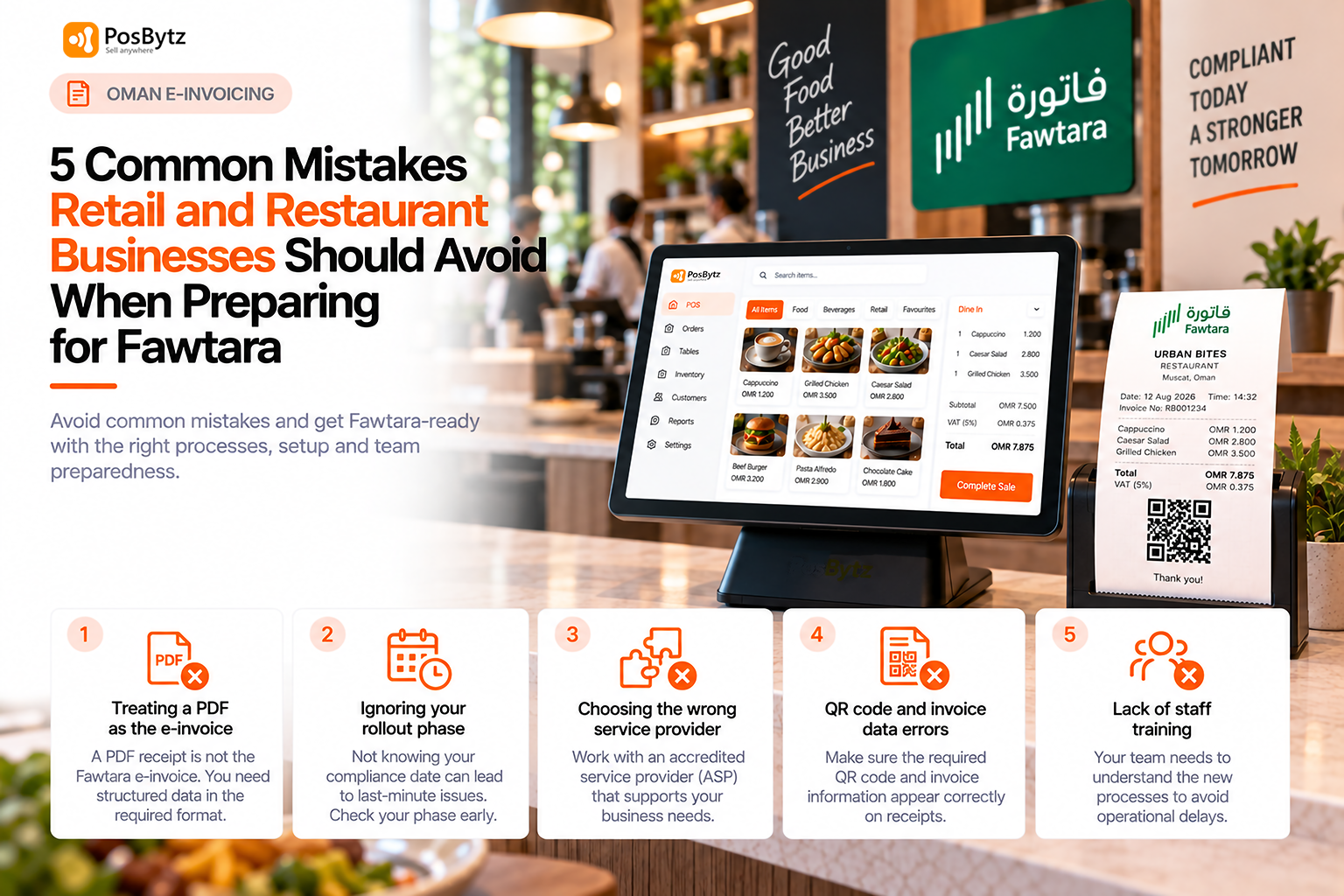


Preparing for Fawtara e-invoicing in Oman involves more than choosing an invoicing solution. Businesses need to understand their rollout phase, prepare their invoicing processes, work with an appropriate service provider, and ensure their teams are ready to use the new system.
For restaurants and retail businesses, small gaps in preparation can create avoidable issues during implementation. From treating a PDF as the e-invoice to relying on outdated assumptions about QR codes, invoice data, or staff readiness, these mistakes can affect how smoothly a business transitions to electronic invoicing.
In this guide, we cover five common Fawtara e-invoicing mistakes that restaurants and retail businesses in Oman should avoid, along with practical steps to prepare for the transition.
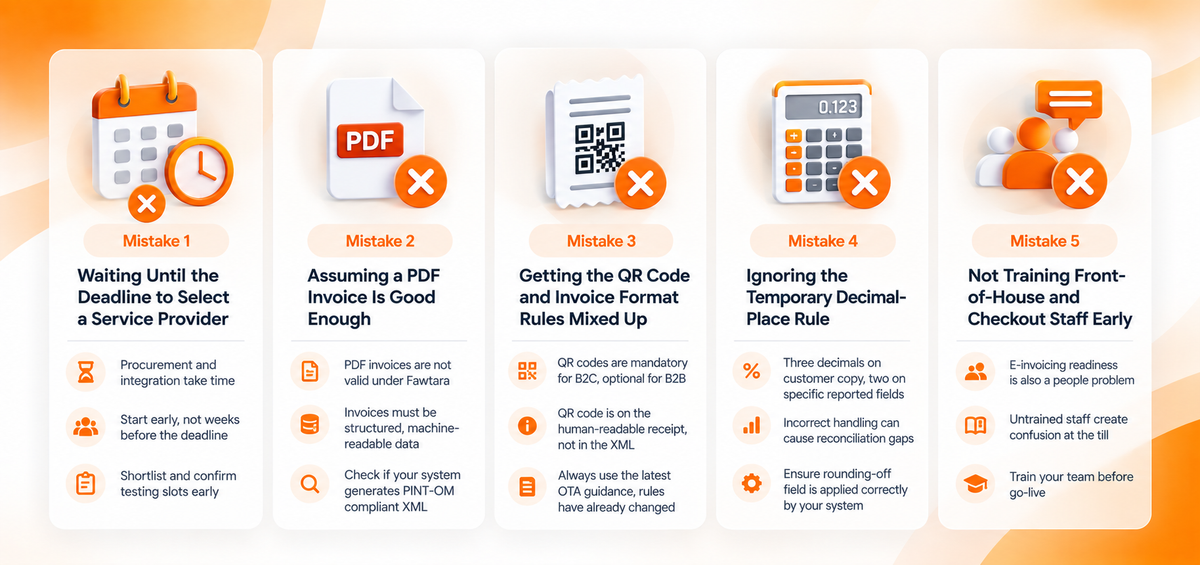
Mistake 1: Waiting Until the Deadline to Select a Service Provider
Why this is the most common mistake of all
Choosing an accredited service provider (ASP) is not something to leave until your rollout date is weeks away. Procurement, contracting, and system integration testing all take real time, and OTA has said explicitly that businesses should begin evaluating service providers as soon as the accredited list is available, rather than after.
What OTA has told businesses directly
Businesses that raised concerns about tight timelines in OTA's own sessions were consistently told the same thing: start the conversation early, since integration and testing windows are the part most likely to slip. This is not a hypothetical warning, it reflects a pattern OTA officials have observed directly from businesses that waited too long.
A practical way to avoid this mistake
Treat service provider selection as a project with its own timeline, separate from your general Fawtara awareness. Shortlist two or three accredited providers as soon as the official list is published, request integration documentation early, and confirm testing slots before your outlet volume makes last-minute changes riskier.
Mistake 2: Assuming a PDF Invoice Is Good Enough
The assumption that trips up otherwise well-prepared businesses
A common assumption is that a nicely formatted PDF receipt will satisfy Fawtara requirements. It will not. Oman Tax Authority has stated plainly that after e-invoicing implementation, only electronic invoices are considered valid tax invoices, and PDF invoices are not valid regardless of the language they are issued in.
Why this matters more for restaurants and retail than it sounds
Many POS and accounting systems already generate clean PDF receipts today, so it is easy to assume that box is already ticked. Fawtara's requirement is structural, not cosmetic: the invoice needs to exist as structured, machine-readable data that can be validated and exchanged automatically, which a PDF, however well designed, cannot provide on its own. We break down what a compliant invoice actually needs to contain in our guide on simplified versus full tax invoices under Fawtara.
How to check if your current system has this gap
Ask your POS or ERP vendor directly whether the invoice format they generate is PINT-OM compliant XML, or simply a PDF or printed layout. If your current "digital invoicing" stops at generating a PDF, that is a gap worth closing before your rollout date, ideally by confirming with your vendor how they plan to bridge it.
Mistake 3: Getting the QR Code and Invoice Format Rules Mixed Up
A rule that has already changed once
QR codes are mandatory on B2C invoices, both full and simplified, but optional on B2B invoices. The QR code itself lives on the human-readable receipt, not inside the e-invoice XML file. This is worth stressing because the rule has already changed once during Fawtara's development: earlier drafts of the data dictionary included the QR code inside the XML, a detail some businesses and developers may still be building against.
The risk of building against outdated information
Businesses that assume the rule applies universally, or that confuse it with the older draft specification, risk building the wrong workflow. This typically shows up as receipt templates that need to be redesigned late in the process, or confusion among staff about why some invoices display differently from others. Our detailed guide on QR code requirements for restaurant and retail receipts covers exactly what has changed and what the current rule requires.
How to avoid building on outdated assumptions
Always confirm current requirements against the official Fawtara FAQ page or your accredited service provider, rather than relying on older blog posts, forum discussions, or assumptions carried over from another country's e-invoicing system, since Oman's specification has already evolved once and may continue to be refined.
Mistake 4: Ignoring the Temporary Decimal-Place Rule
A genuinely unusual quirk of Oman's rollout
Oman VAT calculations normally use three decimal places, but the Peppol network currently supports only two decimal places on six specific total-amount fields within the e-invoice, a limitation OTA expects to be resolved once Peppol updates its baseline later. In the meantime, human-readable invoices still need to show three decimal places, while the reported e-invoice uses two, with a rounding-off field to account for the small difference.
Why this matters for reconciliation, not just formatting
Businesses that do not plan for this mismatch risk reconciliation errors between what customers see and what gets reported. Over hundreds or thousands of daily transactions, small rounding differences that are not properly handled by the rounding-off field can accumulate into a reporting headache at VAT filing time, even though no individual transaction was materially wrong.
What to check with your POS or service provider
Confirm that your POS or service provider correctly applies the rounding-off field, and that your finance team understands why a small, expected gap can exist between the human-readable total and the reported e-invoice total during this transition period, rather than treating every discrepancy as an error to investigate manually.
Mistake 5: Not Training Front-of-House and Checkout Staff Early
Why this is a people problem, not just a system problem
E-invoicing readiness is not only a system upgrade, it changes how staff issue invoices, handle refunds and credit notes, and respond to customers who ask for a different invoice type. Oman Tax Authority frames team readiness as one of four required pillars alongside system, process, and timeline readiness.
What happens when staff are not prepared
A technically compliant POS still creates confusion at the till if the people using it were never trained on what changed. Common friction points include staff not knowing when to switch from a simplified to a full tax invoice, confusion over why a receipt shows a QR code now when it did not before, and uncertainty about how to issue a credit note correctly for a return or refund.
Building training into your rollout plan
Staff training does not need to be complicated, but it does need to happen before go-live, not after the first confused customer interaction. A short, practical session covering the new receipt format, when to issue a full invoice instead of a simplified one, and how refunds now work is usually enough for most front-of-house and checkout teams.
How to Course-Correct If You Are Behind
The same fix applies to every mistake above
If any of these sound familiar, the fix is the same regardless of which mistake applies: confirm your exact rollout batch, test your current POS against the requirements, start ASP conversations now rather than later, and build staff training into your rollout plan rather than treating it as an afterthought.
Where to start if you have not begun preparing at all
A checklist-based approach, covered in more detail in our POS readiness guide, is a practical starting point, alongside confirming your exact rollout date using the approach in our guide on whether Fawtara applies to your business.
PosBytz is built to handle the structured invoicing, QR code, and decimal-handling requirements Fawtara sets out, so restaurant and retail businesses can close most of these gaps with one platform rather than juggling workarounds.
FAQs
What happens if I miss my Fawtara go-live date?
Oman Tax Authority has not published detailed penalty specifics for missed deadlines in its public sessions so far. Businesses with genuine system or contracting delays have been advised to raise their case directly with OTA rather than assume an automatic extension. Check the official Fawtara FAQ page for the latest guidance.
Can I request a delay if my POS vendor is not ready in time?
OTA has indicated that businesses can submit such requests for review on a case-by-case basis, but this is not a guaranteed extension, so it should not be relied on as a plan.
Are there fines for e-invoicing non-compliance in Oman?
Specific penalty details were not addressed in detail in the public workshops reviewed for this guide. Refer to the official Fawtara FAQ page and Oman's VAT legislation for penalty provisions.
Is it too early to start preparing in 2026?
No. OTA has explicitly encouraged businesses to prepare early, including using the voluntary adoption window from August to end of October 2026 to test systems and processes before mandatory dates apply.
Is a PDF invoice acceptable during the transition period?
No. Once e-invoicing implementation applies to your business, PDF invoices are not considered valid tax invoices, regardless of formatting or language.
Which of these mistakes is the easiest to fix quickly?
Staff training is usually the fastest to correct, since it does not depend on external vendors or accreditation timelines. System and service provider gaps typically take longer to resolve, which is why they should be addressed first.
About the author

Thaniyeal
Technical Content Writer & SEO Specialist, PosBytz
Thaniyeal is a Technical Content Writer and SEO Specialist on the PosBytz Marketing team, focused on turning complex POS and ERP topics into clear, practical guides for restaurant and retail businesses.