QR Code Ordering: Streamline Table Service in Restaurants
QR code ordering can optimize your Restaurant operations and enhance your customer experience from ordering to payments. Check out how ?
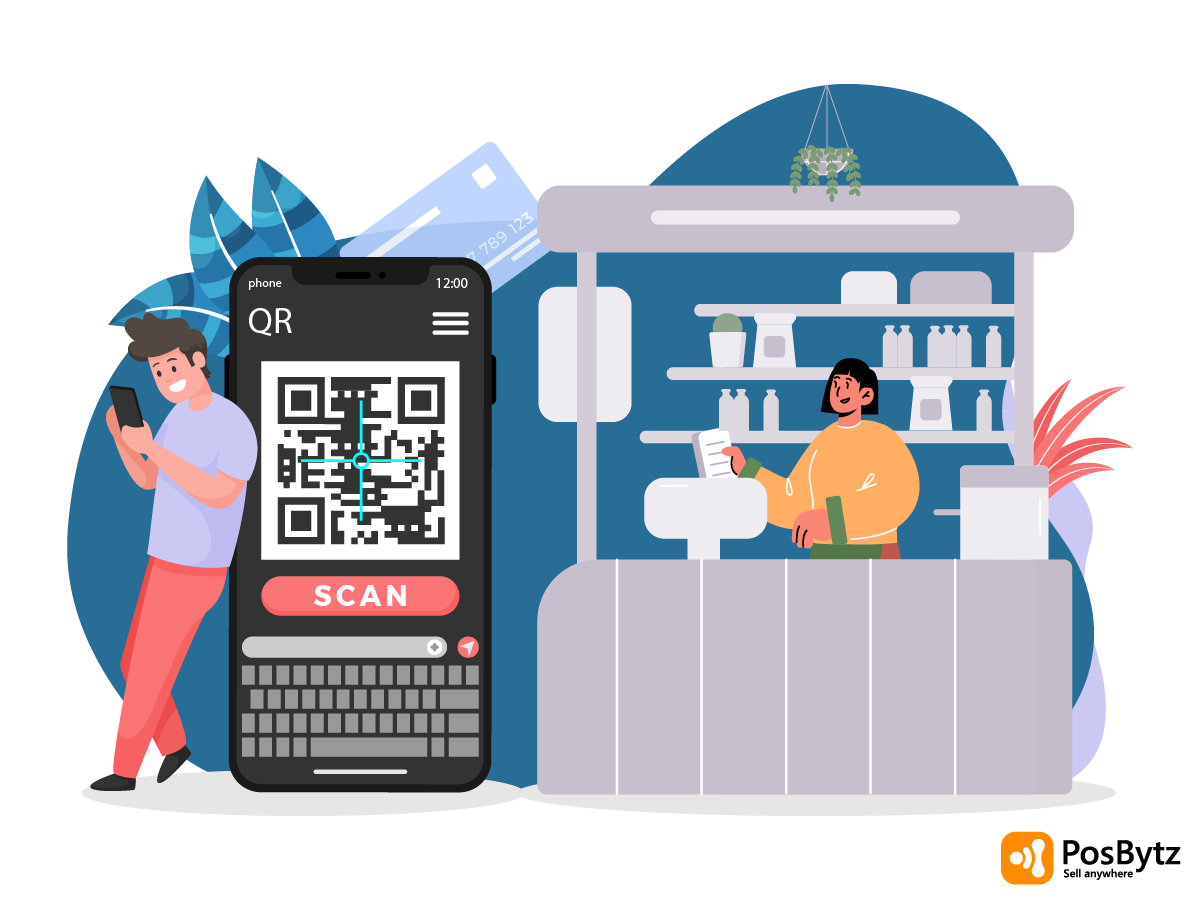


Restaurants are dealing with tighter margins, staffing shortages, and diners who expect speed without sacrificing comfort. QR code ordering has become one of the most practical ways to meet all three demands at once, letting guests browse, order, and pay from their own phones while staff focus on service instead of order-taking.
Adoption backs this up: 45% of businesses have shifted to marketing-related digital systems, and 76% of the restaurant industry says it plans to keep using QR code menu ordering going forward. For operators still relying on paper menus and manual order-taking, that gap is only going to widen.
This guide covers how QR code ordering works, where it fits into table service, and how to set up a QR code ordering system with PosBytz.
What Is QR Code Ordering and How Does It Work
A QR menu is a digital version of your restaurant menu that customers access by scanning a code with their smartphone camera no app download required. "QR" stands for "quick response," which is exactly the experience it delivers: guests scan, browse, order, and pay, all from the table.
Unlike printed menus, a digital menu isn't limited by page space. You can add high-quality photos for every dish, which helps guests visualize what they're ordering and often nudges them toward higher-value items. Menu updates, new dishes, price changes, sold-out items go live instantly, with no reprinting required.
The QR code ordering system connects directly to PosBytz Restaurant POS, so every order placed at the table flows straight into billing and kitchen management without manual entry.
How a QR Code Menu Works at the Table
A QR code menu is simply a digital version of your restaurant menu, accessed through the guest's own smartphone camera. Once scanned, it opens a mobile-friendly ordering page where guests can:
- Browse the full menu with photos and descriptions
- Select items, add modifiers, and build combos
- Place the order directly from their device
- Pay online without waiting for a bill
Because it's digital, you're no longer limited by print space. Menus can include a photo for every dish, which helps guests decide faster and often encourages larger orders. Items can also be turned on or off instantly when something runs out, so guests never order something that isn't available. When connected to a system like PosBytz Restaurant POS, orders and payments from QR ordering flow straight into the same billing and reporting workflow as your in-house sales.
Key Benefits of QR Code Ordering for Restaurants
A well-implemented QR code ordering system does more than remove the need for printed menus. It changes how efficiently your floor operates.
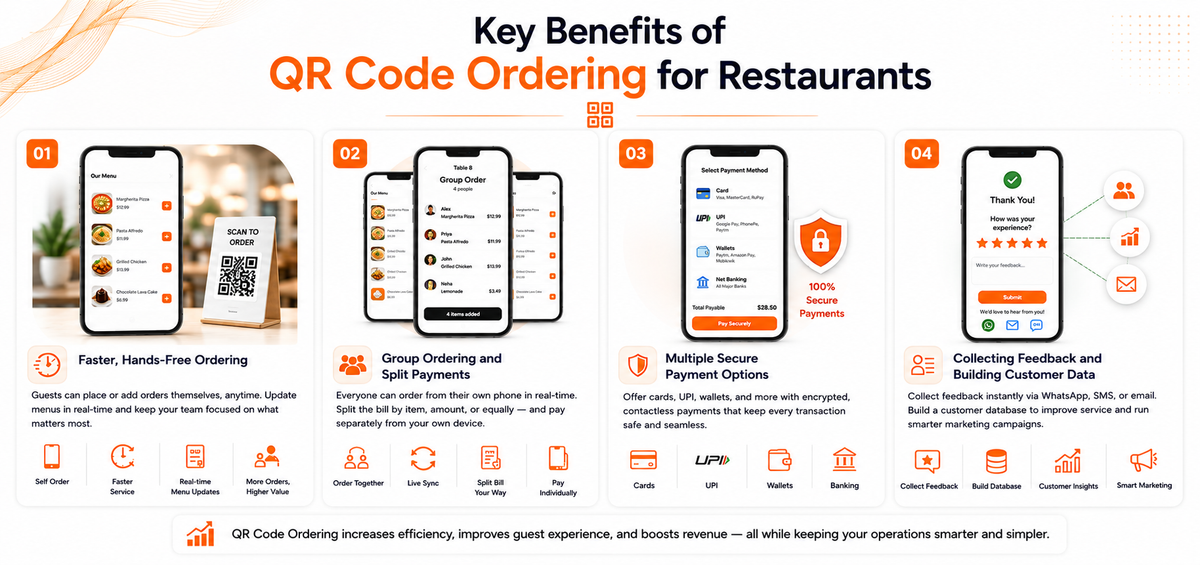
Faster, Hands-Free Ordering
With QR Code Ordering at the table, guests no longer need to flag down a server to place or add to an order. If someone decides on a dessert or another drink partway through the meal, they can add it themselves, which tends to increase order value without extra staff effort.
Menu updates also become simpler. If an item sells out, staff can mark it unavailable on the digital menu instantly, rather than explaining to every table that it's off the menu. This reduces friction between guests and staff during busy service, letting your team focus on food quality and table turnover instead of order-taking.
Group Ordering and Split Payments
Group ordering lets multiple guests at the same table add items from their own phones in real time, with everyone able to see what's already been ordered. When it's time to settle up, the bill can be split by item, by amount, or evenly by guest count, and each person can pay from their own device instead of passing one phone or card around the table.
Multiple Secure Payment Options
Guests expect to pay however is convenient for them, whether that's a card, UPI, a digital wallet, or another online method. A QR Code Ordering system with built-in payment options supports contactless checkout across these methods while keeping transactions encrypted, so you're not turning away a guest simply because you don't support their preferred payment type.
Collecting Feedback and Building Customer Data
Since guests typically enter their phone number or email during the ordering process, QR ordering also gives you a natural way to request feedback after the meal, whether by WhatsApp, SMS, or email. Over time, this builds a customer database you can use for future marketing, without relying on manual sign-up forms.
Best Practices for Rolling Out QR Code Ordering
Getting QR ordering right isn't just about printing a code and placing it on the table. A few practical steps make the difference between guests actually using it and guests ignoring it in favor of asking for a server.
- Design for mobile first. The vast majority of guests will scan with their phone, so the ordering page needs to load quickly and be easy to navigate on a small screen.
- Keep the code visible and branded. Table stands or cards with your restaurant's branding make the code easier to find and reinforce trust that it's an official ordering channel, not a generic third-party link.
- Make the menu easy to scan. Group items logically, use clear photos where possible, and avoid overcrowding the page with too much text.
- Offer a way to reach staff. Even with self-ordering, guests should have an easy way to call a server if they have a question or need something outside the digital menu.
- Connect it to your POS. Orders placed through QR codes should land in the same system used for kitchen tickets, billing, and reporting, so nothing gets missed or entered twice.
QR Code Ordering and Restaurant POS Integration
QR Code Ordering works best when it isn't a standalone tool bolted onto your existing setup. When it's integrated with your restaurant POS, orders placed by guests route directly to the kitchen, appear in the same reporting dashboard as dine-in and takeaway sales, and sync with your inventory so stock counts stay accurate. This also means staff aren't manually re-entering orders that guests already placed themselves, which cuts down on errors during peak hours.
For businesses running a cafe rather than a full-service restaurant, PosBytz Cafe Billing Software applies the same principle to counter and table service. And for bars where guests frequently reorder drinks throughout the evening, Bar and Restaurant Software is built to handle that kind of repeat, self-service ordering.
If you want to see how a QR-based menu compares to other contactless formats, the QR Menu for contactless ordering guide breaks down the setup in more detail, and the Restaurant QR Code Ordering System overview covers additional efficiency gains.
Frequently Asked Questions
How does QR code menu ordering work?
Guests scan the QR code placed on the table, on a stand, or at the entrance using their smartphone camera. This opens a mobile-friendly ordering page where they can browse the menu, place an order, and pay, without downloading a separate app.
Is a QR code ordering system secure?
Yes. It reduces physical contact with shared printed menus and, when connected to a proper payment gateway, processes transactions with encryption to protect guest payment data.
Can QR code ordering work for a cafe?
Yes, it works well for counter-service formats too. PosBytz Cafe Billing Software is designed to handle QR-based ordering alongside regular counter transactions.
Is QR code ordering suitable for bars?
Yes. It's particularly useful in bars, where guests often reorder drinks multiple times without wanting to flag down a server each time. See Bar and Restaurant Software for more on how this works in practice.
Does QR code ordering reduce the need for waitstaff?
It reduces the amount of time staff spend on order-taking specifically, since guests place their own orders and can add items without waiting for a server. Staff time can then shift toward service quality, food delivery, and handling guest requests instead of manual order entry.
Conclusion
QR Code Ordering has moved from a pandemic-era workaround to a standard part of how many restaurants, cafes, and bars operate. It gives guests a faster, more independent way to order and pay, while giving your team a menu that's easier to update, orders that route straight into your POS, and a natural channel for collecting customer feedback and contact data.
Done well, with a mobile-friendly menu, clear branding, and integration into your existing POS, it's a straightforward way to speed up table turnover and reduce pressure on staff during peak hours.
Launch your own branded QR code ordering system with PosBytz, connected directly to your billing, kitchen, and reporting workflows.
Start Your Free Trial | Book a Demo
Related Resources
Dine-In Optimization
Learn how to maximize your floor efficiency with digital menus.
Customer Experience Guide
How QR table ordering significantly enhances guest satisfaction.
Best Restaurant ERP 2026
The ultimate tech stack for modernizing your kitchen and operations.
Small Restaurant Operations
A comprehensive guide to scaling your F&B business with ERP.
Promoting Contactless Tech
Effective ways to drive adoption of your QR ordering system.
About the author

Saravana Damodaram
Co-Founder & CEO, PosBytz
Saravana Damodaram is the Co-Founder & CEO of PosBytz, a cloud-based POS-ERP platform built for F&B and retail businesses since 2018. He focuses on unified commerce, inventory, and multi-location operations, and has helped over 5,000 merchants across 25+ countries move off fragmented, disconnected tools and run their entire operation, billing, inventory, kitchen, and accounting on one platform.