ERP for Retail Stores: A Complete Guide to Benefits, Features and Implementation
Explore how ERP for retail stores can transform your retail business with cloud based ERP suite with integrated modules.
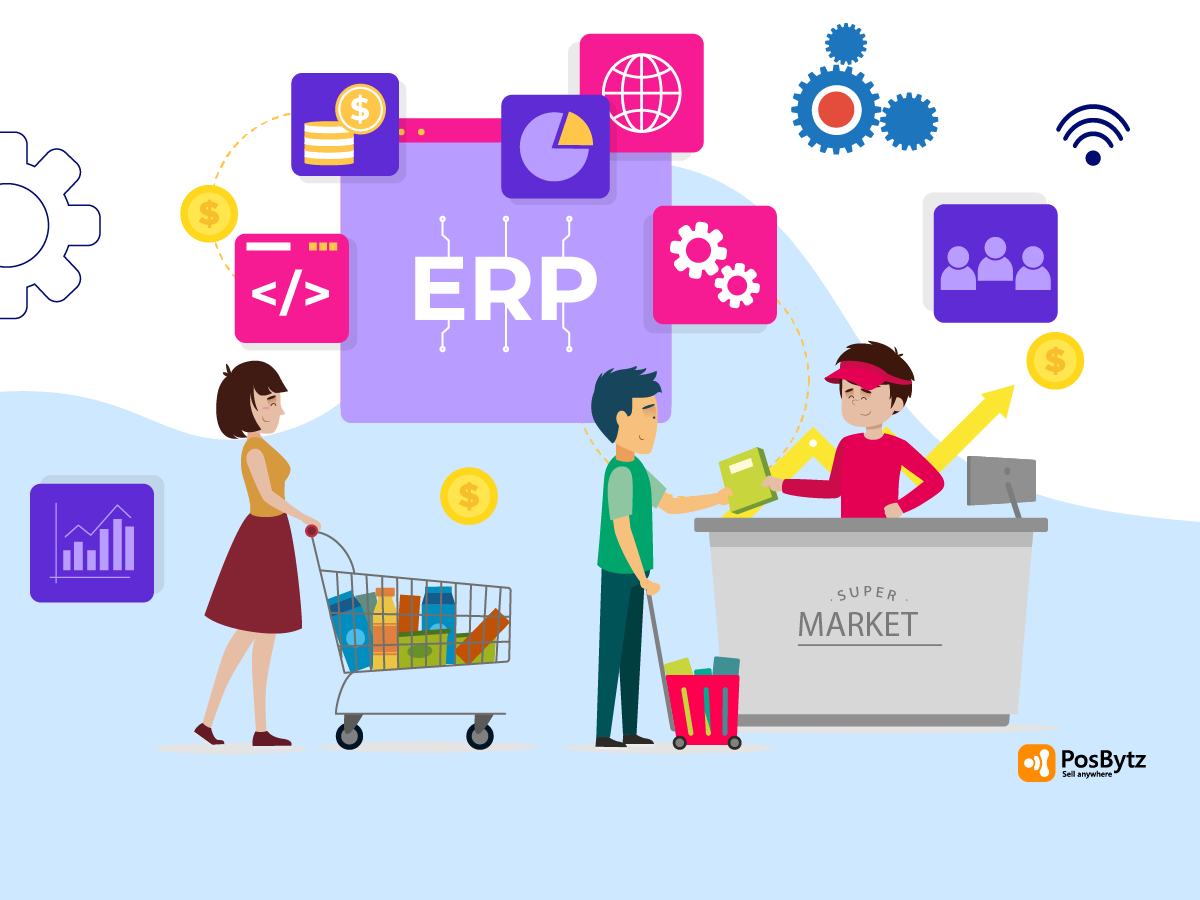


Running a retail store today means juggling inventory across locations, ringing up sales at the counter, managing online orders, tracking customer loyalty, and closing the books, often on tools that do not talk to each other. That disconnect is exactly what ERP for retail stores is built to fix. An ERP (Enterprise Resource Planning) system for retail businesses centralizes point of sale, inventory, accounting, and customer data into one platform, so every part of the business runs on the same real time information.
This guide covers what ERP for retail stores actually does, the core features and benefits it delivers, how to roll one out, and why ERP for small retail business is no longer something only large chains can afford. We also look at where retail ERP is heading in 2026, as more retailers move toward connected, AI supported operations.
What Is ERP for Retail Stores?
ERP for retail stores is software that brings inventory management, sales, customer relationship management (CRM), and financial accounting into one connected system, instead of separate spreadsheets or standalone apps. Rather than manually reconciling numbers from your POS, your accounting software, and your online store at the end of each day, an ERP for retail industry platform keeps that data synced automatically.
For a retailer, that typically means:
- One dashboard for sales across in-store, online, and marketplace channels
- Inventory counts that update in real time as items sell
- Financial reports pulled directly from actual transactions, not manual entry
- Customer data that stays consistent no matter which channel someone shops on
Platforms such as PosBytz package all of this together specifically for retail and food service businesses, which is why the terms "retail ERP" and "retail management software" are often used interchangeably.
Why Retail Businesses Need ERP in 2026
Retail technology has moved quickly over the past few years. Current industry research on retail trends points to a few consistent themes for 2026: retailers are consolidating siloed, channel specific tools into unified commerce platforms, using AI to support demand forecasting and personalization, and leaning on real time data to make pricing and stocking decisions instead of waiting for end of week reports.
For small and mid sized retailers, this shift matters because unified systems are no longer priced or built only for large enterprises. A cloud based ERP for small retail business can now offer much of the same real time inventory visibility and centralized reporting that once required an expensive enterprise deployment, which is a major reason ERP adoption among independent retailers and small chains has picked up. For a closer look at how this works in practice, see our guide to unified commerce for retail billing.
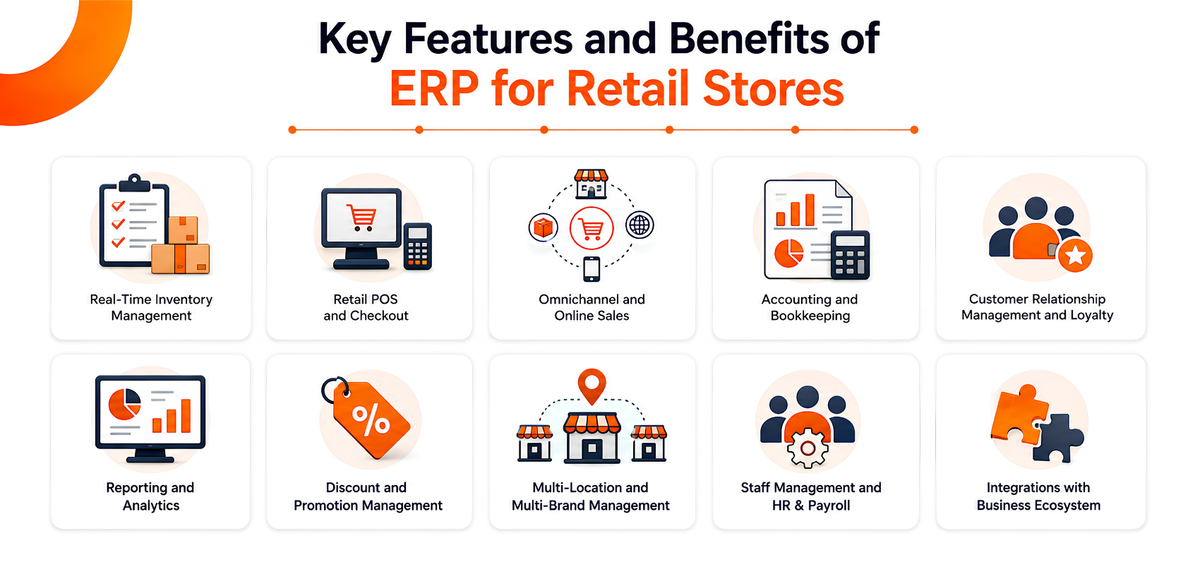
Key Features and Benefits of ERP for Retail Stores
Posbytz brings together the core modules a retail business needs for daily operations, growth, and compliance. Here is what each part of the system covers.
Real-Time Inventory Management
- Track stock across multiple locations and warehouses from one dashboard
- Automated low stock alerts and reorder points instead of manual stock checks
- Batch and expiry date tracking to reduce waste
- Barcode based stock movement and audit logs
- Check inventory levels from a mobile app while you are away from the store
Because stock levels update the moment a sale happens, whether it comes from the till, your website, or a marketplace, you avoid overselling items that are already out of stock. For a closer look at how retailers use this in practice, see our roundup of the best POS inventory systems for small business.
Retail POS and Checkout
At the counter, retail POS needs to be fast, flexible, and reliable, even when the internet is not. Posbytz Retail POS processes sales from physical stores, online orders, and WhatsApp orders through one interface, works offline, and syncs automatically once connectivity returns. It runs on Windows, Android, and iOS devices, so you are not locked into specific hardware. Whether you run a single counter or need full retail billing software across multiple registers, checkout stays fast and consistent.
Checkout features include:
- Barcode and QR code scanning for quick billing
- One tap payments across card, UPI, wallet, and cash
- Split billing by item, amount, or guest count
- A compact interface built for limited counter space
Omnichannel and Online Sales
Selling through more than one channel, in-store, online, marketplace, and delivery apps, only works if the systems behind it are connected. Posbytz combines your POS, online ordering, and ecommerce storefronts under one back end, so pricing, stock, and orders stay consistent everywhere a customer can buy from you. You also get a branded ordering website and app with zero commission on direct orders, plus consolidated reporting across every channel.
Accounting and Bookkeeping
Retail ERP for small business should remove the need for a separate accounting tool. Posbytz includes built in double entry bookkeeping, a general ledger, trial balance, balance sheet, and profit and loss statements, generated directly from your sales and purchase data. Tax ready reports, VAT return support, and automated payment syncing from your payment providers cut down the manual reconciliation work at month end.
Customer Relationship Management and Loyalty
A CRM built into your ERP keeps customer profiles, purchase history, and preferences in one place, so marketing and service teams work from the same data. That makes it easier to run points based, stamp based, or tier based loyalty programs, send targeted SMS, email, and WhatsApp campaigns, and collect and act on customer feedback without exporting data between tools.
Reporting and Analytics
Live dashboards show gross sales, net sales, item wise and category wise performance, and top selling products as they happen, not at the end of the week. Multi outlet comparisons and benchmarks help you see which locations or channels are underperforming, and daily scheduled reports mean you do not have to log in every morning to check the numbers.
Discount and Promotion Management
Configure fixed, percentage based, item level, and category level discounts from one place, and have them apply consistently across POS, online ordering, and ecommerce. Coupon codes and bulk discount uploads via Excel make seasonal promotions faster to set up.
Multi-Location and Multi-Brand Management
For retailers running more than one outlet or more than one brand, Posbytz centralizes inventory, sales, and accounting across every location while still giving you outlet level and brand level reporting. That combination, one dashboard with the ability to drill into individual stores, is what lets an ERP for retail industry solution scale as a chain grows.
Staff Management and Integrations
Beyond sales and inventory, Posbytz covers attendance tracking, shift management, and role based access, so staff only see what is relevant to their role, along with HR and payroll tools to handle the people side of the business. The platform also integrates with existing accounting tools, ecommerce platforms, marketing automation, and logistics providers, so moving to an ERP for retail stores does not mean ripping out systems that already work for you.
How to Implement ERP for Retail Stores in 5 Steps
Rolling out an ERP touches every part of the business, so a structured approach matters more than speed.
- Define your requirements. List the specific problems you want the ERP to solve, whether that is inventory accuracy, faster checkout, or better financial reporting, before you start evaluating vendors.
- Select the right ERP solution. Compare platforms on retail specific features, scalability, integration options, and total cost, not just the sticker price.
- Plan the rollout. Set a realistic timeline, assign an internal owner, and decide whether you are migrating all locations at once or phasing the rollout store by store.
- Customize and configure. Work with your provider to set up workflows, user roles, and integrations with any existing systems you are keeping.
- Train your staff. Hands on training, not just a manual, is what drives adoption. Staff who understand why the system helps them are far more likely to use it correctly.
Is ERP Worth It for Small Retail Businesses?
ERP for retail stores used to be associated with large chains that could afford custom enterprise software. That has changed. Cloud based, subscription priced ERP for small retail business now gives independent retailers access to the same real time inventory tracking, centralized reporting, and automated workflows that larger competitors use, without the enterprise price tag or a long implementation timeline.
For a small retailer, the practical benefits usually show up as:
- Fewer stockouts and overstock situations
- Faster order processing and invoicing
- Better customer retention through loyalty and CRM tools
- Lower operating costs from automating repetitive manual tasks
How ERP Is Reshaping the Retail Industry
Across the retail industry, ERP for retail industry platforms are pushing operations toward unified, real time systems instead of disconnected point tools. In practice, that shows up as tighter supply chain coordination, more consistent omnichannel experiences, wider use of sales and inventory data in day to day decisions, and clearer cash flow visibility. As customer expectations for fast, consistent service across channels keep rising, retailers without a connected back end will find it harder to compete on service alone.
Frequently Asked Questions
What is ERP for retail stores?
ERP for retail stores is software that centralizes a retail business's inventory management, point of sale, accounting, and customer relationship management into a single connected system, replacing separate spreadsheets or disconnected tools.
Is ERP only useful for large retail chains?
No. ERP for retail stores is increasingly used by small and independent retailers. Cloud based, subscription priced platforms give small businesses access to much of the same real time inventory tracking and centralized reporting that was once limited to large enterprises, without the enterprise cost or implementation time.
How does ERP help with inventory management?
ERP platforms track stock levels across every location and sales channel in real time, send automated low stock alerts, manage batch and expiry dates, and deduct inventory automatically as sales happen. That reduces both stockouts and overstocking.
What features should I look for in retail ERP software?
Look for real time inventory tracking, integrated point of sale, built in accounting and bookkeeping, CRM and loyalty tools, multi location reporting, and integration options with your existing ecommerce, payment, and logistics systems. Prioritize the features that solve your specific operational problems rather than the longest feature list.
Which types of retail businesses can use PosBytz ERP for retail stores?
PosBytz ERP for retail stores works across retail formats, including supermarkets, grocery stores, boutique stores, fish stores, butchery stalls, and similar specialty retail businesses.
Conclusion
ERP for retail stores is no longer optional infrastructure reserved for large chains. It is the connective layer that lets a retail business manage inventory, sales, accounting, and customer relationships from one place instead of stitching together disconnected tools. For small businesses in particular, ERP for small retail business platforms have closed the gap with enterprise grade systems, making it realistic to compete on service and efficiency rather than price alone.
If you are comparing options, our guide to choosing the best retail ERP software walks through the evaluation process in more detail.
Posbytz brings retail management software, POS, inventory, accounting, and CRM together on one cloud based platform built for retail and food service businesses. See PosBytz pricing or get in touch to see how it fits your store.
About the author

The PosBytz Marketing Team
Editorial Team, PosBytz
The PosBytz Marketing Team shares practical insights on running smarter restaurants and retail stores from POS best practices to inventory management, online ordering, and customer loyalty strategies.