Long Kitchen Ticket Times at Peak Hour? How to Fix Order Delays and Kitchen Congestion
Why ticket times blow up at peak, from slow KOT punching to overloaded stations, and the FOH, expo, menu and KDS fixes that keep orders moving in a rush.
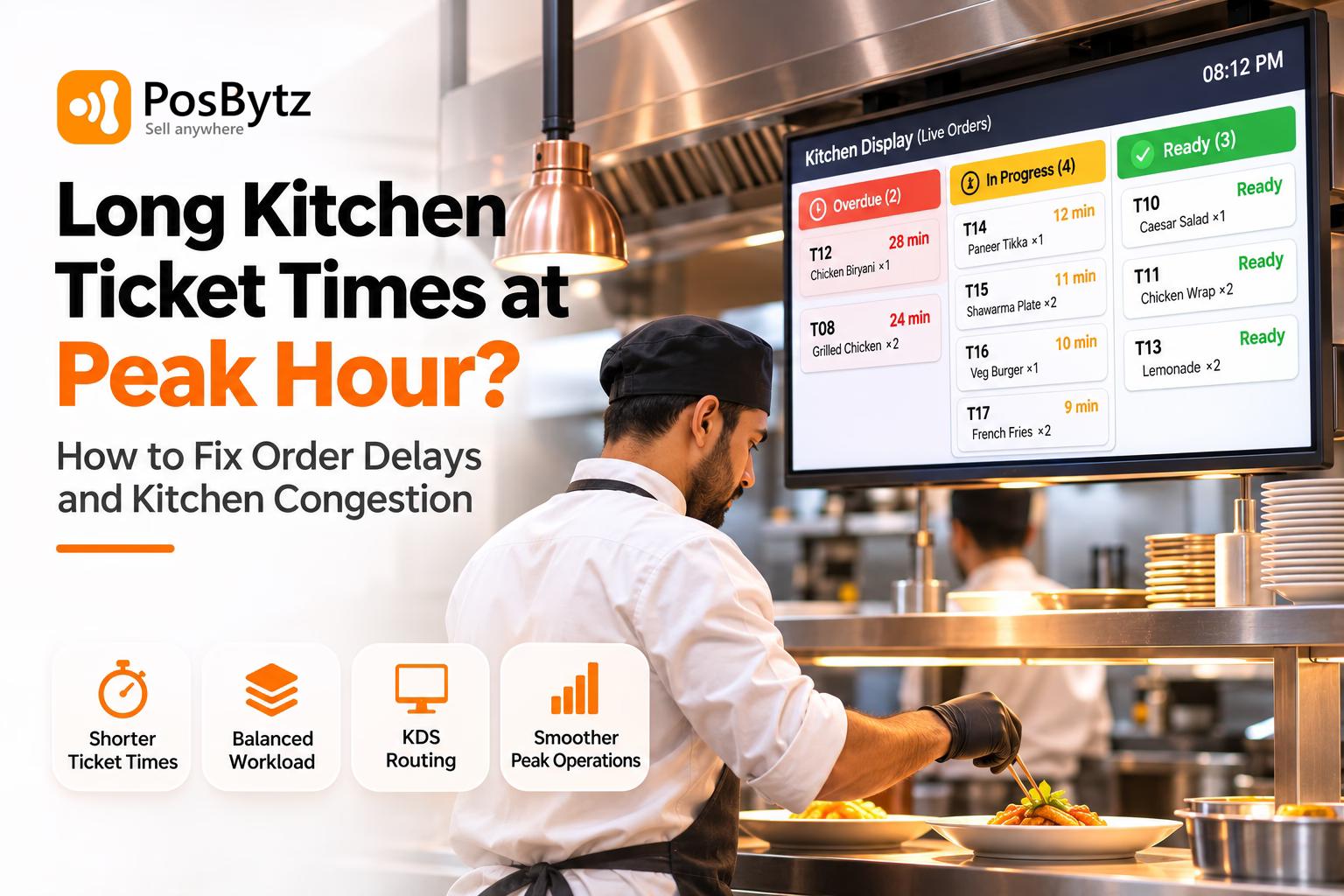


Quick answer: Ticket times blow up at peak when orders reach the kitchen faster than its slowest station can cook them. The usual causes are seating too many tables at once, slow or messy KOT punching, a menu that overloads one station, too many modifiers, weak expo and short staffing. Fix it by pacing orders from the door, punching orders at the table, routing them to station screens, balancing the menu across stations and running a strong expo.
It's 8 pm. Twelve tables were seated in ten minutes. The rail is full, the fryer is buried, a server is shouting about table 14's starters, and the first mains are already 25 minutes old.
Nobody in the kitchen got slower. The kitchen just received more work than it could physically cook, in the wrong order, with half the information missing. That's why long ticket times are rarely fixed by telling cooks to hurry.
This guide follows an order from the front door to the pass, shows where each minute goes, and gives the fixes that experienced chefs and managers actually use, plus the KOT and kitchen display setup that makes them stick.
What is a kitchen ticket time?
A ticket time is the minutes from the moment an order is sent to the kitchen to the moment the food is ready at the pass. Guests feel a longer clock: from sitting down to food on the table. Both matter, because many delays happen before the kitchen ever sees the ticket.
Average Kitchen Ticket Times by Restaurant Type (Peak-Hour Targets)
- QSR and counter service: Aim for 3 to 6 minutes at peak. Anything over 8 minutes is a warning sign.
- Cafés (food): Aim for 6 to 10 minutes at peak. Over 12 minutes is a warning sign.
- Casual dining mains: Aim for 12 to 18 minutes at peak. Over 22 minutes is a warning sign.
- Starters and small plates: Aim for 6 to 10 minutes at peak. Over 12 minutes is a warning sign.
- Fine dining (per course): Aim for 12 to 20 minutes at peak. Over 25 minutes is a warning sign.
- Delivery orders (to ready for pickup): Aim for 10 to 15 minutes at peak. Over 20 minutes is a warning sign.
Watch the slowest tickets, not the average. A 12-minute average can hide a quarter of tables waiting 25 minutes at 8 pm, and those are the guests who write reviews.
Where Long Ticket Times Start: Order Delays From Door to Pass
- 1. Seating: The host seats parties. At peak, ten tables seated at once all order at once.
- 2. Order taking: The server takes the order. A long menu, many questions and a server stretched across tables add time.
- 3. KOT punching: The order is entered and sent. The server walks to a terminal, queues behind others and types in modifiers.
- 4. Routing: The ticket reaches the right station. One printer for all stations and unclear or handwritten notes slow this step down.
- 5. Cooking: The stations cook. One overloaded station (grill, fryer or tandoor) holds up everything behind it.
- 6. Expo and pass: Plates are checked and sent. With no expo, food waits for a missing side.
The slowest stage sets the pace for everything behind it. Fix that one first.
7 Causes of Long Kitchen Ticket Times During Peak Hours
1. Short Staffing and Uncontrolled Seating at Peak Hour
The most common answer from cooks: the kitchen was short, and nobody adjusted seating to match. One cook put it bluntly: management "didn't slow seating to compensate." A kitchen built for six cooks can't cook a full room with four.
2. Order Bunching: Every Table Ordering at Once
If 40 covers are seated in the first 15 minutes, 40 covers hit the rail together. Chefs on r/Chefit point out that it's the server's job to slow-roll those tickets into the kitchen instead of firing them all in one burst.
3. Kitchen Bottlenecks From Station Overload (Fryer, Grill, Tandoor)
If most of the menu goes through one piece of equipment, that equipment sets your ticket time. As one chef put it, a mostly fried menu with one fryer will bottleneck. The same is true of a single tandoor, grill, pizza oven or shawarma spit.
4. Overcomplicated Menus and Too Many Modifiers
Every "no onion, sauce on the side, extra crispy, swap fries for salad" slows the cook, invites mistakes and causes remakes. Chefs consistently say that cutting modifications makes everything flow easier.
5. Order-Taking Delays and Slow KOT Punching
Servers write on pads, walk to one terminal, queue behind others and type in modifiers. Handwriting gets misread. Notes like "less spicy" go missing. Each order reaches the kitchen minutes after the guest gave it, sometimes in the wrong form.
6. Weak Expo and Poor Kitchen Ticket Flow
Without someone calling the pass, stations cook in isolation, plates for one table finish minutes apart, and starters hang. A good expo makes the difference by reminding the line about modifiers and any starters going past 10 minutes.
7. Poor Mise en Place and Kitchen Station Setup
If a cook has to fetch, cut or reduce something mid-rush, that ticket was late before it fired. Experienced cooks say everything should be within two steps of the station.
Kitchen Congestion Diagnosis: Match the Symptom to the Cause
- All tickets late at once, then calm: This is most likely caused by seating and ordering in waves. First fix: stagger seating and pace tickets.
- One station buried, others idle: This is most likely caused by menu or equipment overload. First fix: rebalance the menu or add equipment capacity.
- Lots of remakes and returned plates: This is most likely caused by modifiers and misread tickets. First fix: use standard modifiers and a digital KOT.
- Orders reach the kitchen long after guests ordered: This is most likely caused by slow order taking and punching. First fix: use a captain app at the table.
- Plates for one table leave minutes apart: This is most likely caused by no expo or course firing. First fix: add a dedicated expo and a KDS with table grouping.
- Everything slow, every night: This is most likely caused by short staffing. First fix: adjust covers to staffing and cross-train the team.
How to Reduce Kitchen Ticket Times During Peak Hours
Manage FOH at Peak Hour: Pace Orders Into the Kitchen
- Pace seating to the kitchen, not the empty tables. Seat in waves of 3 or 4 tables every few minutes. Chefs agree it's better for guests to wait at the door than after ordering.
- Give the host a live view of kitchen load. If the rail is full, quote a longer wait or offer a drink at the bar first.
- Slow-roll tickets. Servers fire starters first and hold mains, or send tables a minute or two apart, instead of dumping a full section at once.
- Take orders at the table. A captain app on a phone means the order reaches the kitchen the moment it's taken, with modifiers chosen from a list instead of handwritten.
- Tell guests the truth early. If a dish takes 25 minutes, say so at ordering. If the kitchen is backed up, tell the table before they ask. Guests forgive a known wait far more than a silent one.
Faster KOT Punching: Send Accurate Kitchen Order Tickets
- Punch at the table, not at a counter queue. Every walk to a terminal adds a minute per order at peak.
- Use standard modifiers, not free text. "Less spicy", "no onion" and "jain" as buttons print the same way every time.
- Route each item to its station. Starters go to the cold or tandoor station, mains to the hot line, drinks to the bar, each on its own KOT printer or screen.
- Mark course and seat. Kitchen sees what to fire now and what to hold, and which plate goes to which guest.
Simplify Overcomplicated Menus and Balance Kitchen Station Load
- Count items per station. If one station carries more than about 40% of peak orders, it will bottleneck. Move or redesign dishes.
- Cut or simplify slow, low-selling dishes. Use sales reports to find dishes that tie up a station but sell little.
- Offer a peak-hour menu. A shorter menu and fewer modifiers on Friday and Saturday nights, festive days or the Ramadan iftar rush.
- Mark items unavailable instantly. When something runs out, 86 it on the POS so servers stop selling it.
- Match the menu to your equipment. If you can't add staff or space, reduce seating or change items.
Kitchen Operations on the Line: Mise, Par and Firing Order
- Mise within two steps. Everything portioned and in reach before service.
- Par to forecast. Prep to expected covers for that day and hour.
- Fire long-cook items first. Biryani, steaks and grilled items start early so quick items finish with them.
- Use call and response. Cooks repeat what they've heard so nothing gets lost.
Kitchen Expo and Ticket Flow: Who Controls Peak-Hour Pacing
- Put your strongest person on expo at peak. Their job is timing, not plating.
- Group tickets by table and course so plates for one table finish together.
- Call out tickets over target time (for example, starters past 10 minutes).
- Check modifiers and allergy notes before plates leave.
How to Handle a Peak-Hour Kitchen Rush: 30-Minute Playbook
- Call it early. The moment the rail is more than one turn behind, the chef tells the floor manager. Don't wait until guests complain.
- Slow the door. Stop seating new tables for 10 to 15 minutes or quote longer waits. Pause or extend prep time on delivery apps.
- Thin the rail. Pull every ticket that can be finished fast to clear the board, then work the heavy ones.
- Move hands to the slowest station. Pull someone from a quiet station or the prep area to the buried one.
- Push quick items. Ask servers to suggest dishes from quiet stations for the next 15 minutes.
- Keep guests informed. Servers update their tables with a realistic time; a free starter or drink for the longest waits.
- Debrief after service. Which station, which dishes, which 15 minutes? If it was a one-off, move on; if it keeps happening, fix the system.
KOT and Kitchen Display System Software That Cuts Ticket Times: PosBytz
Every fix above depends on one thing: the right information reaching the right station the moment the guest orders, and everyone (host, servers, kitchen, expo) seeing the same live picture. That's what PosBytz is built to do. Orders from the captain app, the counter, QR ordering and delivery apps flow into one POS and straight onto kitchen printers or the PosBytz Kitchen Display app, on Windows, Android and iPad devices.
Peak-Hour Order Flow: Paper KOT vs PosBytz KOT and KDS
- Order taking: Without PosBytz, servers use a pad and then walk to a terminal. With PosBytz, they use the captain (waiter) app at the table, or the guest orders by QR. Ticket-time effect: the order reaches the kitchen 1 to 3 minutes sooner.
- KOT punching: Without PosBytz, notes are typed or handwritten. With PosBytz, modifiers are picked from a list and the KOT is printed or shown instantly. Ticket-time effect: fewer misreads and remakes.
- Routing: Without PosBytz, one printer handles everything. With PosBytz, each item goes to its station’s printer or KDS screen*. Ticket-time effect: no sorting at the pass.
- Cooking: Without PosBytz, paper sits on a rail with no clock. With PosBytz, there is a live ticket queue on the KDS with order age*. Ticket-time effect: late tickets are visible early.
- Expo: Without PosBytz, the team shouts across the line. With PosBytz, tickets are grouped by table and order type*. Ticket-time effect: plates for one table finish together.
- FOH update: Without PosBytz, the server walks back to ask. With PosBytz, order status is visible to the front of house*. Ticket-time effect: fewer interruptions in the kitchen.
- Peak control: Without PosBytz, everything is accepted, all at once. With PosBytz, items are switched off instantly and online orders are managed from the POS. Ticket-time effect: overload doesn’t get worse.
PosBytz Restaurant POS Features That Fix Kitchen Congestion
1. Captain (waiter) app: kills order-taking and KOT punching delays Servers take the order on a phone or tablet at the table and send it to the kitchen in one tap. Menu, modifiers and offers come straight from the POS, so nothing is rewritten. Fixes: slow punching, misread tickets, servers queuing at a terminal.
2. QR table ordering: takes load off servers at peak Guests scan the table QR, browse the menu with photos and order (and pay) from their phone. Orders sync instantly to the POS and kitchen display. Fixes: server bottleneck when a whole section is seated at once; add-on orders (drinks, desserts) that wait for a server.
3. KOT printing and the PosBytz Kitchen Display app: right ticket, right station Orders reach kitchen printers or the PosBytz KDS app with no manual entry. Use printed KOTs, screens, or both while the team switches over. Fixes: lost tickets, handwriting errors, the kitchen not knowing what's new.
4. Station routing and course marking Send tandoor items to the tandoor, fryer items to the fryer, drinks to the bar, each with seat and course. Fixes: one cook sorting tickets for everyone; mains firing before starters.
5. Live ticket timers and colour alerts on the KDS Every ticket shows how long it has been waiting, with colour changes as it passes target. Fixes: hanging starters, forgotten tickets, expo working from memory.
6. One queue for dine-in, takeaway and delivery Dining options mark each order as dine-in, takeaway or delivery. Online and aggregator orders are accepted in the POS, so the kitchen sees one real queue. Fixes: delivery tablets ambushing the line with surprise orders.
7. Instant item availability (86ing) from the POS Switch an item off once and it disappears from the POS, QR menu and online ordering. Fixes: guests ordering dishes the kitchen can't make; remakes and swaps mid-rush.
8. Table management across floors Hosts see which tables are seated, ordered, billed or free, by floor and section. Fixes: seating whole sections at once without seeing kitchen load.
9. Menu and modifier control Build a shorter peak-hour menu, limit modifiers to a fixed list, and update every channel from one place. Fixes: overcomplicated menus and free-text requests.
10. Item-wise sales and kitchen reports See which dishes sell at peak and which stations they load. Add prep-time and ticket-time reports* to find the slowest station and dish by hour. Fixes: guessing which station is the bottleneck.
11. Works offline Billing and KOTs keep running when the internet drops, then sync. Fixes: a network outage freezing every ticket at 8 pm.
Best KOT and KDS Setup for Your Restaurant Type
- QSR, shawarma, burger, pizza: The biggest ticket-time problem is the counter queue and one overloaded station. Start with a POS + KDS with station routing and QR order-and-pay.
- Casual and family dining: The biggest ticket-time problem is sections ordering at once and misread KOTs. Start with a captain app + KOT/KDS + table management.
- Fine dining: The biggest ticket-time problem is course timing. Start with a captain app + course marking + KDS timers.
- Cloud kitchens: The biggest ticket-time problem is many brands and apps in one kitchen. Start with online order integration + one KDS queue.
- Cafés and bakeries: The biggest ticket-time problem is food and drinks finishing apart. Start with separate bar and kitchen KOTs or screens.
- Multi-outlet chains: The biggest ticket-time problem is different speeds per outlet. Start with all of the above + outlet-wise reports.
See an order go from the captain app to the kitchen screen in under 5 seconds. Book a free PosBytz demo and bring your busiest menu.
Frequently asked questions
What is a good kitchen ticket time?
It depends on the concept. Counter-service and QSR kitchens usually aim for 3 to 6 minutes, cafés 6 to 10, and casual-dining mains 12 to 18 minutes. Track the slowest 10% of tickets at peak, not just the average, because those are the guests who notice and complain.
Why are my kitchen ticket times so long during peak hours?
Usually because orders arrive faster than the slowest station can cook them. Common causes are seating many tables at once, slow KOT punching, a menu that overloads one station, too many modifiers, weak expo and short staffing. Find where tickets first start waiting and fix that step first.
How do I reduce ticket times in a busy kitchen?
Pace seating, take orders at the table with a captain app, route each item to its station's printer or screen, cut modifiers, balance the menu across stations, prep mise within two steps, fire long-cook items first, and give one person ownership of the pass as expo.
What is the difference between a KOT and a KDS?
A KOT (kitchen order ticket) is a printed slip that tells the kitchen what to cook. A KDS (kitchen display system) shows the same orders on a screen, usually with timers, station routing and a bump button to mark items done. Many kitchens run both during the switch.
How do servers help reduce kitchen congestion?
By slow-rolling tickets instead of sending a whole section at once, firing starters before mains, entering modifiers correctly, telling guests realistic times, and suggesting dishes from quieter stations when one station is buried.
Should I limit my menu during peak hours?
Often, yes. A shorter peak menu with fewer modifiers reduces decisions for guests and steps for cooks. Remove or simplify dishes that tie up a busy station but sell little, and mark sold-out items unavailable immediately on every channel.
What should a kitchen do during a bad rush?
Warn the floor manager early, slow seating and delivery intake, clear quick tickets to thin the rail, move hands to the buried station, push dishes from quiet stations, and keep guests updated. Review the shift afterward to fix the cause.
What software helps reduce kitchen ticket times?
A POS with a captain app for table-side ordering, KOT printing and a kitchen display system with station routing and timers, QR ordering, aggregator order integration into one queue, instant item availability, and reports on item sales and prep time.
About the author

Thaniyeal
Technical Content Writer & SEO Specialist, PosBytz
Thaniyeal is a Technical Content Writer and SEO Specialist on the PosBytz Marketing team, focused on turning complex POS and ERP topics into clear, practical guides for restaurant and retail businesses.