How to Choose the Right POS System for Your Liquor Store
How to Choose a Liquor Store POS System? Check this complete guide to choose your Best POS System For Liquor Store.



Running a liquor store comes with challenges most other retailers don't face: strict age verification rules, large product catalogs with hundreds or thousands of SKUs, tight margins, and the need to keep stock counts accurate at all times. A generic checkout tool isn't built for any of this. The real question isn't which POS is popular, it's which liquor store POS system fits how your store actually operates.
This guide covers why liquor stores need purpose-built POS software, the features that matter most, and the steps to follow when choosing a POS system for your liquor store.
Why Liquor Stores Need a Dedicated POS System
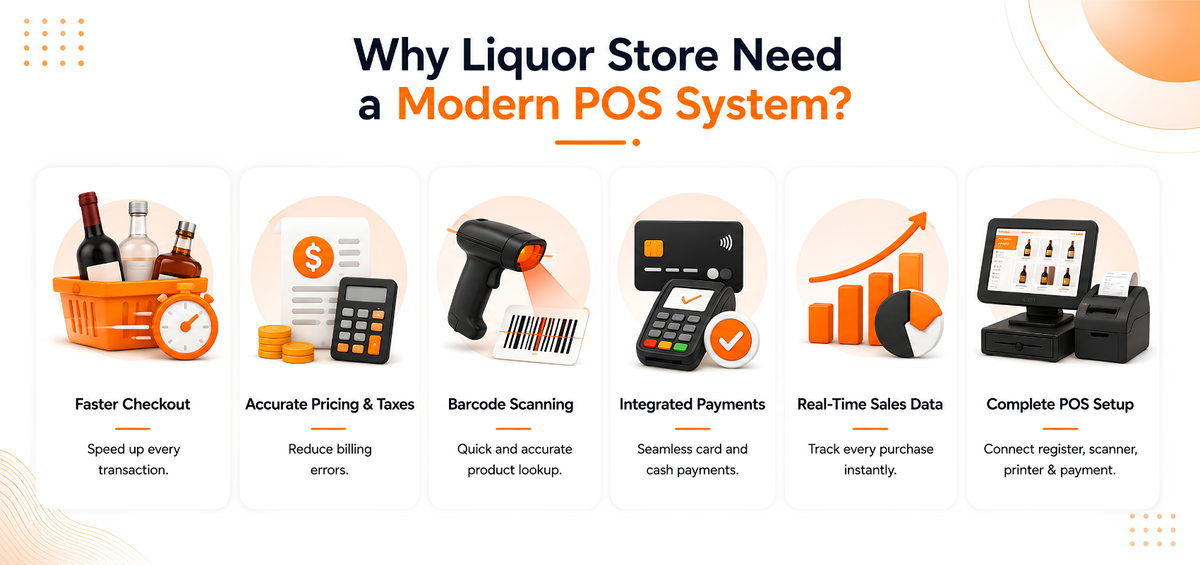
A liquor store's checkout process has to do more than record a sale. It needs to scan barcodes accurately, apply the correct pricing and taxes automatically, support age verification before completing a transaction, and keep inventory counts current in real time. When these steps are handled manually, or by a generic register not built for retail, mistakes creep in during busy hours and stock discrepancies pile up over time.
A modern, cloud-based liquor store POS system brings the register, barcode scanner, customer-facing display, cash drawer, card reader, and receipt printer together into one connected setup. Because it's cloud-based, it can also work offline during an internet outage and sync automatically once the connection returns, so billing never has to stop.
A good POS system for your liquor store should also be device-agnostic, meaning it runs on the hardware you already have or plan to invest in, whether that's a Windows terminal, an Android tablet, or an iPad. That flexibility keeps hardware costs down and makes it easier to add a second till or open a new outlet later.
Key Features to Look for in a Liquor Store POS System
Not every POS platform is built for alcohol retail. Use this checklist to compare your options.
Age Verification and Staff Access Control
Look for a system that supports age verification at checkout and lets you set role-based permissions for staff. Restricting who can process refunds, apply discounts, or void transactions reduces the risk of fraud and keeps your store accountable, especially if you employ part-time or seasonal staff. Audit logs that record stock and transaction activity add another layer of protection.
Inventory Management for High SKU Counts
Even a small liquor store can carry a larger product catalog than a typical grocery aisle. Your liquor POS system should be designed to handle very large product databases, running into millions of items, without slowing down, and give you smart filters and tags so staff can find items quickly during a rush and managers can group products for promotions and reports.
Beyond basic stock counts, look for:
- Real-time inventory tracking across every channel, whether a sale happens in-store, online, or through a delivery order
- Low stock and automated stock alerts, so you reorder before you run out
- Batch and expiry tracking for products that need it
- Automatic stop-selling when an item's stock reaches zero, so you never sell what you don't have
If inventory accuracy is your biggest pain point, our dedicated guide to liquor inventory software goes deeper into managing stock for a liquor store.
Fast, Flexible Checkout
Peak hours, weekends, holidays, and event days can make or break a liquor store's day. The POS system for your liquor store should support:
- Billing in minimal clicks, even during a rush
- Barcode and QR code scanning
- Multiple payment methods, including debit, credit, gift cards, and mobile payments
- Split billing when customers want to divide a purchase
Sales Reporting and Analytics
You can't manage what you can't measure. A liquor store POS system should give you item-wise, category-wise, and brand-wise sales reports so you can see which products actually move and which ones are tying up shelf space and cash. Real-time dashboards and phone access to reports mean you don't have to be on site to check how the store is performing.
For a closer look at how this works day to day, see our guide on how POS reports work.
Multi-Location Support
If you run more than one store, or plan to, choose a POS system built for multi-location management from the start. Centralized inventory, consolidated reporting, and outlet-to-outlet comparisons let you run every location from a single dashboard instead of stitching together separate systems as you grow.
Customer Loyalty and CRM Tools
Repeat customers matter in liquor retail. A POS system with built-in CRM capabilities lets you track purchase history and preferences, run points or tier-based loyalty programs, and send targeted offers through email, SMS, or WhatsApp. Discount coupons and birthday or anniversary campaigns are simple, low-effort ways to keep regulars coming back.
Steps to Choose the Right POS System for Your Liquor Store
- List your must-have features first. Decide whether age verification, multi-location reporting, or inventory depth matters most to your store before you start comparing vendors.
- Check hardware compatibility. Confirm the POS works with any scanners, printers, or card readers you already own, or budget for new hardware if it doesn't.
- Test how it handles your product catalog. Ask to see how the system manages a large SKU count and whether search and filtering stay fast under load.
- Review reporting and support. Make sure you can access sales and inventory reports remotely, and confirm what support looks like after you go live, not just during setup.
- Run a demo with your own data. A short trial or live demo tells you more about day-to-day fit than a features list alone.
Going Omnichannel: Selling In-Store, Online, and On the Go
Customers increasingly expect to browse and order from wherever they are. A liquor store POS system that supports omnichannel selling lets you launch a branded online store, run a dedicated owner app to manage the business from your phone, and accept in-store, takeaway, or delivery orders from one screen. It's worth checking that the app supports both iOS and Android, so you're not building or maintaining two separate versions.
Because inventory syncs across every channel automatically, a bottle sold online is reflected in your in-store count right away, which helps you avoid overselling. Connecting loyalty and payment options on top of this keeps operations running smoothly as you add new sales channels.
Posbytz – A complete Omnichannel for your Business
Partner with Posbytz for your store into a mobile app that customers can shop anytime from anywhere. Supports all mobile devices with full iOS and Android compatibility. No need to design your mobile app separately for iOS and Android versions.
You can download the build for both versions and launch it on the two platforms after testing. PosBytz Online Store and all PosBytz point of sale systems make inventory management easy.
PosBytz Loyalty or coupons to offer a rewards program for online and in-person purchases. Target your customers more effectively, scale your business, and grow revenue. Connect third-party apps to PosBytz and keep your business running smoothly.
Why are Posbytz POS Features Important for Liquor Stores?
Even small liquor stores have a larger product database than grocery stores. Posbytz POS system helps to handle a large database; it is capable of storing several million products.
Smart Filter options help to find products easily Manage products using tags for promotion & reports. Software designed to audit a large number of stocks which helps to find permission levels for each cashier to prevent fraud from the start.
Posbytz Best POS System for Your Liquor Store
Posbytz software helps to identify the age verification of the customers who are above 21 years. Cash Discounting – Where customers get discounts by paying in cash.
Advanced Inventory Tracking which helps to identify types and bottles and manages those counts automatically. Active inventory, faster controls, Prevention, and theft prevention.
Sales Reporting helps to identify the analysis of Highly sold liquors. Advanced Payment Capability feature helps to accept debit, credit, gift cards, and mobile payments.
Frequently Asked Questions
What features should I look for in a liquor store POS system?
Prioritize age verification and role-based staff access, real-time inventory tracking for large SKU counts, fast and flexible checkout, item and brand-level sales reporting, and support for multiple locations if you plan to grow.
Does a liquor store POS system work without internet?
A cloud-based POS system built for offline use will keep billing running during an internet outage and automatically sync your sales and inventory data once the connection is restored.
How does a POS system help with age verification and compliance?
A liquor store POS system can prompt staff to confirm a customer's age at checkout and restrict certain actions, like discounts or refunds, to authorized staff only. Combined with tax-ready reports, this makes it easier to stay accountable at audit time.
Can one POS system manage multiple liquor store locations?
Yes. A POS system built for multi-location management centralizes inventory, sales, and reporting across every outlet, so you can compare performance and manage stock from a single dashboard instead of separate systems per store.
Is a cloud-based POS better than a traditional cash register for a liquor store?
A cloud-based POS system gives you real-time inventory visibility, remote reporting access, and automatic data backups, none of which a traditional cash register can offer. It also scales more easily if you add a second location or a new sales channel later.
Conclusion
Choosing the right POS system for your liquor store comes down to matching features to how you actually operate: fast and accurate checkout, inventory that tracks a large and varied catalog, dependable age verification, and reporting you can check from anywhere. Compare a few options against this checklist, run a demo with your own products, and pick the system that fits both your store today and where you plan to take it.
Ready to see it in action? Explore PosBytz for your liquor store or get started for free.
About the author

The PosBytz Marketing Team
Editorial Team, PosBytz
The PosBytz Marketing Team shares practical insights on running smarter restaurants and retail stores from POS best practices to inventory management, online ordering, and customer loyalty strategies.



