POS vs ERP for Restaurants: What's the Difference and Which One Do You Need?
What is the difference between a restaurant POS and an ERP system? Compare features, costs, and use cases to find out which one your restaurant actually needs.


Picture this. You opened your first restaurant three years ago with a simple POS on the counter. It handled billing, printed kitchen tickets, and showed you the day's sales. Life was good.
Then you opened a second outlet. Then a central kitchen. Now your accountant is asking for purchase records you keep in a notebook, your chef is guessing stock levels, and you spend Sunday nights copying sales figures into Excel.
At some point, someone tells you, "You need an ERP." And you wonder: isn't my POS already doing that?
That's the question this guide answers. We'll look at the real difference between a restaurant POS and an ERP system, what each one does well, where each one falls short, and how to tell which one your restaurant actually needs right now.
The Short Answer: POS vs ERP
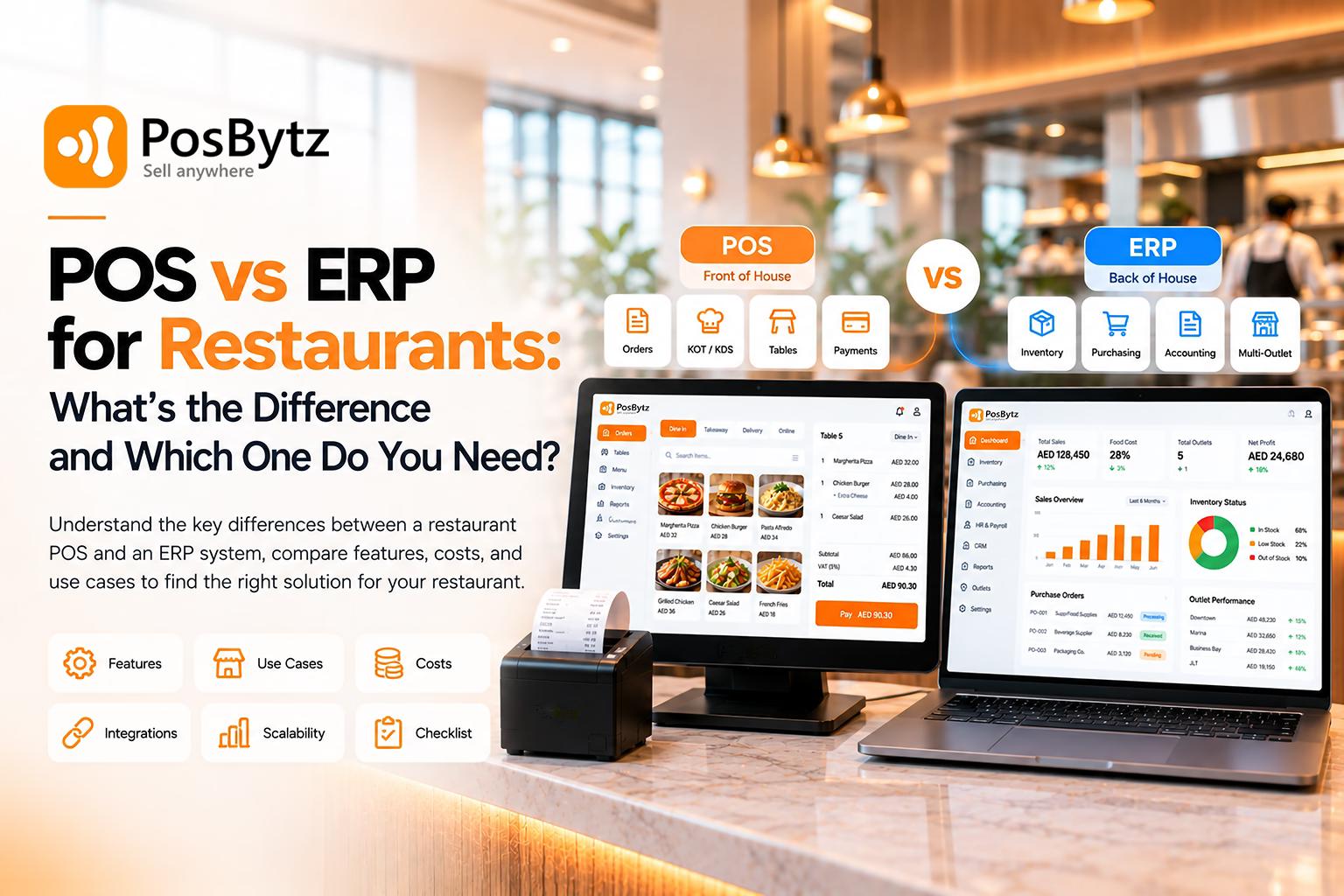
A restaurant POS runs the front of house. It takes orders, sends them to the kitchen, prints bills, and collects payments. It answers the question, "What did we sell today?"
A restaurant ERP (Enterprise Resource Planning) runs the whole business. It connects sales with inventory, purchasing, recipes, accounting, staff, and multiple outlets in one system. It answers the question, "How is the business really doing, and where is the money going?"
Put simply, a POS handles the moment a guest pays. An ERP handles everything that happens before and after that moment.
Most single-outlet restaurants start with a POS. Restaurants with several outlets, a central kitchen, or serious cost control needs usually move to an ERP, and many modern restaurant ERPs include a POS as part of the package.
What Is a Restaurant POS System?
A POS (point of sale) system is the software and hardware your staff use during service. The cashier, the waiter with a handheld, the kitchen printer, the card machine: that's your POS at work.
Here's what it does during a typical dinner rush. A table orders two biryanis, a starter with no onions, and drinks. The waiter enters the order, the starter ticket goes to the kitchen and the drinks go to the bar. When the table asks for the bill, the waiter splits it between two cards. At closing, the manager checks the day's sales report.
A restaurant POS typically handles:
- Order taking for dine-in, takeaway, and delivery
- Menu items, modifiers, and combos
- Kitchen order tickets (KOT) or kitchen display screens
- Table management and split bills
- Payments, discounts, and receipts
- Basic stock tracking
- Daily sales reports and staff activity
A good POS is built for speed. Staff need to bill an order in a few taps while a queue builds up, so the screens are kept simple on purpose.
If you want a deeper look at what a POS can do, read our guide to restaurant POS software features.
What Is a Restaurant ERP System?
An ERP is a system that connects all the departments of your restaurant business so they work from the same data.
Think about month-end. Your accountant needs sales, purchases, supplier bills, and payroll. Your chef wants to know why food costs went up. Your operations head wants to compare outlet A with outlet B. Without an ERP, each of these lives in a different place: the POS, a supplier's WhatsApp messages, an Excel sheet, a payroll register.
An ERP brings them together.
A restaurant ERP typically covers:
- Sales and POS: often built in, or connected through integration
- Inventory: recipe-based stock deduction, wastage, stock counts, transfers between outlets
- Purchasing: purchase orders, goods received, supplier management
- Central kitchen: production planning and supplying outlets
- Accounting: ledgers, expenses, tax reports, profit and loss
- HR and payroll: staff records, attendance, salaries
- CRM and loyalty: customer data and campaigns
- Multi-outlet management: central menus, pricing, and consolidated reports
When a dish is sold, the ERP can deduct the ingredients, update food cost, post the sale to accounting, and show it in the outlet's profit report, without anyone re-entering data.
The Core Difference Between Restaurant POS and ERP
The easiest way to understand POS vs ERP is to think about scope.
A POS looks at one transaction at a time. It cares about getting the order right, getting it to the kitchen, and getting paid.
An ERP looks at the business as a whole. It cares about whether that transaction was profitable, whether you have enough stock for tomorrow, whether the supplier has been paid, and how this outlet compares with the others.
Here's another way to put it:
- Your POS tells you that you sold 120 burgers on Friday.
- Your ERP tells you those 120 burgers used 24 kg of patties, that patty prices went up last week, that your burger margin dropped, and that outlet B wasted more buns than outlet A.
Both are useful. They just answer different questions.
POS vs ERP System: Side-by-Side Comparison
Main job
A POS takes orders and collects payments. An ERP looks after the whole business, from the first order to the final accounts.
Focus
A POS stays at the front of house, where guests order and pay. An ERP covers both the front and the back of house, so the kitchen, the store room, and the office all work from the same data.
Main users
Cashiers, waiters, and outlet managers use the POS every day. An ERP is used by owners, accountants, chefs, and the purchase and HR teams.
Inventory
Many POS systems only keep basic item counts, which works fine for bottled water or soda. An ERP tracks stock at the recipe level, along with wastage, outlet transfers, and central kitchen production.
Purchasing
Most POS systems don’t handle purchasing at all. An ERP lets you raise purchase orders, manage suppliers, and record goods received.
Accounting
A POS gives you sales reports and may export them to your accounting software. An ERP either has accounting built in or connects to it deeply, so no one has to re-enter data by hand.
HR and payroll
A POS gives you staff logins and sales by staff member. An ERP goes further with staff records, attendance, and payroll.
Multi-outlet
With a POS, each outlet often runs as its own separate setup. An ERP gives you central control and consolidated reports across every location.
Reports
A POS reports on sales, items, payments, and staff. An ERP adds profit and loss, food cost, outlet comparisons, and cash flow.
Ease of use
A POS is simple and built for speed, so staff can bill an order in a few taps. An ERP has more screens and settings, since it’s designed for back-office teams.
Setup
A POS is usually quick to set up. An ERP takes longer because more of your processes are involved.
Cost
A POS has a lower entry cost. An ERP costs more upfront, but it often replaces several separate tools like inventory apps, accounting software, and payroll systems.
Best for
A POS suits single outlets, cafés, and small QSRs. An ERP suits chains, franchises, cloud kitchens, and F&B groups.
Key Differences Between POS and ERP, Explained
1. What Each System Is Built For
A POS is built for the service floor. Its job is to keep orders moving and money coming in.
An ERP is built for running the company. Its job is to give owners and managers control over costs, stock, people, and profits.
2. Who Uses It
Your waiter will never open the purchase order screen. Your accountant will never take a table order. A POS is used mostly by front-of-house staff, while an ERP is used by many teams, including the kitchen, stores, accounts, HR, and management.
3. How Deep the Inventory Goes
Many POS systems can track stock as simple numbers: 50 bottles of water, 20 cans of soda. That works for packaged items.
Restaurants need more than that. A single plate of pasta uses pasta, sauce, cheese, oil, and herbs in specific amounts. Restaurant ERPs handle this through recipe mapping, so every sale deducts the right ingredients. They also track wastage, stock transfers between outlets, and central kitchen production, which is where most food cost leaks happen.
4. How Accounting Is Handled
A POS records sales. An ERP turns those sales into accounting entries alongside purchases, expenses, and salaries, so you can see profit and loss without waiting for month-end reconciliation.
If you run a POS without an ERP, someone usually has to export sales and enter them into accounting software. That's where delays and mistakes creep in.
5. How It Handles Multiple Outlets
With a standalone POS, each outlet can end up as its own island. Menus get updated in one place and forgotten in another. Comparing outlets means pulling reports one by one.
An ERP is designed for multiple locations. You can update the menu once, set outlet-level prices, move stock from the central kitchen, and view all outlets in one dashboard.
6. The Questions It Can Answer
A POS can answer:
- How much did we sell today?
- Which dishes sold the most?
- How much came in through cash vs card?
- Which waiter billed the most?
An ERP can also answer:
- What is our actual food cost percentage this month?
- Which dishes make money and which only look popular?
- How much do we owe suppliers?
- Which outlet has the highest wastage?
- Are we profitable after salaries and rent?
7. Setup Time and Learning Curve
A POS can often be set up quickly, because it mainly needs your menu, taxes, printers, and staff logins.
An ERP takes more time because it involves more of your business: recipes, suppliers, opening stock, chart of accounts, staff records, and outlet structure. Cloud-based restaurant ERPs are generally faster to roll out than traditional on-premise ERPs, but you should still plan for setup and training.
8. Cost
A POS usually costs less to start. An ERP costs more, but it often replaces several separate tools: an inventory app, accounting software, a payroll tool, and spreadsheets. When comparing costs, add up everything you currently pay for, plus the hours your team spends moving data between systems. Our guide on how much a restaurant POS system costs can help with the POS side.
Signs Your Restaurant Has Outgrown Its POS
You don't need an ERP just because you heard the word. But these are common signs that a POS alone isn't enough anymore:
- You can't tell your food cost without counting stock by hand
- Purchases and supplier bills are tracked in notebooks, WhatsApp, or Excel
- Your accountant spends days each month re-entering sales data
- You run more than one outlet and compare them using separate reports
- You've started a central kitchen and can't track what goes to each outlet
- Stock goes missing and you can't figure out where
- You use four or five different apps that don't talk to each other
- You only find out you lost money on a month after it's over
If three or more of these feel familiar, it's time to look at a restaurant ERP.
When a POS Alone Is Enough
A POS is often the right choice if you:
- Run a single outlet such as a café, small QSR, or food truck
- Have a simple menu with limited ingredients
- Buy from a few suppliers and manage purchases easily
- Use a separate accountant who is happy with exported sales reports
- Want something quick to set up and easy for staff to learn
There's no shame in starting small. Buying a large system before you need it adds cost and complexity your team doesn't need yet. Just make sure the POS you pick can grow, either by adding modules or by connecting to an ERP later. Our restaurant POS buyer's checklist explains what to look for.
When You Need a Restaurant ERP
An ERP makes sense if you:
- Run multiple outlets, brands, or franchises
- Operate a central kitchen or commissary
- Need recipe-level food costing and wastage control
- Want accounting, purchasing, and payroll tied directly to sales
- Need consolidated reports across outlets
- Plan to expand in the next year or two
For a closer look at what restaurant ERPs offer, see our guide to modern ERP for restaurants.
Do You Need Both a POS and an ERP?
In most growing restaurants, the honest answer is yes. You need a POS for service and an ERP for the back office. The real question is how you get both.
There are two ways to do it.
Option 1: A Separate POS Connected to a Separate ERP
You keep your POS and connect it to an ERP through an integration. Sales flow from the POS into the ERP for inventory and accounting.
This can work well, especially if you love your current POS. But it comes with trade-offs. Integrations can break after updates. Menu items may need to be maintained in two places. When something doesn't match, two vendors may point at each other.
Option 2: An All-in-One Restaurant ERP With Built-In POS
Here the POS is part of the ERP. Orders, recipes, stock, purchases, and accounts all live in one system from the start.
This removes the integration layer, keeps one menu and one set of data, and gives you one vendor for support. The trade-off is that you're committing to one platform for most of your operations, so it's worth testing it properly before you switch.
Data
With a separate POS and ERP, sales data is synced between the two through an integration. In an all-in-one ERP with a built-in POS, everything sits in one shared database, so there’s nothing to sync.
Menu updates
When the POS and ERP are separate, you may have to update the menu in both systems. With an all-in-one setup, you update it once and it applies everywhere.
Support
A separate setup means two vendors, and when something doesn’t match, each one may point at the other. An all-in-one ERP gives you one vendor to call for everything.
Setup
A separate POS and ERP need an integration that has to be set up and then maintained over time. An all-in-one system has a single setup, so there’s no integration layer to look after.
Flexibility
Going separate lets you choose the best tool for each job. Going all-in-one means fewer tools to manage and less to keep track of.
Good fit for
A separate POS and ERP suits restaurants that are already attached to a POS they like. An all-in-one ERP with POS suits restaurants that want one connected system from the front counter to the back office.
POS or ERP: What Fits Your Type of Restaurant?
A single café or bakery. A POS with basic inventory and loyalty is usually enough. Look at an ERP when you open a second outlet or start supplying other businesses.
A quick-service chain. With several outlets, central menu control and consolidated reports become important quickly. An ERP with built-in POS is usually the better fit.
A cloud kitchen with multiple brands. You need a POS that handles aggregator orders, plus ERP-level inventory to manage shared ingredients across brands. See our page on cloud kitchen software.
A franchise business. Franchisors need central control over menus, pricing, and reporting, while franchisees run daily service. That's ERP territory.
A restaurant group with a central kitchen. Production planning, stock transfers, and outlet-level costing all need an ERP.
How to Decide Between POS and ERP: Five Questions
Ask yourself these before you talk to any vendor:
- How many outlets do I run now, and how many will I run in two years?
- Do I know my real food cost every month?
- How much time does my team spend moving data between systems?
- Do I need accounting, purchasing, and payroll connected to sales?
- Would one system for everything make my life easier, or do I need a specific POS I already rely on?
If your answers point mostly to "one outlet, simple operations," start with a POS. If they point to growth, multiple outlets, and cost control, look at a restaurant ERP with built-in POS.
Common Myths About POS and ERP
"ERP is only for big companies." Not anymore. Cloud-based restaurant ERPs are available on subscription pricing, which puts them within reach of smaller restaurant groups too.
"My POS has inventory, so I don't need an ERP." Maybe. Check whether that inventory supports recipes, purchases, suppliers, wastage, and outlet transfers. Many POS inventory modules only count items.
"An ERP will slow down my billing." In restaurant ERPs with a built-in POS, the billing screen is still designed for speed. The extra depth sits in the back office, not on the cashier's screen.
"Switching to an ERP means starting from scratch." You can usually import your menu, items, and customer data. Plan the setup carefully, but you don't have to rebuild everything by hand.
How PosBytz Brings POS and ERP Together
PosBytz is a cloud-based ERP for restaurants and retail with a built-in POS, so you don't have to choose between the two or manage an integration between separate systems.
From the front counter to the back office, you get:
- Restaurant POS: billing, KOT, table and QR ordering, and online orders
- Inventory: recipe-based stock, purchasing, wastage, central kitchen, and outlet transfers
- Accounting: sales, purchases, and expenses in one place, with integrations for Zoho Books and QuickBooks
- HR and payroll alongside your sales data
- CRM and loyalty to bring guests back
- Multi-outlet control from one dashboard
- Tax and e-invoicing compliance for VAT, GST, and e-invoicing in Saudi Arabia, UAE, Qatar, Bahrain, Oman, and India
- Delivery integrations with Talabat, Careem, Swiggy, Zomato, Jahez, Deliveroo, HungerStation, and more
It works for QSRs, cafés, fine dining, bars, cloud kitchens, food trucks, and multi-outlet chains. You can start with the POS and turn on more modules as you grow.
Start your free trial or talk to our team to see how it fits your restaurant.
Frequently Asked Questions About POS vs ERP
What is the main difference between a restaurant POS and an ERP?
A restaurant POS handles orders, kitchen tickets, and payments at the point of sale. A restaurant ERP connects sales with inventory, purchasing, accounting, HR, and multiple outlets so you can manage the entire business from one system.
Is a POS part of an ERP?
It can be. Some restaurant ERPs include a built-in POS, while others connect to a separate POS through integration. Either way, the POS acts as the front-end sales system and the ERP manages the back office.
Can a POS replace an ERP for a restaurant?
For a single outlet with simple operations, a capable POS with inventory and reports may be enough. Once you have multiple outlets, a central kitchen, or need connected accounting and purchasing, a POS alone usually can't do the job of an ERP.
Do small restaurants need an ERP?
Most small, single-outlet restaurants can start with a POS. An ERP becomes worth it when you need accurate food costing, supplier management, connected accounting, or you're planning to open more outlets.
Which is more expensive, POS or ERP?
A POS usually has a lower starting cost. An ERP costs more but often replaces several tools, such as separate inventory, accounting, and payroll software, so compare the total cost of everything you currently use.
How do POS and ERP work together?
The POS records each sale and sends that data to the ERP. The ERP then updates stock, posts the sale to accounting, and adds it to management reports. In an all-in-one system, this happens automatically because both share the same database.
What does an ERP do that a POS can't?
An ERP manages purchasing, supplier payments, recipe-level food costing, central kitchen production, accounting, payroll, and consolidated multi-outlet reporting. Most standalone POS systems either don't cover these or only cover them partly.
Should I choose a POS with ERP features or a full ERP?
If you run one outlet, a POS with basic inventory and reports may be enough today. If you plan to grow, choosing a restaurant ERP with built-in POS saves you from switching systems later.
How long does it take to move from a POS to an ERP?
It depends on the number of outlets, menu size, recipes, and how much data you're bringing over. Cloud restaurant ERPs are usually quicker to set up than traditional on-premise systems, but plan time for recipe setup, stock entry, and staff training.
Is cloud ERP safe for restaurant data?
Reputable cloud ERP providers use encrypted connections, access controls, and regular backups. Use individual logins with role-based permissions for your staff, and check the vendor's data export and backup policies.
Final Word
POS vs ERP isn't really a contest. They do different jobs. Your POS keeps service running. Your ERP keeps the business under control.
If you're running one outlet and things feel manageable, a good POS is a smart place to start. If you're juggling outlets, chasing food cost, and spending nights in spreadsheets, that's your sign to look at an ERP, ideally one that already includes the POS so everything lives in one place.
Pick the system that fits where your restaurant is today, and make sure it can keep up with where you want it to go.
About the author

Saravana Damodaram
Co-Founder & CEO, PosBytz
Saravana Damodaram is the Co-Founder & CEO of PosBytz, a cloud-based POS-ERP platform built for F&B and retail businesses since 2018. He focuses on unified commerce, inventory, and multi-location operations, and has helped over 5,000 merchants across 25+ countries move off fragmented, disconnected tools and run their entire operation, billing, inventory, kitchen, and accounting on one platform.