Best Accounting Software for Restaurants: A 2026 Comparison Guide
Best Accounting software for Restaurants business with a comparative study for choosing the right one for your business.
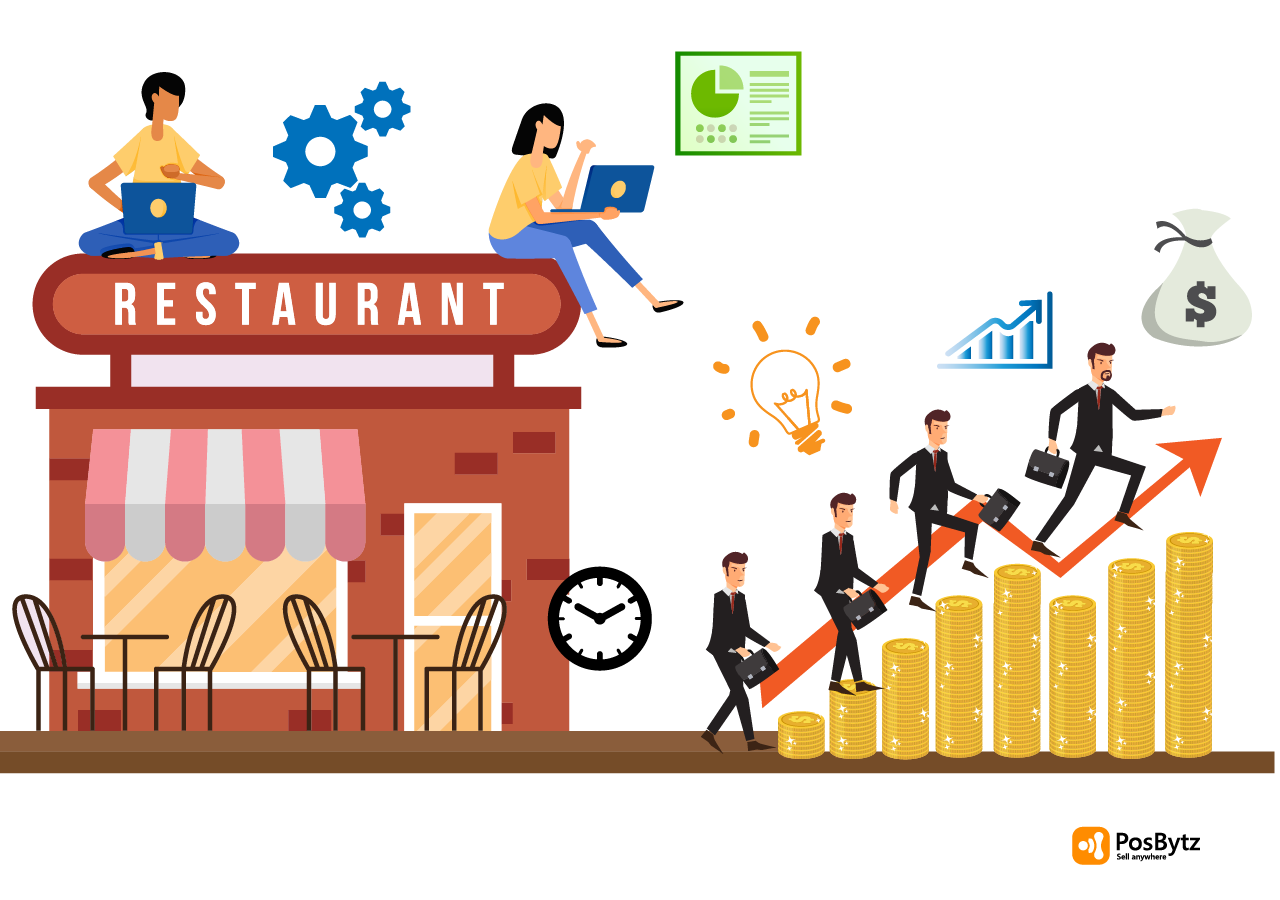


Choosing the best accounting software for restaurants affects far more than your books. The right system keeps sales, inventory, payroll, and tax reporting accurate while saving your team hours of manual reconciliation every week. In this guide, we compare the leading options, including PosBytz, QuickBooks Online, Zoho Books, Xero, Wave, and FreshBooks, and outline what to look for in a simple accounting software for restaurant use before you commit to one.
What to Look for in Restaurant Accounting Software
Selecting the best accounting software for restaurants is a critical decision for your F&B business. In 2026, the right system ensures financial accuracy and operational efficiency. Consider these factors:
- Ease of use: The software should be simple to navigate, even for staff without formal accounting training.
- Integration: It should connect directly with your restaurant POS and inventory systems, so sales data flows into the books automatically.
- Scalability: It should handle rising transaction volumes and additional outlets as your restaurant grows.
- Customization: It should let you track specific menu items, ingredients, and inventory flows rather than forcing a generic chart of accounts.
- Security: It should protect financial data with strong encryption, access controls, and reliable backups.
Top Accounting Software Options for Restaurants in 2026
The importance of accounting software for restaurant businesses cannot be overstated. It helps in accurately tracking financial data, managing inventory, and calculating food costings & waste. Key features include inventory management, expense tracking, financial reporting, automated invoicing, and integration with HR & payroll systems.
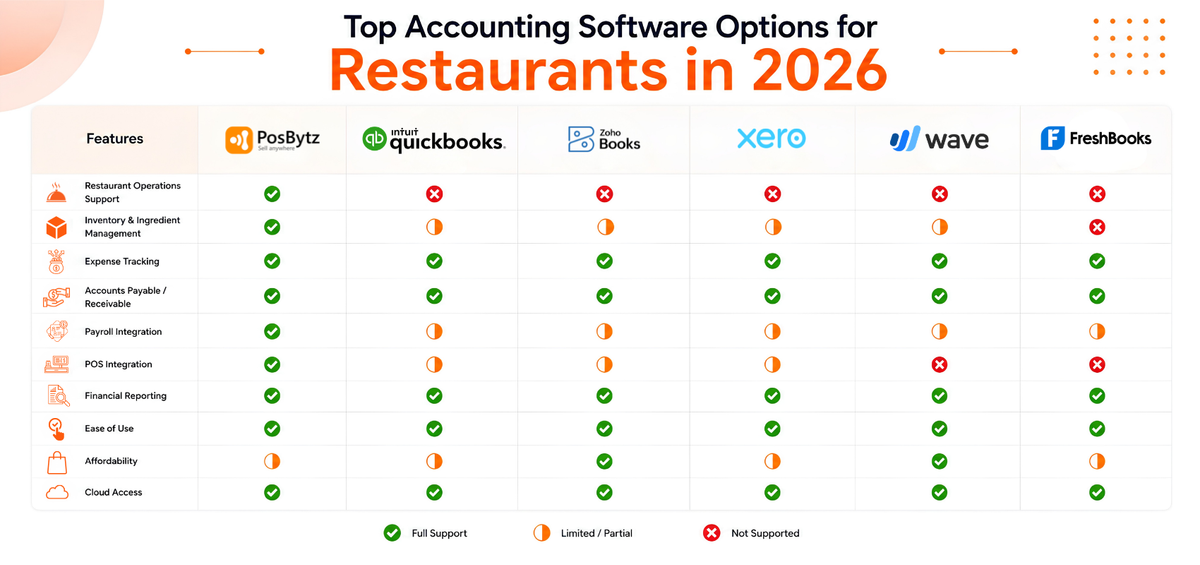
1. PosBytz
PosBytz is a restaurant ERP software built specifically for food and beverage operations. It combines POS, inventory management, expense tracking, bill and waste management, accounting, HR and payroll, CRM, and financial reporting in a single restaurant POS software with built-in accounting platform.
Pros:
- Covers multiple areas of restaurant management in one system.
- Cloud-based, so you can access data from anywhere.
- User-friendly interface that simplifies complex operations.
- Available on Windows POS, Android, and iPad, with inventory, HR, and accounting built in.
- HR and payroll integrates directly with accounting for automatic expense posting.
- Purpose-built for restaurant workflows, from recipe costing to menu-item level tracking.
Cons:
- Few reports need to be enhanced with more filters.
- Initial setup can be time-intensive due to its comprehensive nature.
2. QuickBooks Online
QuickBooks Online is a general accounting software for small businesses. It offers inventory management, expense tracking, and financial reporting.
Pros:
- Comprehensive features for general expense tracking.
- Detailed financial reporting capabilities.
- Automated invoicing and payment tracking.
Cons:
- Not designed for Restaurant business operations specifically.
- Cannot manage the inventory and accounting module as one solution.
- Limited support for payroll management.
- Integration with POS systems can be complex.
3. Zoho Books
Zoho Books is a cloud-based software that offers automated invoicing and expense tracking, known for its affordability.
Pros:
- Affordable pricing and easy set up.
- Detailed financial reporting.
Cons:
- Doesn’t support Restaurant operations (reducing assets upon sale or kitchen prep).
- Limited inventory management features.
4. Xero
Xero is a user-friendly and scalable accounting software for small businesses.
Pros:
- Good inventory management for retail.
- Automated bank reconciliation.
Cons:
- Doesn’t support inventory management for restaurant-specific operations.
- Complex integration with POS.
5. Wave
Wave is known for affordability and ease of use for small business owners.
Pros:
- Affordable pricing and automated invoicing.
Cons:
- Limited payroll management.
- Limited inventory features and customer support.
6. FreshBooks
Pros:
- Scalable and user-friendly interface.
Cons:
- Limited support for payroll and detailed financial reports.
- No integrated POS modules, which is crucial for restaurant operations.
Comparison Summary: Which One Should You Choose?
QuickBooks offers solid general tracking, and Zoho and Wave are budget-friendly for very small operations. PosBytz stands out as the best accounting software for restaurant business because it's a comprehensive ERP rather than a bolt-on accounting tool. It handles in-store POS, kitchen operations, inventory, HR and payroll, and financial controls in one unified system, which is covered in more detail in this restaurant accounting software comprehensive guide. General accounting tools like QuickBooks or Zoho work fine for basic bookkeeping, but they typically require separate POS and inventory systems, which adds manual reconciliation work.
Key Features to Look for in Restaurant Accounting Software
Whether you choose PosBytz or another provider, these are the capabilities that matter most for restaurant operations.
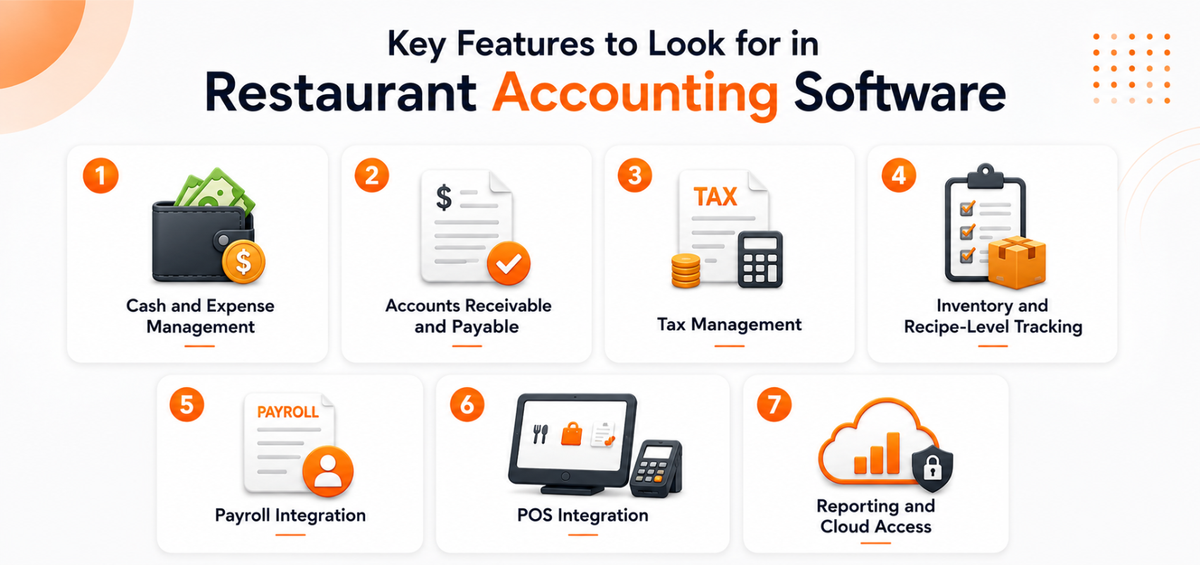
Cash and Expense Management
Get a full view of money flow with real-time bank data, plus easy categorization of expenses such as payroll and supplies.
Accounts Receivable and Payable
Automated invoicing and collections shorten the credit-to-cash cycle, while automated vendor management and invoice matching help prevent billing errors and fraud.
Tax Management
Look for software that handles domestic tax requirements, such as VAT return support and e-invoicing, alongside general ledger and trial balance reporting, all in one dashboard.
Inventory and Recipe-Level Tracking
Restaurant accounting software should track ingredient quantities and usage, and automatically reduce inventory assets when a sale is completed, to minimize waste and keep your books accurate. This matters even more once you're operating across locations, which this guide to restaurant inventory management for multiple outlets covers in depth.
Payroll Integration
Payroll should post directly to your books at month-end, with accurate wage calculations and labor law compliance. If you're new to this, this payroll software guide explains the basics.
POS Integration
Your iPad POS system and other checkout channels should automatically feed sales, cost of goods sold, and labor data into the books, removing the need for manual entry at the end of each shift.
Reporting and Cloud Access
Real-time, customizable reports (P&L statements, trial balances, balance sheets, and cost breakdowns) should be accessible from anywhere, backed by strong security such as encryption and multi-factor authentication.
Final Thoughts
Choosing the best accounting software for restaurant business comes down to how well it fits your actual operations, not just its price tag. General tools like QuickBooks or Zoho can handle basic bookkeeping, but a purpose-built platform like PosBytz connects POS, inventory, payroll, and accounting so your numbers stay accurate without extra manual work.
Scale Your Restaurant Finances
Stop juggling spreadsheets. Experience the best accounting software for restaurants and sync your sales and accounts instantly.
Start Your Free Trial | Request a Live Demo
Frequently Asked Questions
Does PosBytz support QSR businesses?
Yes, PosBytz supports all QSR and restaurants like Cafes, Food Trucks, and Cloud Kitchens with inbuilt accounting.
Frequently Asked Questions
1. Does PosBytz support QSR businesses?
Yes. PosBytz supports quick-service formats such as cafes, food trucks, and cloud kitchens, all with built-in accounting.
2. Which accounting software is best for small restaurants?
For small venues, PosBytz, QuickBooks, or Zoho are all viable choices. PosBytz is best suited specifically to the industry because it links POS transactions directly to the general ledger, so sales, inventory, and expenses stay in sync without manual entry.
3. What features should restaurant accounting software have?
At minimum, look for inventory tracking with automatic deductions, expense and payroll management, POS integration, tax-ready reporting, and real-time financial dashboards. Recipe-level cost tracking is a bonus for restaurants managing food costs closely.
4. Is cloud-based accounting software better for restaurants?
For most restaurants, yes. Cloud-based systems let owners and managers check sales, expenses, and reports from any location, support automatic backups, and make it easier to manage accounting across multiple outlets from one dashboard.
5. How does restaurant accounting software integrate with POS?
A connected system pulls sales, cost of goods sold, and payment data straight from the POS into the accounting module as transactions happen. This removes manual data entry and keeps inventory counts and financial reports up to date in real time.
More Relevant Resources
Simplifying Bookkeeping
Automating Operations
Streamlining ERP Guide
About the author

Saravana Damodaram
Co-Founder & CEO, PosBytz
Saravana Damodaram is the Co-Founder & CEO of PosBytz, a cloud-based POS-ERP platform built for F&B and retail businesses since 2018. He focuses on unified commerce, inventory, and multi-location operations, and has helped over 5,000 merchants across 25+ countries move off fragmented, disconnected tools and run their entire operation, billing, inventory, kitchen, and accounting on one platform.