12 Key POS System Features Every Business Needs
Discover the most important key features of a POS system to streamline your operations. Learn why PosBytz is the best POS system for small business growth.
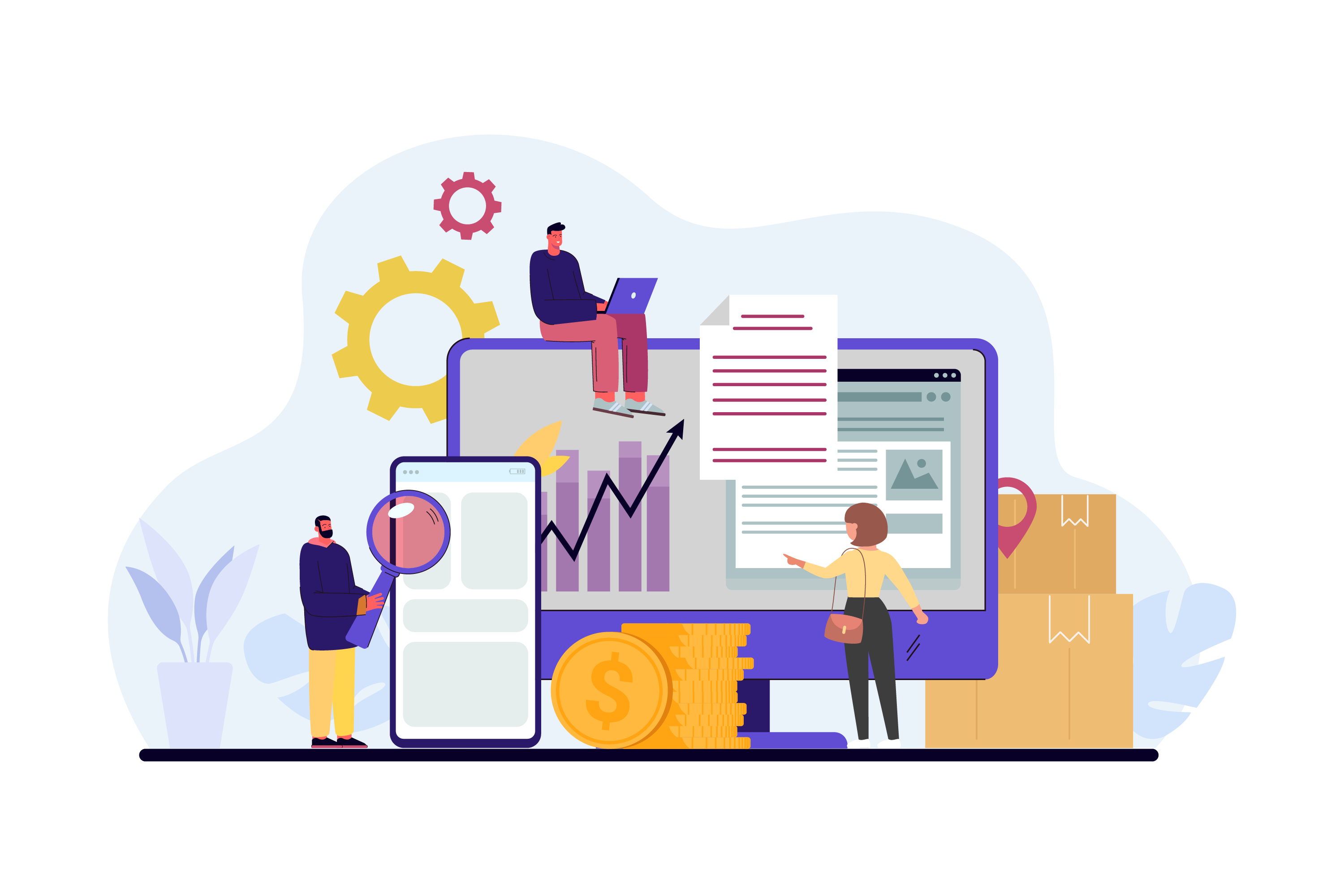


Point-of-sale systems used to be little more than fancy cash registers. Advanced technology has since turned them into the fast, streamlined systems most businesses rely on today.
To ring up sales and take payments, small, medium, and large businesses alike need more than a basic register. They need a robust POS system with features that control inventory, track sales data, generate reports, and manage customer information in one place.
With so many platforms available, choosing the right one can feel overwhelming. If you're comparing options and want to know what actually matters, this guide breaks down the 12 key features of a POS system that modern retail and restaurant businesses depend on, and why they matter for day-to-day operations.
What Does a POS System Actually Do?
Beyond processing transactions, a well-built POS system supports a business in several practical ways:
- Customer data collection: automatically gathers customer details so businesses can build stronger relationships and encourage repeat visits.
- Stock control: helps merchants track best-selling items, know ideal reorder quantities, and avoid stockouts, a hallmark of the best POS system for small business use.
- Sales insights: gives merchants the data they need to make informed decisions about pricing, staffing, and growth.
- Business intelligence: identifies top customers and best-selling products so owners can act on real numbers instead of guesswork.
- Operational efficiency: automates routine tasks so staff can spend more time training team members and serving customers, instead of managing paperwork.
What Are The 12 Key Features Of A Point Of Sale System?
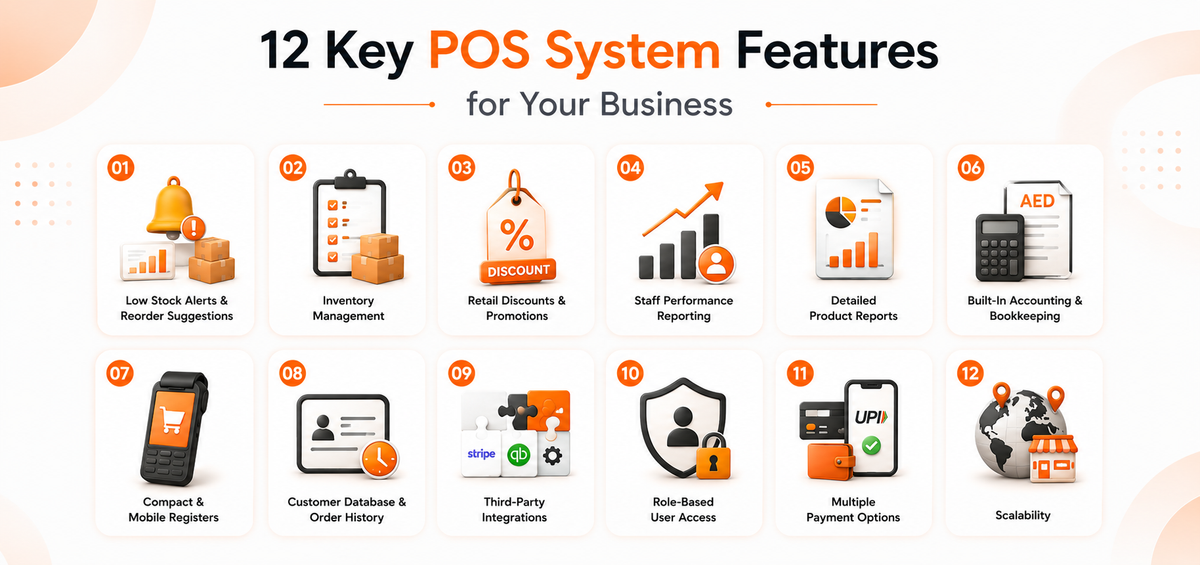
Businesses’ requirements are evolving along with their attempts to provide customers with a greater user experience. Below, we will take a look at the 12 key features of a POS system and how they might help your company improve sales performance.
12 Key POS System Features for Your Business
Business needs keep evolving, and so do customer expectations. Here are the 12 POS system features that make the biggest difference in day-to-day operations.
1. Low Stock Alerts and Automatic Reorder Suggestions
A good POS system flags products before they run out and suggests specific reorder quantities, so bestsellers stay on the shelf without manual stock checks.
2. Inventory Management
This is one of the core key features of a POS system. It should let you manage stock across every sales channel, track expiry dates, handle multiple batches, and run audits, all from a cloud-based system that updates in real time.
3. Retail Discounts and Promotions
The best POS system for small business growth supports bulk discount uploads (via spreadsheet) and lets you manage promotions at the order, item, or category level, without manual price changes at checkout.
4. Staff Performance Reporting
Track which products each employee sells, average transaction value per staff member, and hourly sales rates, so you can identify what's working and coach the team accordingly.
5. Detailed Product Reports
Personalized reports show what sells well (and what doesn't) during specific times of the year, helping you plan orders and promotions around real demand instead of assumptions.
6. Built-In Accounting and Bookkeeping
Multi-store bookkeeping shouldn't require a separate tool. Look for a POS with built-in accounting that generates tax reports and ledgers automatically, cutting down on manual reconciliation.
7. Compact and Mobile Registers
Point-of-sale system features should include mobile register options, useful for stockrooms, pop-up counters, or front-facing checkout screens that fit your store layout.
8. Customer Database and Order History
A consolidated customer database helps you understand buying patterns, process receiptless returns, and send targeted promotions through WhatsApp or SMS.
9. Third-Party Integrations
Your POS should connect easily with payment gateways, card terminals, accounting software, and ERPs, so you're not stuck manually syncing data between systems.
10. Role-Based User Access
Custom roles and permissions restrict sensitive data (like sales totals or customer records) to the staff who need it, protecting your business from unauthorized access.
11. Multiple Payment Options
Customers should be able to split a bill across cash and card, or pay with UPI, wallets, or any other method they prefer, without slowing down checkout.
12. Scalability
As your business grows, your POS should keep up: high transaction volumes, multi-country tax settings, and unlimited store locations, all without switching platforms.
Get All 12 Features with PosBytz
PosBytz brings these key features of a POS system together in one platform, built for small businesses that want to scale without switching software later. It combines POS features, inventory, accounting, and reporting so you're not stitching together separate tools.
Frequently Asked Questions
What are the must-have POS system features?
The most critical key features of a POS system include real-time inventory tracking, automated sales reporting, built-in accounting, and support for both online and offline sales from one dashboard.
Can I manage multiple branches with one POS system?
Yes. A modern point-of-sale system should let you monitor and control items, pricing, and inventory across unlimited stores from a single platform, without logging into separate accounts per location.
How does POS software help with customer loyalty?
By keeping a customer database, you can track purchase history and send targeted discounts through WhatsApp or SMS, which helps build repeat business and a loyal customer base.
Is a cloud-based POS system better than a traditional one?
Cloud-based systems update in real time, sync inventory across locations automatically, and let you check reports remotely, advantages a traditional, locally hosted register can't match.
How much does a POS system with these features typically cost?
Pricing varies based on the number of outlets, users, and add-ons like accounting or CRM. Most providers offer tiered plans, so it's worth comparing what's included at each level rather than the headline price alone.
Conclusion
Choosing a POS system comes down to matching features to how your business actually operates, not just picking the one with the longest feature list. Inventory control, staff reporting, built-in accounting, and scalability are the features that tend to matter most as a business grows.
PosBytz brings all 12 of these features into one platform built for small business growth. Start your free trial to see how it fits your operations.
Related Resources
About the author

Saravana Damodaram
Co-Founder & CEO, PosBytz
Saravana Damodaram is the Co-Founder & CEO of PosBytz, a cloud-based POS-ERP platform built for F&B and retail businesses since 2018. He focuses on unified commerce, inventory, and multi-location operations, and has helped over 5,000 merchants across 25+ countries move off fragmented, disconnected tools and run their entire operation, billing, inventory, kitchen, and accounting on one platform.